







Question: INSTRUCTIONS Step 1: Create a C# program named Spoons. Step 2: Solve the problem below Write a program which prints out a Teaspoons to Tablespoons
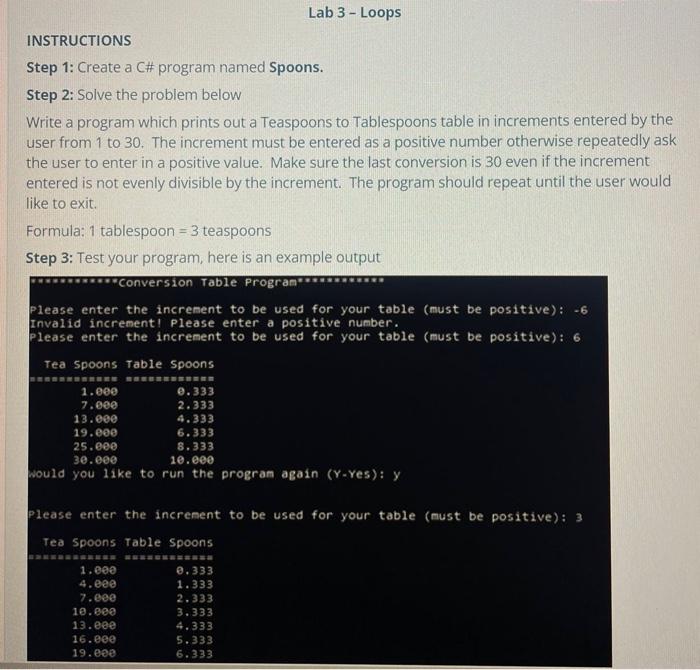
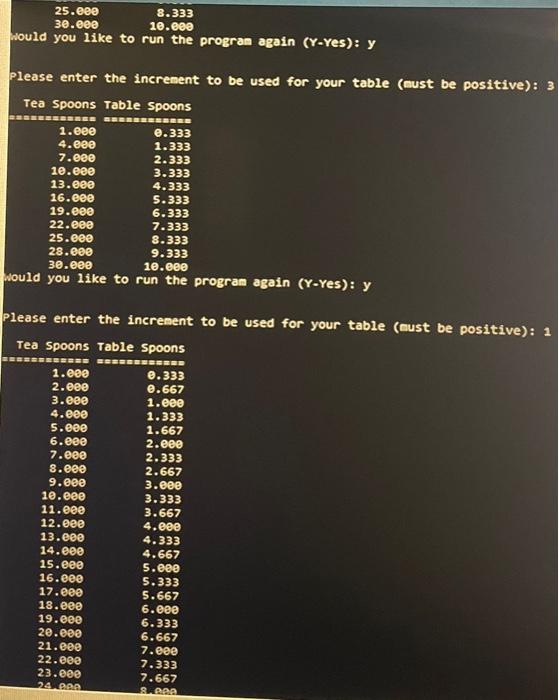
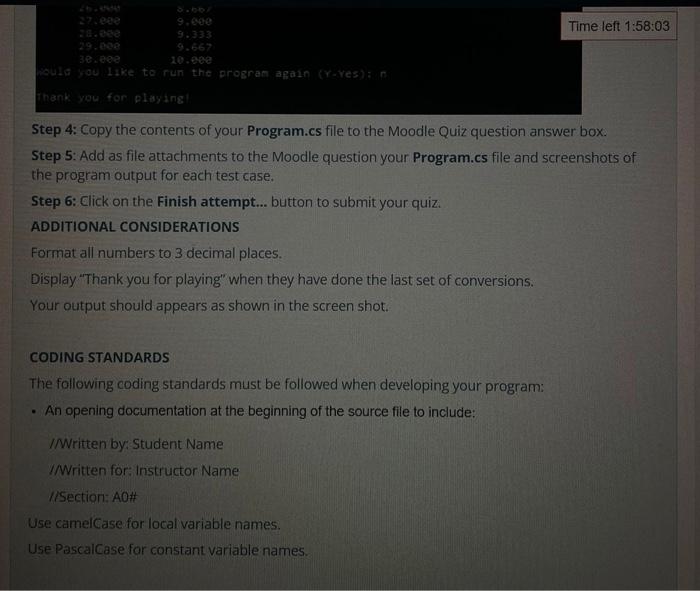
INSTRUCTIONS Step 1: Create a C\# program named Spoons. Step 2: Solve the problem below Write a program which prints out a Teaspoons to Tablespoons table in increments entered by the user from 1 to 30 . The increment must be entered as a positive number otherwise repeatedly ask the user to enter in a positive value. Make sure the last conversion is 30 even if the increment entered is not evenly divisible by the increment. The program should repeat until the user would like to exit. Formula: 1 tablespoon =3 teaspoons Step 3: Test your program, here is an example output Please enter the increment to be used for your table (nust be positive): 3 Please enter the increnent to be used for your table (cust be positive): 1 Step 4: Copy the contents of your Program.cs file to the Moodle Quiz question answer box. Step 5: Add as file attachments to the Moodle question your Program.cs file and screenshots of the program output for each test case. Step 6: Click on the Finish attempt... button to submit your quiz. ADDITIONAL CONSIDERATIONS Format all numbers to 3 decimal places. Display "Thank you for playing" when they have done the last set of conversions. Your output should appears as shown in the screen shot. CODING STANDARDS The following coding standards must be followed when developing your program: - An opening documentation at the beginning of the source file to include: IN Written by: Student Name I/Written for: Instructor Name IISection: AOH Use camelCase for local variable names. Use PascalCase for constant variable names
Step by Step Solution
There are 3 Steps involved in it

Get step-by-step solutions from verified subject matter experts
 Study Help