







Question: Intro to MATLAB Before we get started with the lab, I am going to point a few things about Citrix. If you aren't using Citrix,
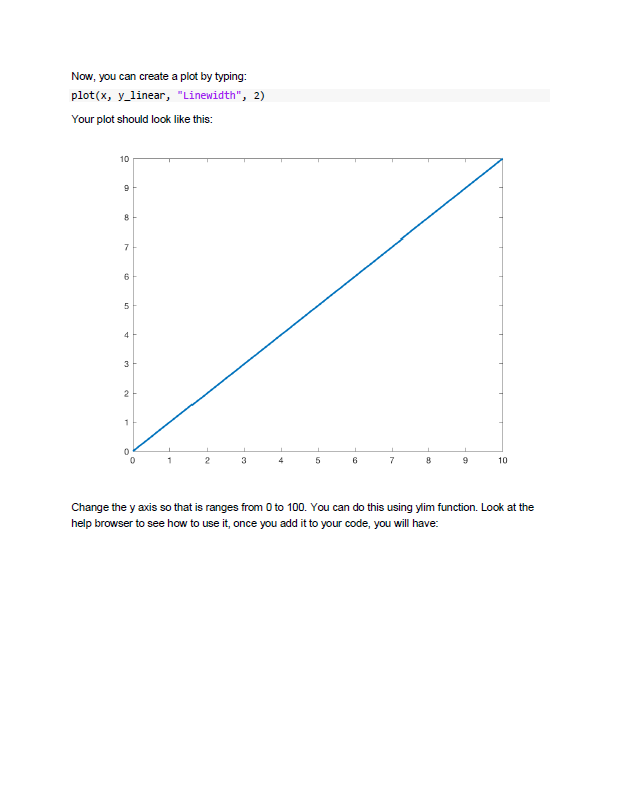
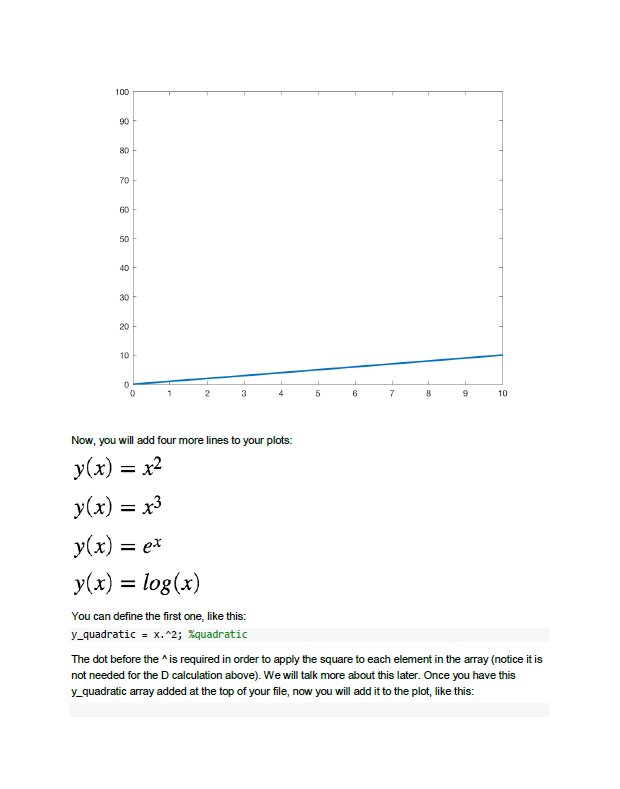
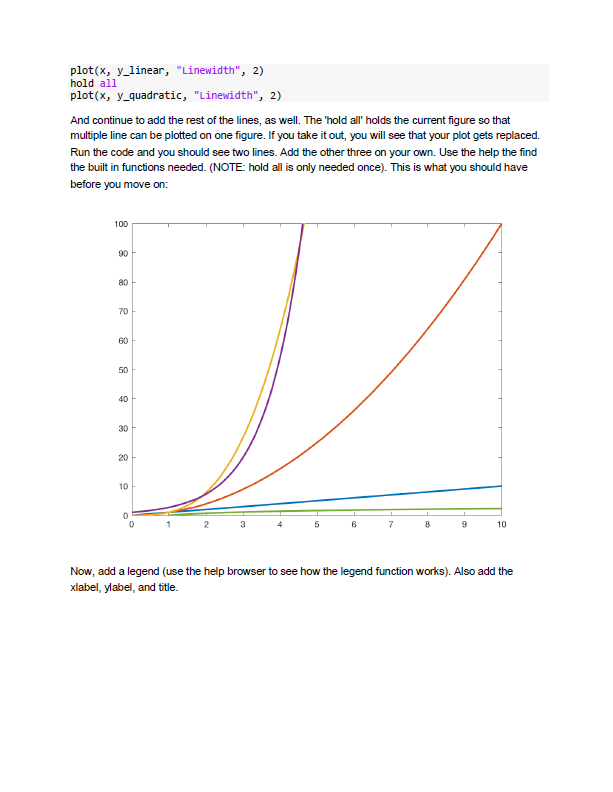
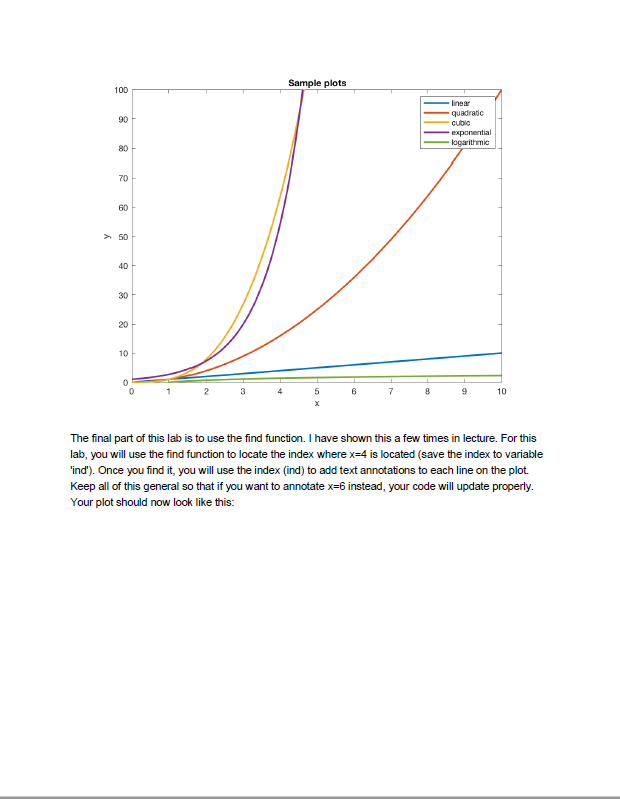
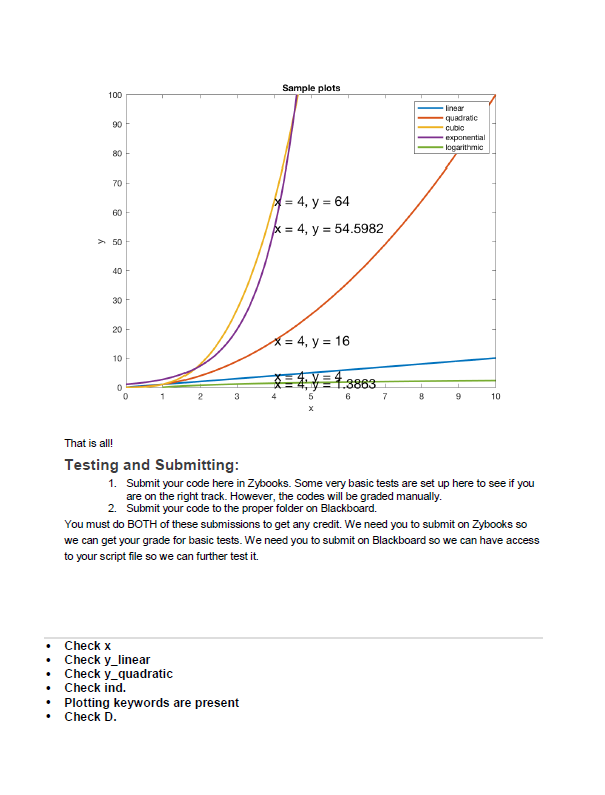
Intro to MATLAB Before we get started with the lab, I am going to point a few things about Citrix. If you aren't using Citrix, skip ahead the Lab Description. Citrix If you are using Citrix, I just wanted to give you a heads up about a few things. 1. Make sure in your Apps you see MATLAB 2018b. They updated it yesterday (Monday, Oct. 29th), which is why there were some problems. If you don't see 2018b, you can click your name in the upper right comer to get the pull down menu, try both "refresh apps" You are running on a server, not your local machine. Therefore, when you save a file, it will by default be located on the server machine (not your machine). To save files from the server to your local machine, see this page (and if you cannot get this to work, you can copy and paste to a text file with a m extension and directly into Zybooks): https://answers.uillinois.edupage.php?id-83020 2. 3. If you have problems with accessing your local machine (some eror message saying you don't have pemission), you can change the permissions by going to Citrix and clicking on the "Citrix Workspace" menu and clicking "Preferences". Click on the "File Access" tab and then choose Read and Write". You may need to log off and log back on to see these changes. The Citrix server has already been down once since we started MATLAB. If you get the error message below, it is probably happening to everyone. If you are working on an assignment up against a deadline, you can always just run your codes in Zybooks in a pinch. There is a run script option, as well as a submit option. They are both unlimited. Turns out there is probably a reason they are offering this Citrix option for free (it is not very reliable) 4. 5. If you get an error message, you can also try to log off and log back on. You can do this a few ways, but the easiest is to click your name in the upper right corner to get the pull down menu, try both "refresh apps" and "log off. And then log back on. Lab Description Open up MATLAB and familiarize yourself with the environment. Stat by trying out a few things in the command window MATLAB can be used as a super-calculator. It can do anything, and much more, that your graphing calculator can do. Lets say you have the following equation, D=mg .from your favorite physics problem set. Assuming m77.1 kg, g-9.81 m/s*2, and V-372.4 m/s demonstrate (to yourself) how you could use MATLAB to calculate D (which is the force due to drag). If you do correctly, you should get (you can see the calculation by not surpressing the line of code...i.e. not semicolon): ans- 0.0055 Intro to MATLAB Before we get started with the lab, I am going to point a few things about Citrix. If you aren't using Citrix, skip ahead the Lab Description. Citrix If you are using Citrix, I just wanted to give you a heads up about a few things. 1. Make sure in your Apps you see MATLAB 2018b. They updated it yesterday (Monday, Oct. 29th), which is why there were some problems. If you don't see 2018b, you can click your name in the upper right comer to get the pull down menu, try both "refresh apps" You are running on a server, not your local machine. Therefore, when you save a file, it will by default be located on the server machine (not your machine). To save files from the server to your local machine, see this page (and if you cannot get this to work, you can copy and paste to a text file with a m extension and directly into Zybooks): https://answers.uillinois.edupage.php?id-83020 2. 3. If you have problems with accessing your local machine (some eror message saying you don't have pemission), you can change the permissions by going to Citrix and clicking on the "Citrix Workspace" menu and clicking "Preferences". Click on the "File Access" tab and then choose Read and Write". You may need to log off and log back on to see these changes. The Citrix server has already been down once since we started MATLAB. If you get the error message below, it is probably happening to everyone. If you are working on an assignment up against a deadline, you can always just run your codes in Zybooks in a pinch. There is a run script option, as well as a submit option. They are both unlimited. Turns out there is probably a reason they are offering this Citrix option for free (it is not very reliable) 4. 5. If you get an error message, you can also try to log off and log back on. You can do this a few ways, but the easiest is to click your name in the upper right corner to get the pull down menu, try both "refresh apps" and "log off. And then log back on. Lab Description Open up MATLAB and familiarize yourself with the environment. Stat by trying out a few things in the command window MATLAB can be used as a super-calculator. It can do anything, and much more, that your graphing calculator can do. Lets say you have the following equation, D=mg .from your favorite physics problem set. Assuming m77.1 kg, g-9.81 m/s*2, and V-372.4 m/s demonstrate (to yourself) how you could use MATLAB to calculate D (which is the force due to drag). If you do correctly, you should get (you can see the calculation by not surpressing the line of code...i.e. not semicolon): ans- 0.0055
Step by Step Solution
There are 3 Steps involved in it

Get step-by-step solutions from verified subject matter experts
 Study Help