







Question: I've been trying to get just one part for help. it's how do I get the decks to loop like that and have numbers on
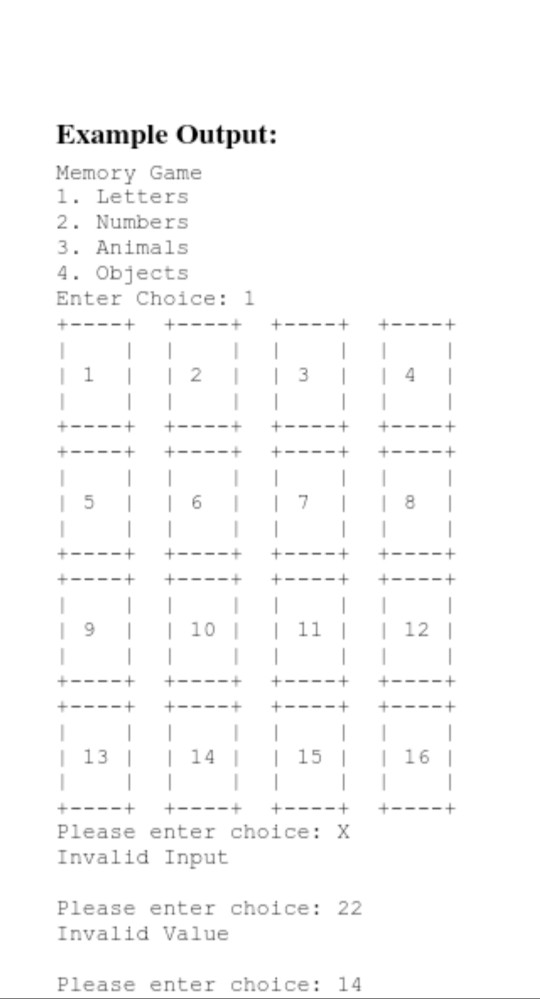
I've been trying to get just one part for help. it's how do I get the decks to loop like that and have numbers on the middle of them like that here's my code and the question:
code:
#include
#include
#include "CheckInput.h"
int getFileChoice();
using namespace std;
#define ROWS 4
#define COLS 4
int main(){
string Desk[ROWS][COLS]={{"+---+"
"| |"
"| |"
"+---+"}
};
int values[ROWS][COLS]={{ 1, 2, 3, 4},
{ 5, 6, 7, 8},
{9, 10, 11, 12},
{13, 14, 15, 16}
};
cout
int GetNum;
GetNum = getFileChoice();
if(GetNum == 1){
for( int i =0; i
for(int j =0; j
if( i ==0 && j ==0){
cout
cout
}
cout
}
cout
}
}
if(GetNum == 2){
}
if(GetNum == 3){
}
if(GetNum == 4){
}
}
int getFileChoice(){
int get;
cout
cout
cout
cout
get = getIntRange(1, 4);
return get;
}
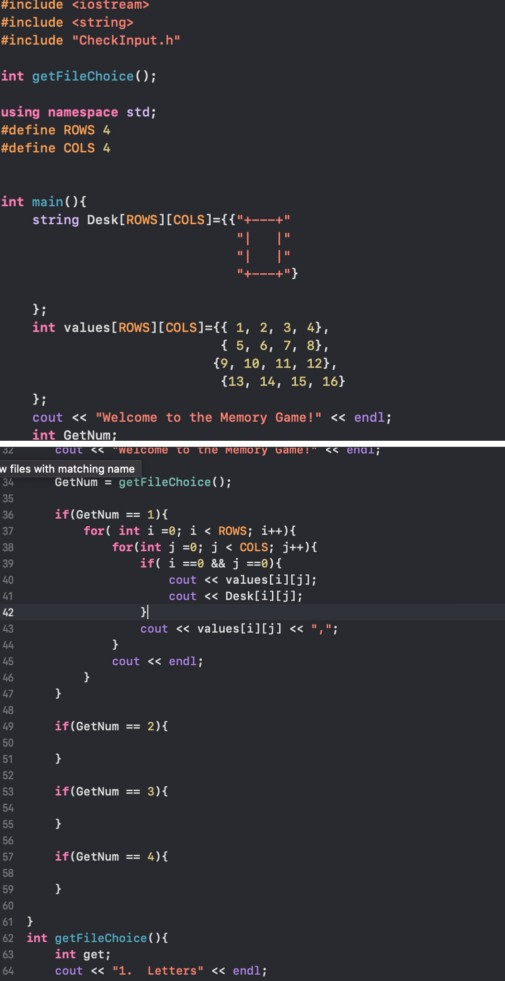
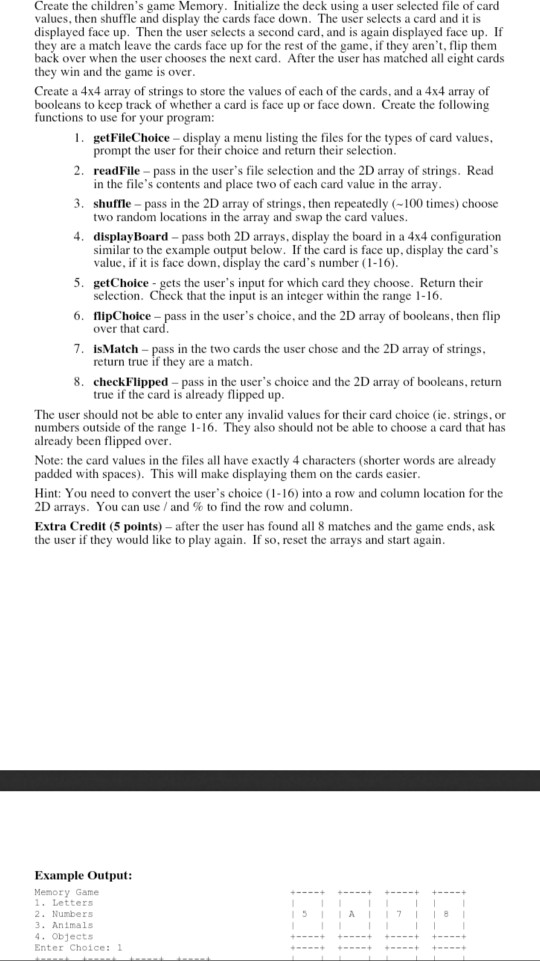
like these cards!? thank you.
#include
Step by Step Solution
There are 3 Steps involved in it

Get step-by-step solutions from verified subject matter experts
 Study Help