Question: java automatic thumbs up thank you! Assignment 2 - CSC 211 Computer Programming Due:2/28/2023@9:25am Submission Guidelines Create a winzip file containing the WHOLE project directory
java automatic thumbs up thank you!  java automatic thumbs up thank you! Assignment 2 - CSC 211
Computer Programming Due:2/28/2023@9:25am Submission Guidelines Create a winzip file containing the WHOLE
project directory and submit on Blackboard. IMPORTANT - Make sure you properly
comment AND properly indent your program. The commenting and indenting documents are
on Blackboard. There must be both Javadoc comments and normal comments in
their proper places. If you fail to appropriately comment or indent points
will be deducted. Programs with compile errors will have 50pts automatically taken

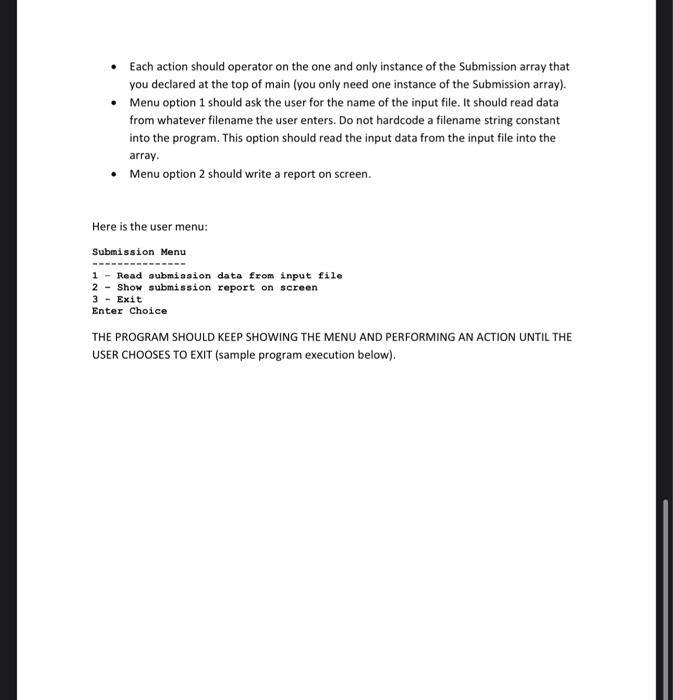
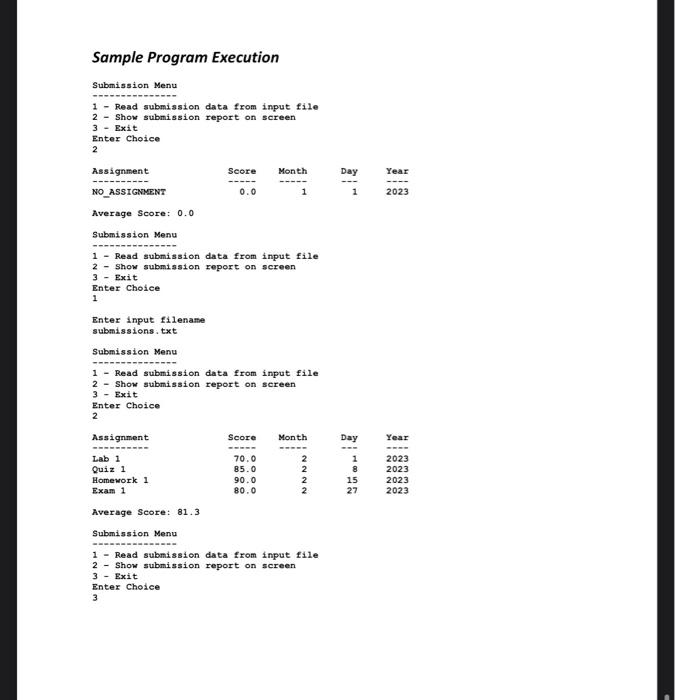
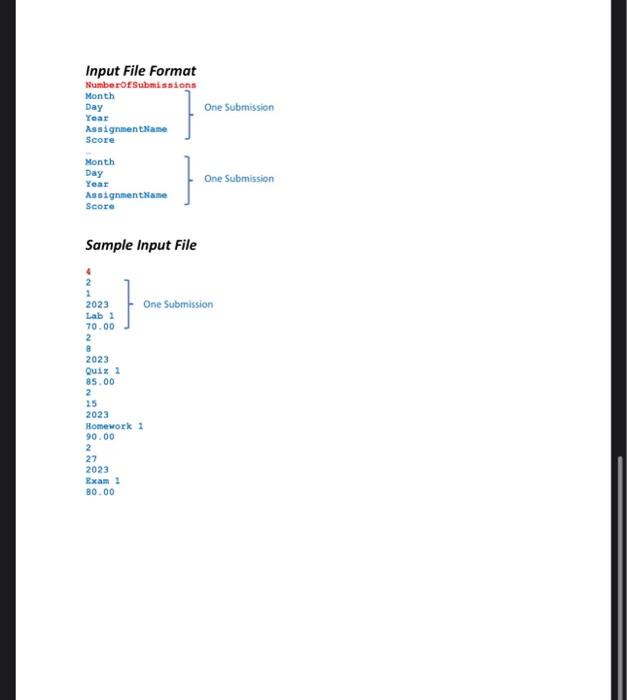
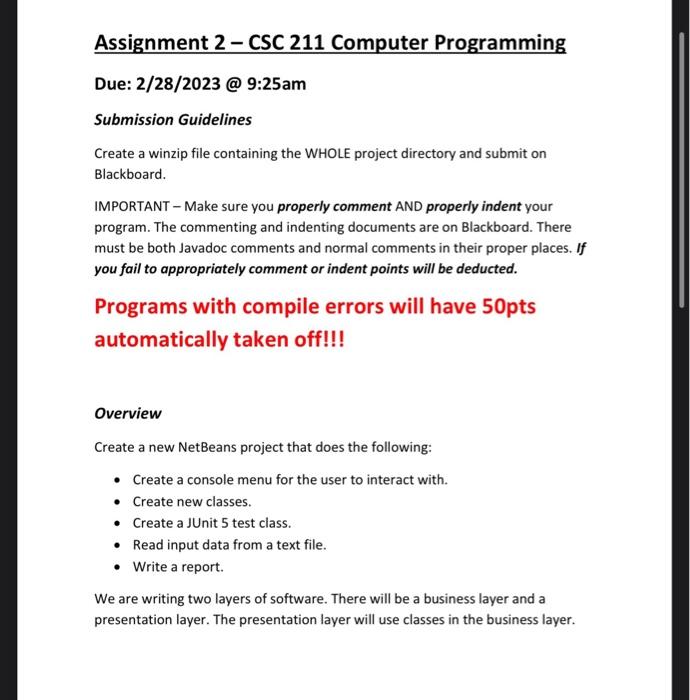
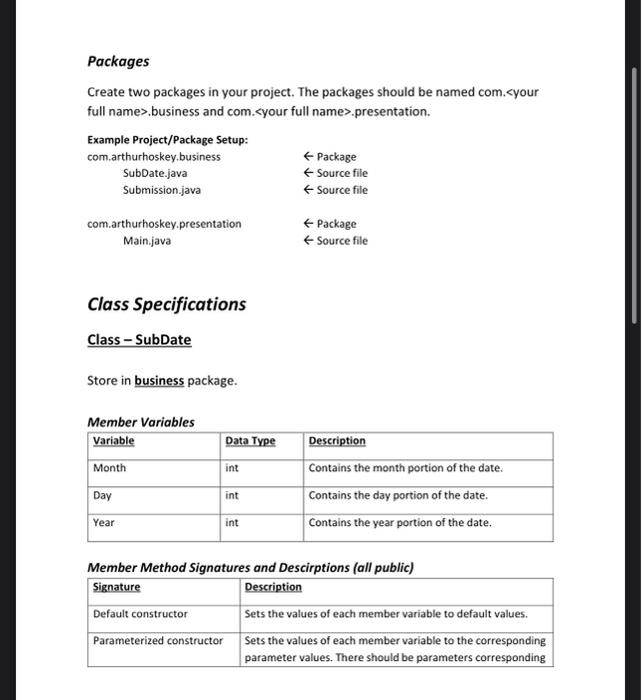
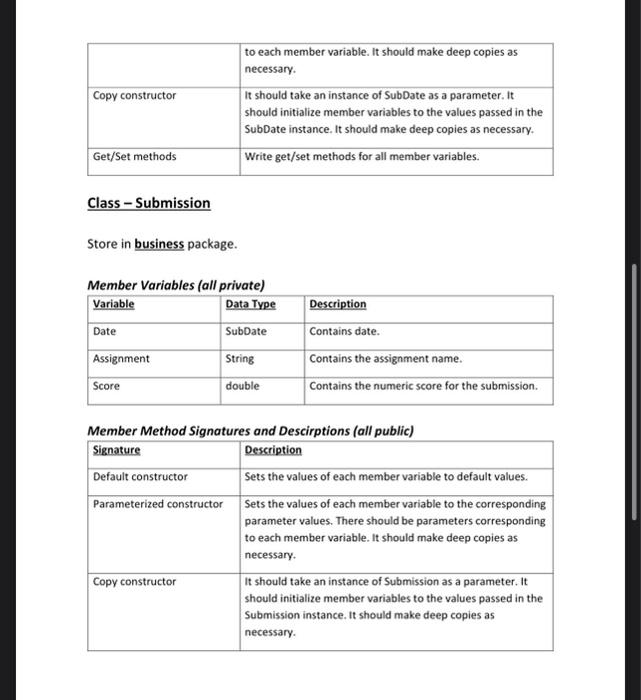
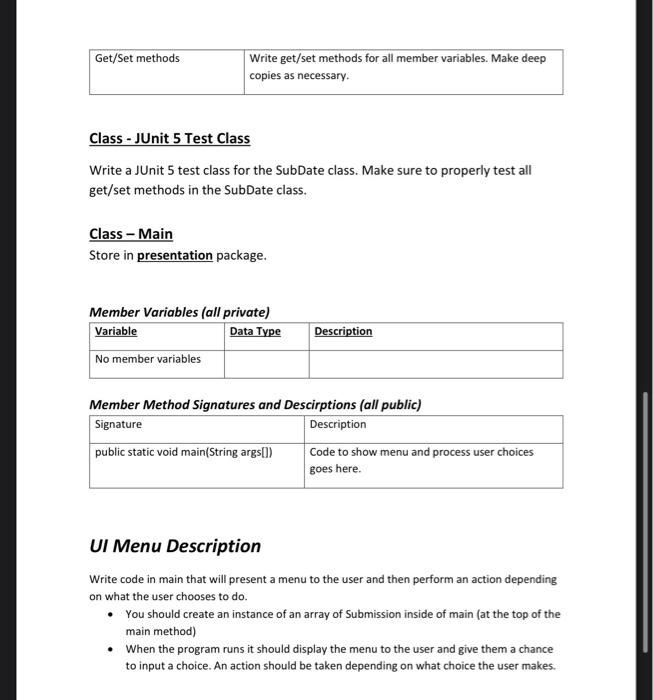
Assignment 2 - CSC 211 Computer Programming Due:2/28/2023@9:25am Submission Guidelines Create a winzip file containing the WHOLE project directory and submit on Blackboard. IMPORTANT - Make sure you properly comment AND properly indent your program. The commenting and indenting documents are on Blackboard. There must be both Javadoc comments and normal comments in their proper places. If you fail to appropriately comment or indent points will be deducted. Programs with compile errors will have 50pts automatically taken off!!! Overview Create a new NetBeans project that does the following: - Create a console menu for the user to interact with. - Create new classes. - Create a JUnit 5 test class. - Read input data from a text file. - Write a report. We are writing two layers of software. There will be a business layer and a presentation layer. The presentation layer will use classes in the business layer. Packages Create two packages in your project. The packages should be named com..business and com..presentation. Class Specifications Class - SubDate Store in business package. Member Variables Member Method Signatures and Descirptions (all public) Class - Submission Store in business package. Member Variables (all private) Member Method Sianatures and Descirntions (all nublic) Class - JUnit 5 Test Class Write a JUnit 5 test class for the SubDate class. Make sure to properly test all get/set methods in the SubDate class. Class - Main Store in presentation package. Member Variables (all private) Member Method Signatures and Descirptions (all public) UI Menu Description Write code in main that will present a menu to the user and then perform an action depending on what the user chooses to do. - You should create an instance of an array of Submission inside of main (at the top of the main method) - When the program runs it should display the menu to the user and give them a chance to input a choice. An action should be taken depending on what choice the user makes. - Each action should operator on the one and only instance of the Submission array that you declared at the top of main (you only need one instance of the Submission array). - Menu option 1 should ask the user for the name of the input file. It should read data from whatever filename the user enters. Do not hardcode a filename string constant into the program. This option should read the input data from the input file into the array. - Menu option 2 should write a report on screen. Sample Program Execution Subaission Menu 1 - Read submission data from input file 2 - Show submission report on screen 3 - Exit Enter Choice 2 Average score: 0.0 Submission Menu 1 - Read submission data from input file 2 - Show submission report on sereen 3 - Exit Enter Choiee 1 Enter input filename sultenissions ; txt Submission Menu 1 - Read submission data from input file 2 - Show submission report on screen 3 - Exit Enter Choice 2 Average Score: 81.3 Submission Menu 1 - Read submission data from input file 2 - Show submission report on screen 3 - Exit Enter Cholce 3 Input File Format One Subrission One Submission
Step by Step Solution

There are 3 Steps involved in it

1 Expert Approved Answer
Step: 1 Unlock blur-text-image
Question Has Been Solved by an Expert!

Get step-by-step solutions from verified subject matter experts

Step: 2 Unlock
Step: 3 Unlock

Students Have Also Explored These Related Databases Questions!