







Question: JAVA Part - C (10 2=20 marks) the following question using Java. Type / Compile / Debug / Run and print the required o a)
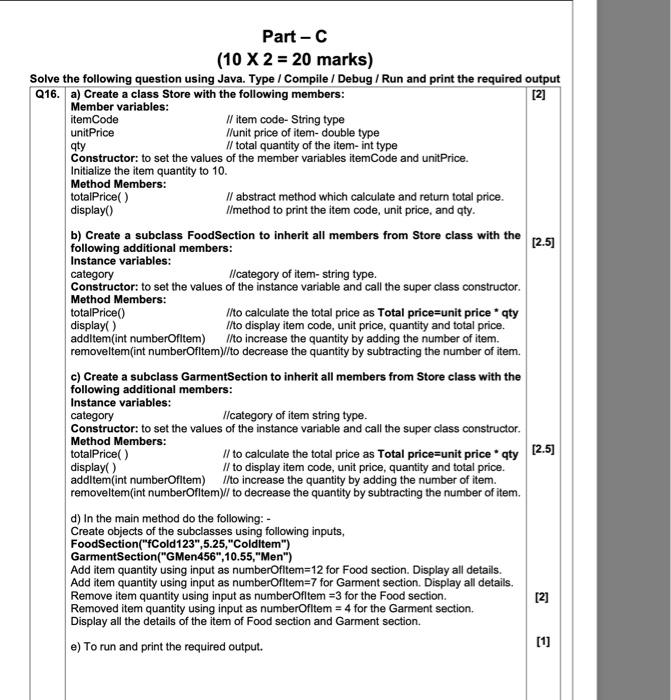
Part - C (10 2=20 marks) the following question using Java. Type / Compile / Debug / Run and print the required o a) Create a class Store with the following members: Member variables: itemCode /I item code- String type unitPrice //unit price of item-double type qty // total quantity of the item- int type Constructor: to set the values of the member variables itemCode and unitPrice. Initialize the item quantity to 10. Method Members: totalPrice( ) I/ abstract method which calculate and return total price. display() I/method to print the item code, unit price, and qty. b) Create a subclass FoodSection to inherit all members from Store class with the following additional members: Instance variables: category //category of item- string type. Constructor: to set the values of the instance variable and call the super class constructor. Method Members: totalPrice() I/to calculate the total price as Total price=unit price * qty display() I/to display item code, unit price, quantity and total price. additem(int numberOfitem) I/to increase the quantity by adding the number of item. removeltem(int numberOfltem)//to decrease the quantity by subtracting the number of item. c) Create a subclass GarmentSection to inherit all members from Store class with the following additional members: Instance variables: category I/category of item string type. Constructor: to set the values of the instance variable and call the super class constructor. Method Members: totalPrice() I/ to calculate the total price as Total price=unit price * qty display() I/ to display item code, unit price, quantity and total price. additem(int numberOfitem) I/to increase the quantity by adding the number of item. removeltem(int numberOfltem)// to decrease the quantity by subtracting the number of item. d) In the main method do the following: - Create objects of the subclasses using following inputs, FoodSection("fCold123",5.25," Colditem") GarmentSection("GMen456",10.55," Men") Add item quantity using input as numberOfltem =12 for Food section. Display all details. Add item quantity using input as numberOfitem =7 for Garment section. Display all details. Remove item quantity using input as numberOfltem =3 for the Food section. Removed item quantity using input as numberOfltem =4 for the Garment section. Display all the details of the item of Food section and Garment section. e) To run and print the required output
Step by Step Solution
There are 3 Steps involved in it

Get step-by-step solutions from verified subject matter experts
 Study Help