







Question: JAVA!!!!!!! This is my assignment that i got and the instruction specified to create to separate variables for the name, one firstName and one lastName,
JAVA!!!!!!!
This is my assignment that i got and the instruction specified to create to separate variables for the name, one firstName and one lastName, NOT fullName. So, my question is, how can the user input right his/her name in one line and have it be read to two separate variables? (Picture of assignment details below)
public class Dragon {
public static void main(String[] args) {
Scanner input = new Scanner(System.in);
String firstName, lastName, motherName, fatherName, dragonName;
System.out.println("Want to learn your \"dragon name\" ");
System.out.print("Please enter your first and last name: ");
firstName = input.(); // The user has to be able to write his/her entire name
lastName = input.(); (example: Lisa Johnson), while having TWO variables.
System.out.print("Please enter your mother's first name: ");
motherName = input.next();
System.out.print("Please enter your father's first name: ");
fatherName = input.next();
dragonName = "" + lastName.charAt(0) + lastName.charAt(1) + firstName.charAt(firstName.length()-2)
+ firstName.charAt(firstName.length()-1) + motherName.charAt(0) + motherName.charAt(1)
+ fatherName.charAt(fatherName.length()-1);
System.out.print("Your \"dragon name\" is: " + dragonName.toUpperCase());
input.close();
}
}
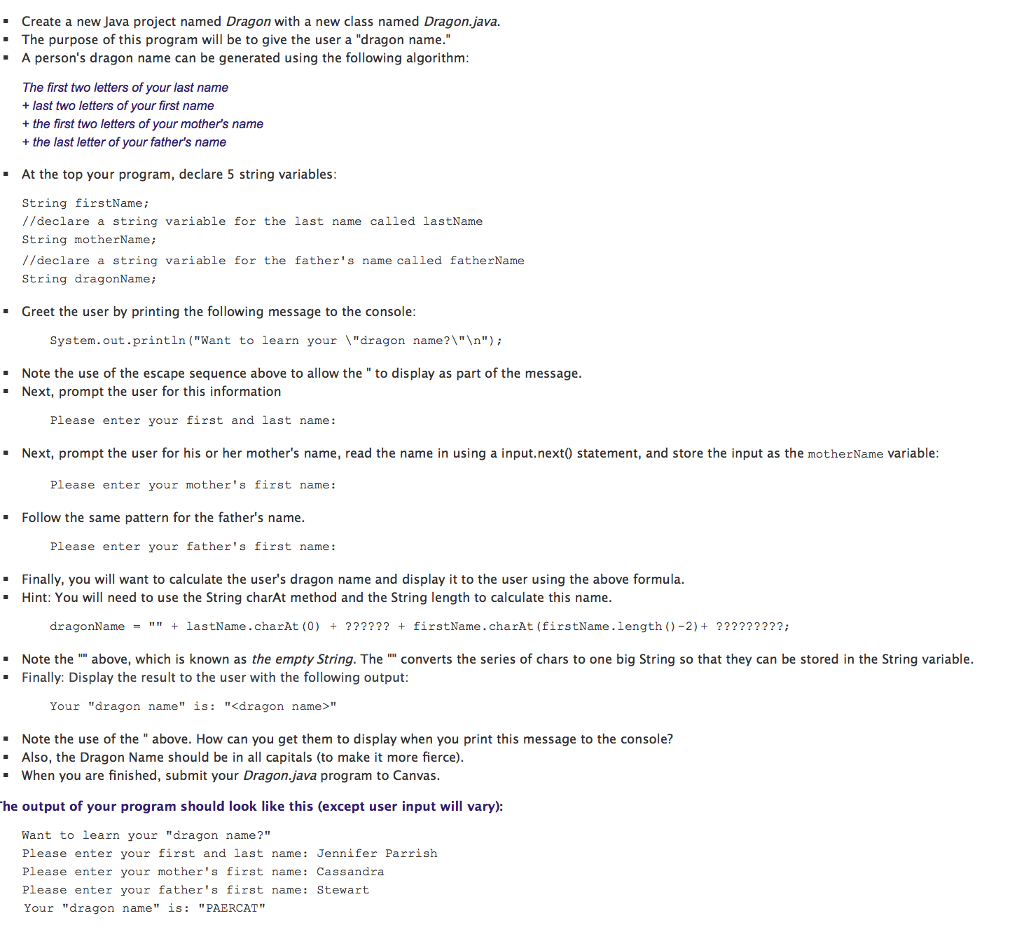
Create a new Java project named Dragon with a new class named Dragon.java. The purpose of this program will be to give the user a "dragon name." A person's dragon name can be generated using the following algorithm: The first two letters of your last name + last two letters of your first name + the first two letters of your mother's name + the last letter of your father's name . At the top your program, declare 5 string variables: String firstName; // declare a string variable for the last name called lastName String motherName; // declare a string variable for the father's name called fatherName String dragonName; Greet the user by printing the following message to the console: System.out.println("Want to learn your \"dragon name?\" "); Note the use of the escape sequence above to allow the " to display as part of the message. Next, prompt the user for this information Please enter your first and last name : Next, prompt the user for his or her mother's name, read the name in using a input.next( statement, and store the input as the motherName variable: Please enter your mother's first name: Follow the same pattern for the father's name. Please enter your father's first name: Finally, you will want to calculate the user's dragon name and display it to the user using the above formula. Hint: You will need to use the String charAt method and the String length to calculate this name. dragonName = "" + lastName.charAt(0) + ?????? + firstName.charAt(firstName.length() -2) + ?????????; Note the "" above, which is known as the empty String. The "" converts the series of chars to one big String so that they can be stored in the String variable. . Finally: Display the result to the user with the following output: Your "dragon name" is: "
Step by Step Solution
There are 3 Steps involved in it

Get step-by-step solutions from verified subject matter experts
 Study Help