







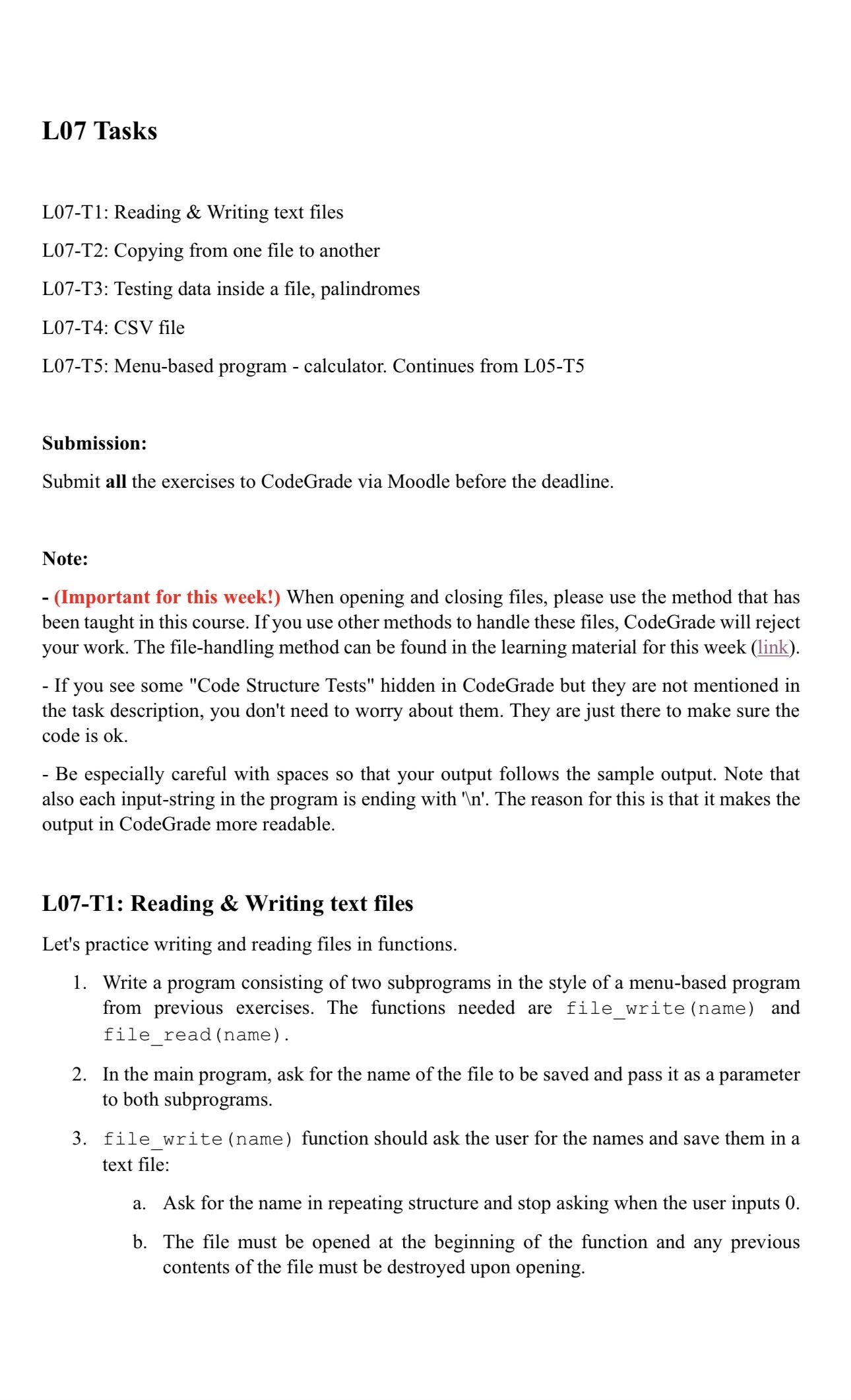
Question: L 0 7 Tasks L 0 7 - T 1 : Reading & Writing text files L 0 7 - T 2 : Copying from
L Tasks
LT: Reading & Writing text files
LT: Copying from one file to another
LT: Testing data inside a file, palindromes
LT: CSV file
LT: Menubased program calculator. Continues from LT
Submission:
Submit all the exercises to CodeGrade via Moodle before the deadline.
Note:
Important for this week! When opening and closing files, please use the method that has been taught in this course. If you use other methods to handle these files, CodeGrade will reject your work. The filehandling method can be found in the learning material for this week link
If you see some "Code Structure Tests" hidden in CodeGrade but they are not mentioned in the task description, you don't need to worry about them. They are just there to make sure the code is ok
Be especially careful with spaces so that your output follows the sample output. Note that also each inputstring in the program is ending with n The reason for this is that it makes the output in CodeGrade more readable.
LT: Reading & Writing text files
Let's practice writing and reading files in functions.
Write a program consisting of two subprograms in the style of a menubased program from previous exercises. The functions needed are filewritename and filereadname
In the main program, ask for the name of the file to be saved and pass it as a parameter to both subprograms.
filewrite name function should ask the user for the names and save them in a text file:
a Ask for the name in repeating structure and stop asking when the user inputs
b The file must be opened at the beginning of the function and any previous contents of the file must be destroyed upon opening.c At the end of the function, the file must be closed.
fileread name function is for verification that the file has the desired content.
a Open the file, read its contents, and print one name per line on the screen and finally close the file.
Note:
Please note that in this task the repetition structure L subroutines L and file processing L must be implemented correctly. An error in any of these points will prevent the program from working properly, so check these structures from previous weeks as needed.
Make sure that your code follows the instructions, "Code structure tests" will be used to make sure that those files are handled correctly open handle, and close the file
Example run :LT: Copying from one file to anotherWrite a function filecopy fileA fileB that copies the content of one text file to another. In Moodle, you can find the file "Exercisetxt which produces the following result:Example run :LT: Testing data inside a file, palindromes
This task continues the earlier task LT This time the strings to be tested are read from the file and found palindromes are written to another file.
At the beginning of the main program, ask for the name of the text file to be tested. You must specify the name of the output file as Palindromes.txt Open both files at the start. Then, read the test file one line at a time and perform the palindrome test.
Your program should print the content of each line and the result of the test to the screen: XXX is a palindrome.", XXX is not a palindrome." according to the example run below.
The actual test material is in the file Exercisetxt Some of its lines are palindromes and some are not.
Some hints to solve the task:
Note that the readline function also returns a newline in the string, ie "monkey" is read from the file as the string "monkey n
The newline character should not be considered in palindrome testing. The line containing only the newline character stops reading the file lenrow
The texts may contain uppercase and lowercase letters. You should compare lowercase words. Use lower operation:The file to be read is UTF encoded.
Example run :row 'AppleMaple' is not a palindrome.
row 'WasItACarOrACatISaw' is a palindrome.
row 'YoBananaBoy' is a palindrome.
Then the output file Palindromes.txt will look like this:
LT: CSV file
Write a program that reads a CSV CommaSeparated Values file and prints only the second column.
In Moodle, you can find the file Exercisecsv
Example run :LT: Menubased program calculator. Continues from LT
This task modifies the previously made calculator, where the selection structure of the menubased calculator was made in task LT the repetition structure LT and the subroutine structure LT
This time the task is to add file processing: read inputs from one file and write the results to another file. As a starting point for this task, you should use the program LT
This time, you only need to change the main program and the subprogram that handles reading the numbers.
Change the main program to ask for the name of the file to be read and open it for reading.
After that, open the file Exerciseoutput.txt to write the res
Step by Step Solution
There are 3 Steps involved in it
1 Expert Approved Answer
Step: 1 Unlock

Question Has Been Solved by an Expert!
Get step-by-step solutions from verified subject matter experts
Step: 2 Unlock
Step: 3 Unlock
 Study Help