







Question: Lab 4 B: Creating a menu For this lab exercise you are going to create a basic program which will allow the user to make
LabB: Creating a menu
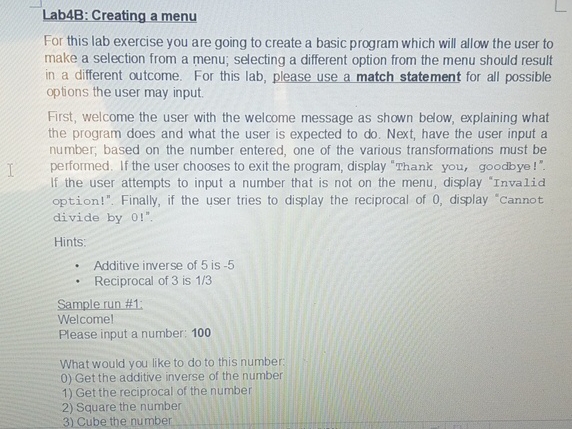
For this lab exercise you are going to create a basic program which will allow the user to make a selection from a menu; selecting a different option from the menu should result in a different outcome. For this lab, please use a match statement for all possible options the user may input.
First, welcome the user with the welcome message as shown below, explaining what the program does and what the user is expected to do Next, have the user input a number; based on the number entered, one of the various transformations must be performed. If the user chooses to exit the program, display "Thank you, goodbye!". If the user attempts to input a number that is not on the menu, display "Invalid option!". Finally, if the user tries to display the reciprocal of display "Cannot divide by
Hints:
Additive inverse of is
Reciprocal of is
Sample run #:
Welcome!
Please input a number:
What would you like to do to this number:
Get the additive inverse of the number
Get the reciprocal of the number
Square the number
Cube the number
Step by Step Solution
There are 3 Steps involved in it
1 Expert Approved Answer
Step: 1 Unlock

Question Has Been Solved by an Expert!
Get step-by-step solutions from verified subject matter experts
Step: 2 Unlock
Step: 3 Unlock
 Study Help