



Question: Lab #8 Introduction to Laplace Analysis using MATLAB thanks to Dr. Nehrir for this lab) Scope: MATLAB is a computer application program widely used around
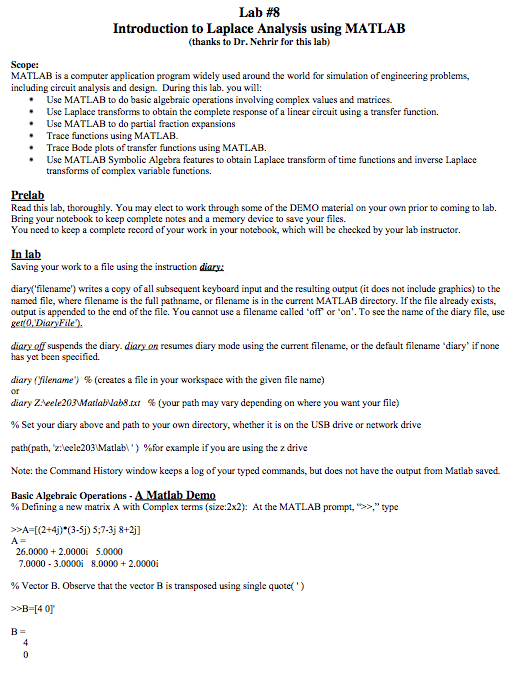
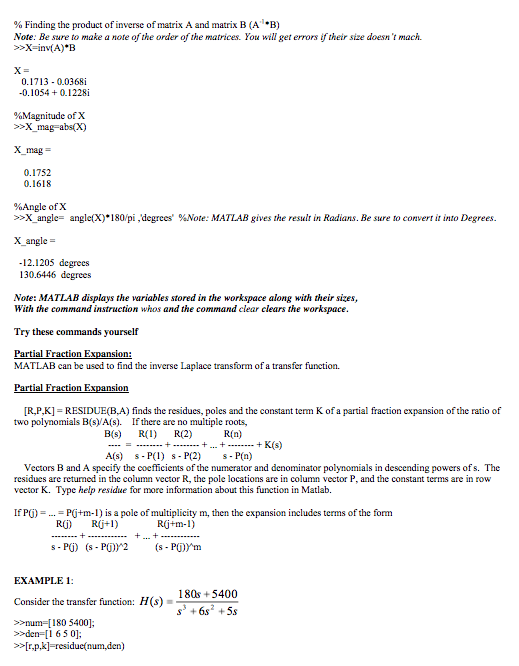
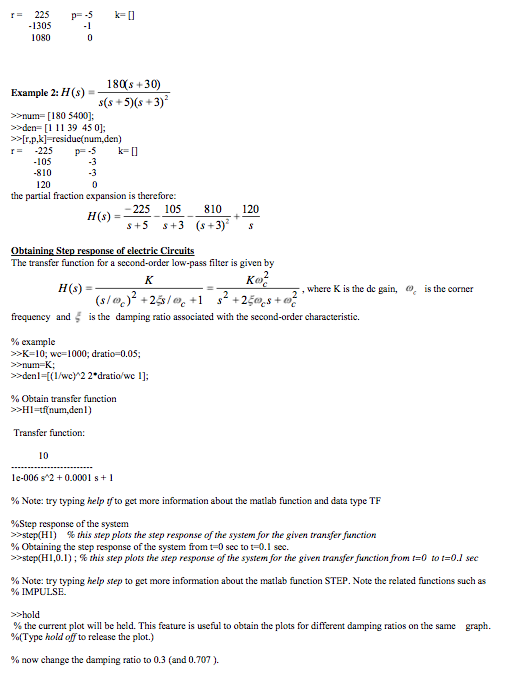
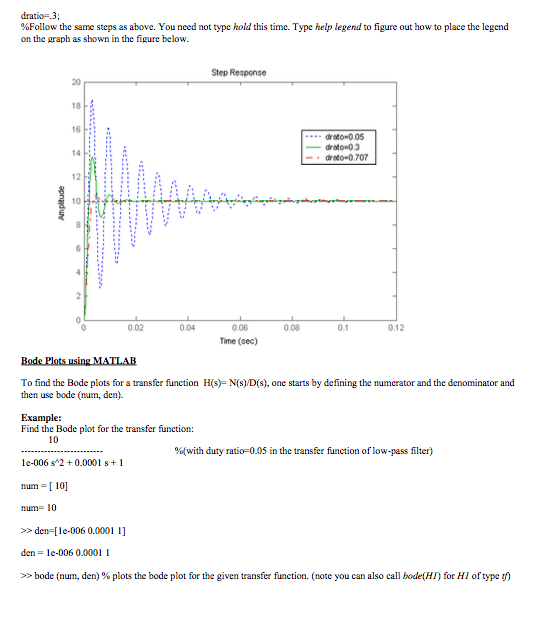
Lab #8 Introduction to Laplace Analysis using MATLAB thanks to Dr. Nehrir for this lab) Scope: MATLAB is a computer application program widely used around the world for simulation ofengineering problems, including circuit analysis and design. During this lab. you will: Use MATLAB to do basic algebraic operations involving complex values and matrices. e Use Laplace transforms to obtain the complete response of a linear circuit using a transfer function. Use MATLAB to do partial fraction expansions Trace functions using MATLAB. Trace Bode plots of transfer functions using MATLAB. Use MATLAB Symbolic Algebra features to obtain Laplace transform of time functions and inverse Laplace transforms of complex variable functions. Prelab Read this lab, thoroughly. You may elect to work through some of the DEMO material on your own prior to coming to lab Bring your notebook to keep complete notes and a memory device to save your files. You need to keep a complete record of your work in your notebook, which will be checked by your lab instructor. In lab Saving your work to a file using the instruction diary: diary( filename) writes a copy ofall subsequent keyboard input and the resulting output (it does not include graphics to the named file, where filename is the full pathname, filename is in the current MATLAB directory. If the file already exists, output is appended to the end of the file. You cannot use a filename called "off or on'. To see the name of the diary file, use 0, Diary File diary suspends the diary. diary on resumes diary mode using the current filename, or the default filename 'diary if none has yet been specified. diary filename) (creates a file in your workspace with the given file name diary ZAeele203MMariablabl8 tat (your path may vary depending on where you want your file) Set your diary above and path to your own directory, whether it is on the USB drive or network drive path(path, z Meele203 Matlab %for example if you are using the z drive l') Note: the Command History window keeps a log of your typed commands, but does not have the output from Matlab saved. Basic Algebraic Operations -AMatlabDemo Defining a new matrix A with Complex terms (size:2x2 At the MATLAB prompt," type 26.0000 2.0000i 5.0000 7.0000 3.0000i 8.0000 2.0000i Vector B. Observe that the vector B is transposed using single quote(') >>B 4 01
Step by Step Solution
There are 3 Steps involved in it

Get step-by-step solutions from verified subject matter experts