







Question: LAB. EXCERCISE (1) SOLUTION and SIMULATOR VERIFICATION 1) - Enter the following program into simulator: MVI B,87H MOV A,B MOV C,B MVI D,2FH MOV E,D
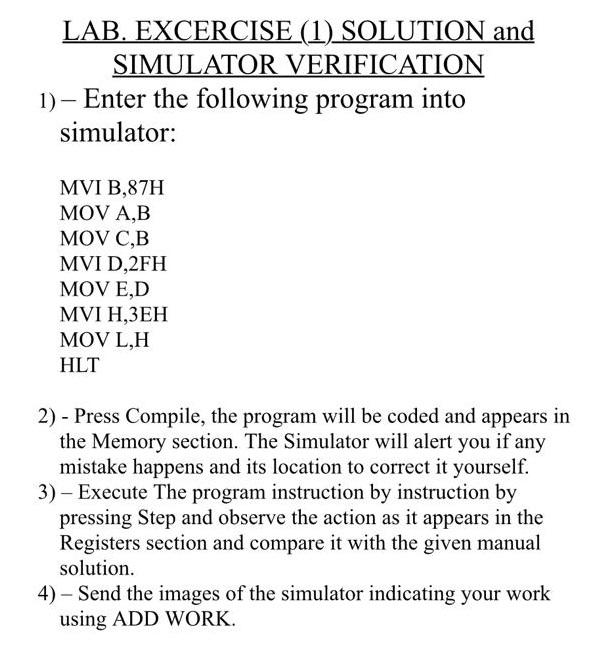
LAB. EXCERCISE (1) SOLUTION and SIMULATOR VERIFICATION 1) - Enter the following program into simulator: MVI B,87H MOV A,B MOV C,B MVI D,2FH MOV E,D MVI H,JEH MOV L,H HLT 2) - Press Compile, the program will be coded and appears in the Memory section. The Simulator will alert you if any mistake happens and its location to correct it yourself. 3) - Execute The program instruction by instruction by pressing Step and observe the action as it appears in the Registers section and compare it with the given manual solution. 4) - Send the images of the simulator indicating your work using ADD WORK
Step by Step Solution
There are 3 Steps involved in it
1 Expert Approved Answer
Step: 1 Unlock

Question Has Been Solved by an Expert!
Get step-by-step solutions from verified subject matter experts
Step: 2 Unlock
Step: 3 Unlock
 Study Help