







Question: Lab Programming Task For this lab, we will focus on the digital pins in Ports B&D. Digital pins can be configured as either input or
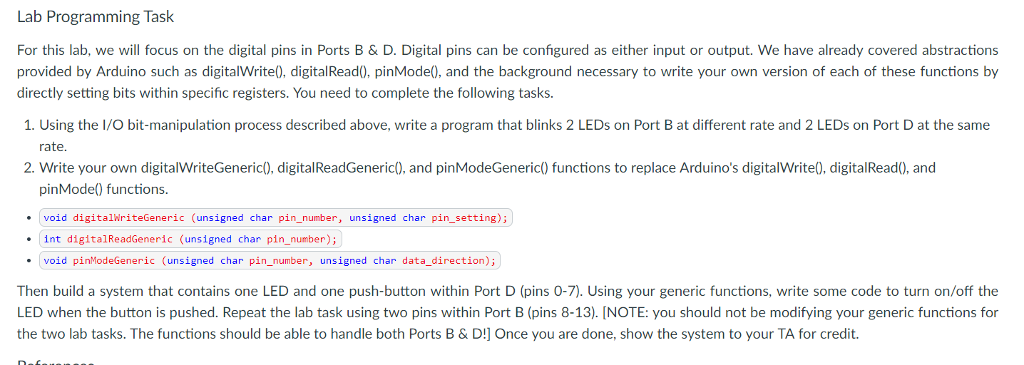
Lab Programming Task For this lab, we will focus on the digital pins in Ports B&D. Digital pins can be configured as either input or output. We have already covered abstractions provided by Arduino such as digitalWrite), digital Read), pinMode), and the background necessary to write your own version of each of these functions by directly setting bits within specific registers. You need to complete the following tasks 1. Using the I/O bit-manipulation process described above, write a program that blinks 2 LEDs on Port B at different rate and 2 LEDs on Port D at the same rate. 2. Write your own digitalWriteGeneric), digitalReadGeneric), and pinModeGeneric) functions to replace Arduino's digitalWrite0, digitalRead0, and pinMode() functions. void digitalwriteGeneric (unsigned char pin_number, unsigned char pin setting) int digitalReadGeneric (unsigned char pin-number); void pinModeGeneric (unsigned char pin_number, unsigned char data_direction) Then build a system that contains one LED and one push-button within Port D (pins 0-7). Using your generic functions, write some code to turn on/off the LED when the button is pushed. Repeat the lab task using two pins within Port B (pins 8-13). INOTE: you should not be modifying your generic functions for miuak iniiiioonm Lab Programming Task For this lab, we will focus on the digital pins in Ports B&D. Digital pins can be configured as either input or output. We have already covered abstractions provided by Arduino such as digitalWrite), digital Read), pinMode), and the background necessary to write your own version of each of these functions by directly setting bits within specific registers. You need to complete the following tasks 1. Using the I/O bit-manipulation process described above, write a program that blinks 2 LEDs on Port B at different rate and 2 LEDs on Port D at the same rate. 2. Write your own digitalWriteGeneric), digitalReadGeneric), and pinModeGeneric) functions to replace Arduino's digitalWrite0, digitalRead0, and pinMode() functions. void digitalwriteGeneric (unsigned char pin_number, unsigned char pin setting) int digitalReadGeneric (unsigned char pin-number); void pinModeGeneric (unsigned char pin_number, unsigned char data_direction) Then build a system that contains one LED and one push-button within Port D (pins 0-7). Using your generic functions, write some code to turn on/off the LED when the button is pushed. Repeat the lab task using two pins within Port B (pins 8-13). INOTE: you should not be modifying your generic functions for miuak iniiiioonm
Step by Step Solution
There are 3 Steps involved in it

Get step-by-step solutions from verified subject matter experts
 Study Help