







Question: Laboratory 5 . 1 Password Check using Serial Port Polling The objective of this laboratory is to get students familiar with the MC 8 0
Laboratory Password Check using Serial Port Polling
The objective of this laboratory is to get students familiar with the MC serial port operation.
The program prompts the user to enter password Please Enter Password The entered characters
sequence is compared to the correct password CS Every entered character is echoed back
as an X ASCII. After receiving the five required characters, the prompt message is repeated if
the password is incorrect. Otherwise the program continues a main task repetition including
reading port P and displaying its complement on P
The Keil simulator uses the following:
An bit UART for characters entry and display.
The BAUD is for both reception and transmission.
Polling is used for the TI and RI flags of the serial port.
The program decides on the password correctness only after all five characters are received
and verified.
Entered characters are echoed back as X in order to hide where mistakes are made.
Message display must insure that the curser is positioned on a new line.
A message termination character $ is used to mark the end of the message.
The two messages are stored in code memory.
Laboratory BCD Temperature Conversion
Objectives: Upon completion of this laboratory, you will be familiar with FRD convert from
BCD and TOD convert to BCD instructions and comparison instruction Greater than or equal
and its use within the ladder logic to control a process.
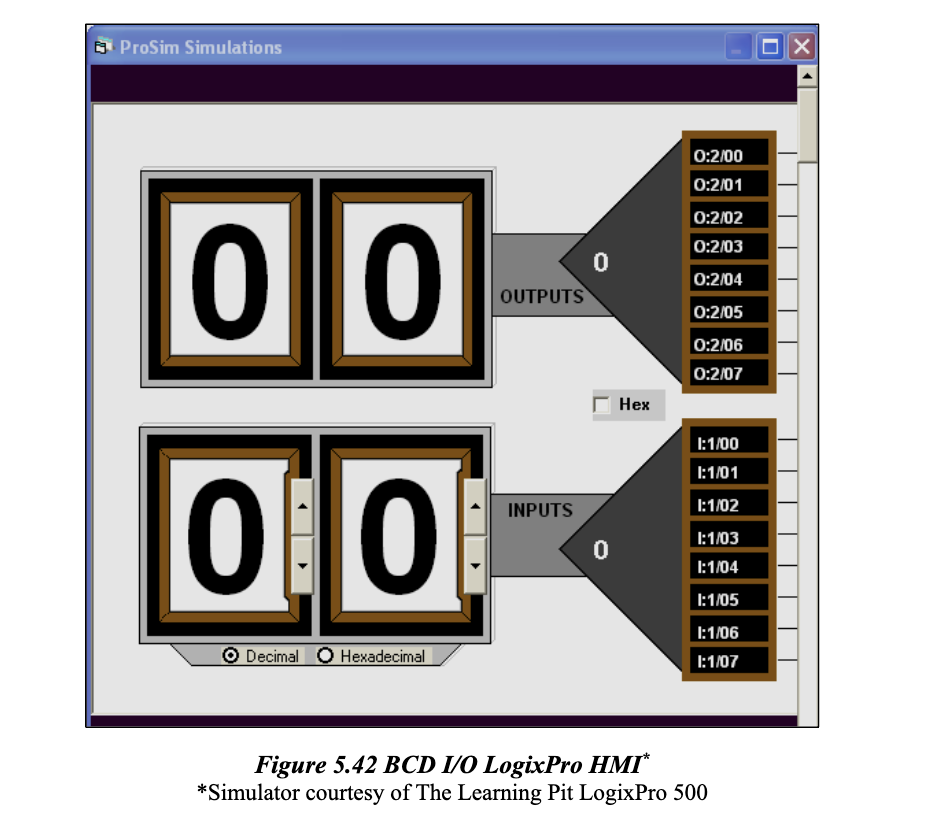
Figure BCD IO LogixPro HMI
Simulator courtesy of The Learning Pit LogixPro
Process Description: Design and implement an assembly program to perform the conversion from
positive two digits degree Fahrenheit F to the equivalent degree Centigrade C The degree F is
limited to BCD digits to The formula for the conversion is given by the following
equation:
C F
Laboratory Requirements:
Design the specification for the temperature conversion assuming a two decimal digits
entry through the serial port interface at BAUD bps
Characters reception and transmission utilizes the serial port interrupt and the RS serial
interface.
The user is prompted to enter the two digits degree Fahrenheit Please Enter the Two Digits
Degree Fahrenheit
The program does the conversion calculation and display the answer message The
Equivalent Degree Centigrade is xx
Main program task stays the same as rigure DLD IU LogixFro HIVI
Simulator courtesy of The Learning Pit LogixPro
Step by Step Solution
There are 3 Steps involved in it
1 Expert Approved Answer
Step: 1 Unlock

Question Has Been Solved by an Expert!
Get step-by-step solutions from verified subject matter experts
Step: 2 Unlock
Step: 3 Unlock
 Study Help