







Question: Launch a text editor and open the starter.html file from the chapter4 folder in the student files. Save your page as embedded.html and test it
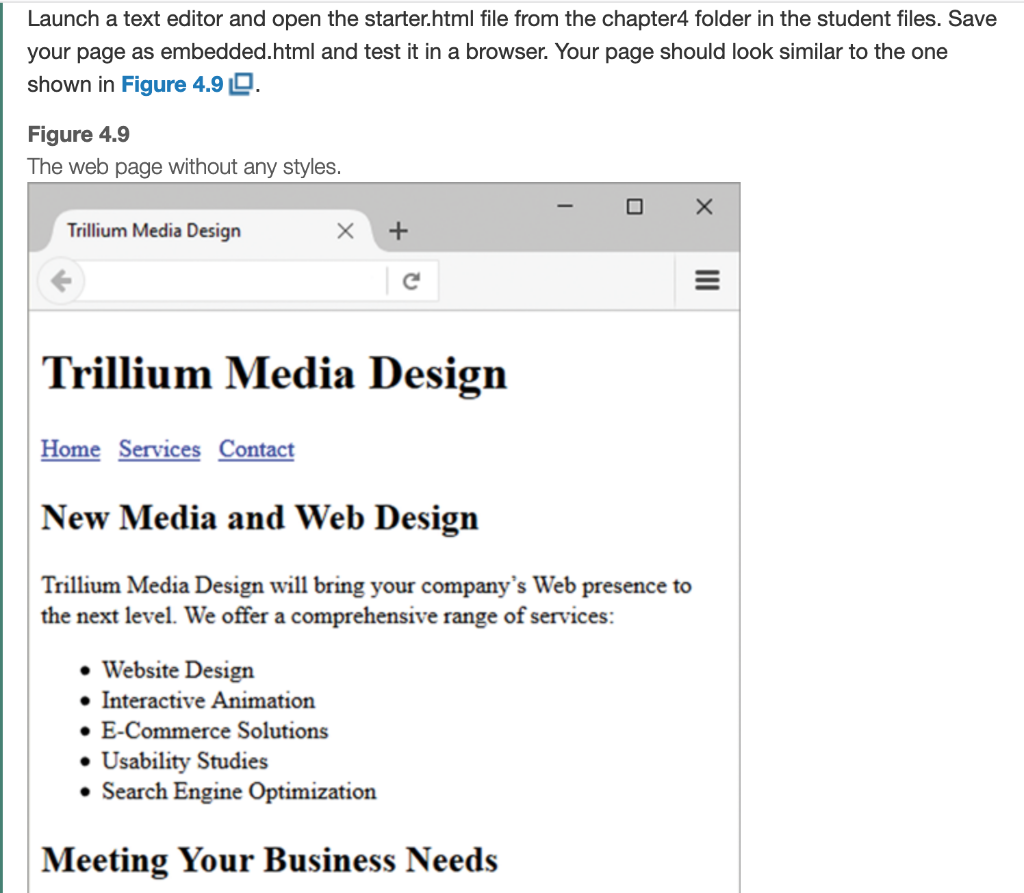
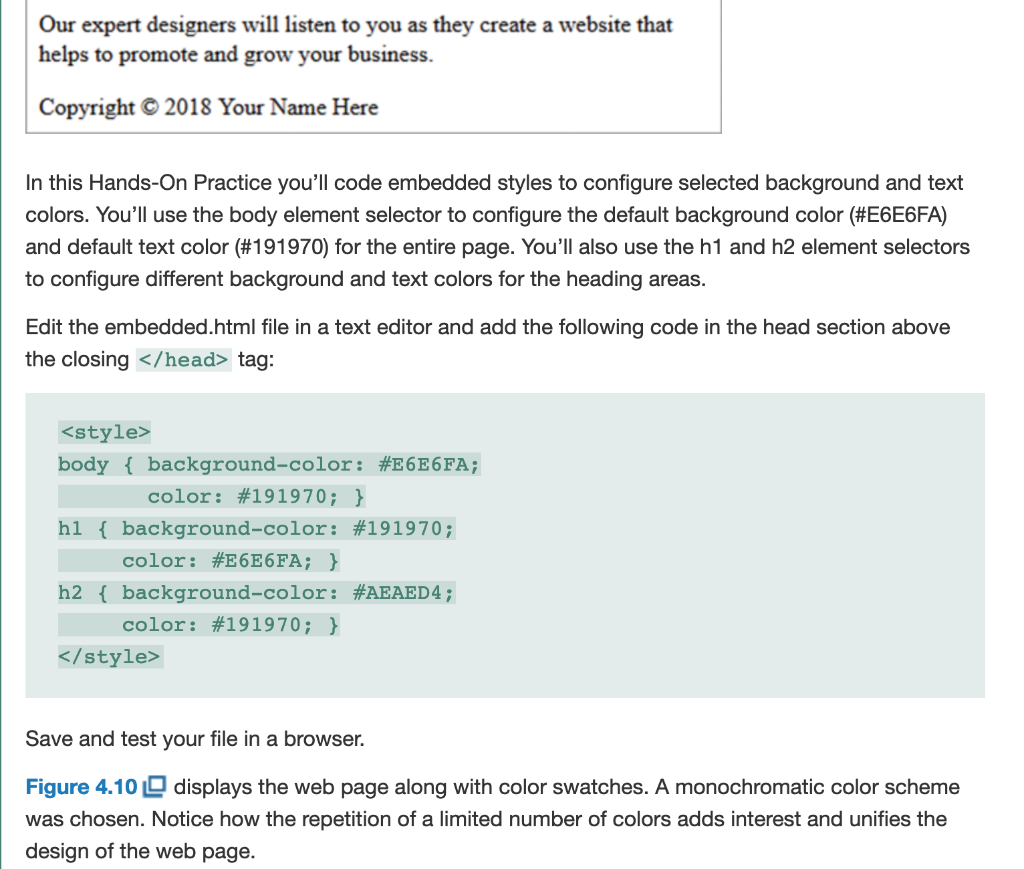
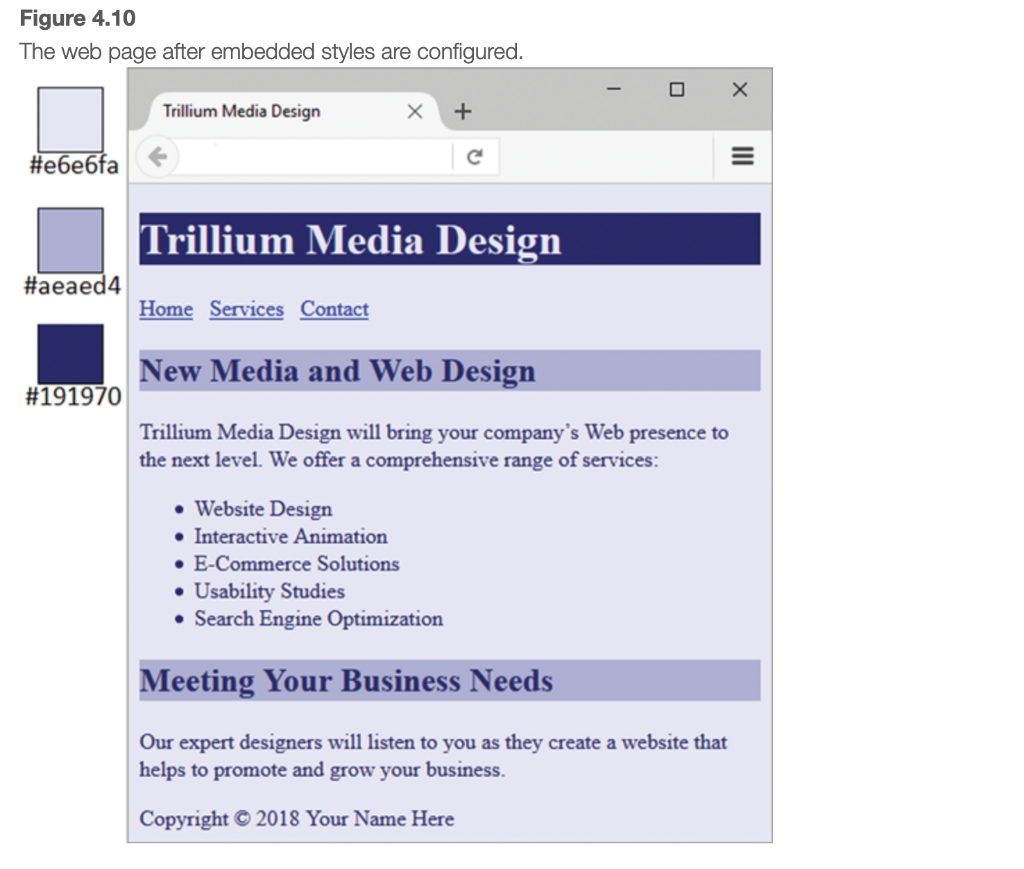
Launch a text editor and open the starter.html file from the chapter4 folder in the student files. Save your page as embedded.html and test it in a browser. Your page should look similar to the one shown in Figure 4.9 0. Figure 4.9 The web page without any styles. Trillium Media Design c Trillium Media Design Home Services Contact New Media and Web Design Trillium Media Design will bring your company's Web presence to the next level. We offer a comprehensive range of services: Website Design Interactive Animation E-Commerce Solutions Usability Studies Search Engine Optimization Meeting Your Business Needs Our expert designers will listen to you as they create a website that helps to promote and grow your business. Copyright 2018 Your Name Here In this Hands-On Practice you'll code embedded styles to configure selected background and text colors. You'll use the body element selector to configure the default background color (#E6E6FA) and default text color (#191970) for the entire page. You'll also use the h1 and h2 element selectors to configure different background and text colors for the heading areas. Edit the embedded.html file in a text editor and add the following code in the head section above the closing tag: Save and test your file in a browser. Figure 4.100 displays the web page along with color swatches. A monochromatic color scheme was chosen. Notice how the repetition of a limited number of colors adds interest and unifies the design of the web page. Figure 4.10 The web page after embedded styles are configured. - 0 X Trillium Media Design x + #fa Trillium Media Design #aeaed4 Home Services Contact New Media and Web Design #191970 Trillium Media Design will bring your company's Web presence to the next level. We offer a comprehensive range of services: Website Design Interactive Animation E-Commerce Solutions Usability Studies Search Engine Optimization Meeting Your Business Needs Our expert designers will listen to you as they create a website that helps to promote and grow your business. Copyright 2018 Your Name Here View the source code for your page and review the CSS and HTML code. See chapter4/4.2 lembedded.html in the student files for an example of this web page. Note that all the styles are in a single location on the web page. Since embedded styles are coded in a specific location, they are easier to maintain over time than inline styles. Also notice that you only needed to code the styles for the h2 element selector once (in the head section) and both of the
tags applied the h2 style. This is more efficient than coding the same inline style on each tag. However, it's uncommon for a website to have only one page. Repeating the CSS in the head section of each web page file is inefficient and difficult to maintain. In the next section, you'll use a more efficient approach-configuring an external style sheet
Step by Step Solution
There are 3 Steps involved in it

Get step-by-step solutions from verified subject matter experts
 Study Help