







Question: $(#launchRocket).click(function() { $( .rocket ).animate({ bottom: 1600}, 1000); }); /*end launchRocket.click */ }); /* closes document ready function */ Exercise 2: Rocket Launch 1. Download
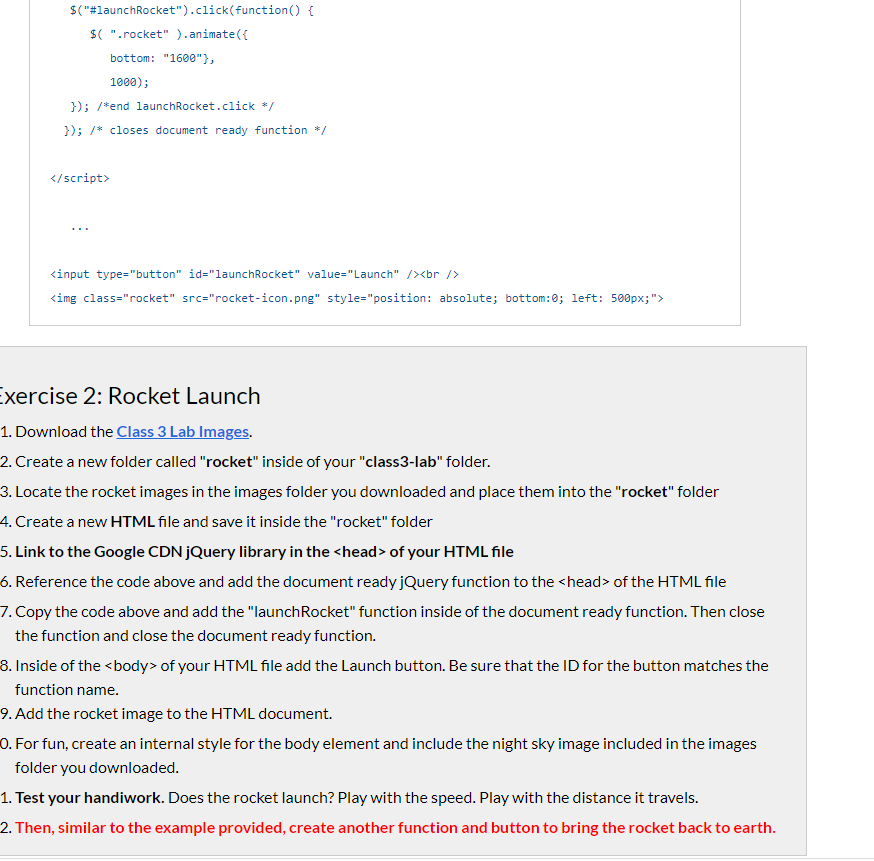
Exercise 2: Rocket Launch 1. Download the Class 3 Lab Images. 2. Create a new folder called "rocket" inside of your "class 3-lab" folder. 3. Locate the rocket images in the images folder you downloaded and place them into the "rocket" folder 4. Create a new HTML file and save it inside the "rocket" folder 5. Link to the Google CDN jQuery library in the of your HTML file 6. Reference the code above and add the document ready jQuery function to the of the HTML file 7. Copy the code above and add the "launchRocket" function inside of the document ready function. Then close the function and close the document ready function. 8. Inside of the of your HTML file add the Launch button. Be sure that the ID for the button matches the function name. 9. Add the rocket image to the HTML document. 0. For fun, create an internal style for the body element and include the night sky image included in the images folder you downloaded. 1. Test your handiwork. Does the rocket launch? Play with the speed. Play with the distance it travels. 2. Then, similar to the example provided, create another function and button to bring the rocket back to earth
Step by Step Solution
There are 3 Steps involved in it
1 Expert Approved Answer
Step: 1 Unlock

Question Has Been Solved by an Expert!
Get step-by-step solutions from verified subject matter experts
Step: 2 Unlock
Step: 3 Unlock
 Study Help