







Question: #linux Experiment 4(configure network environment with vi editor) ##task 1 use ifconfig to change IP address. 1. start the CentOS virtual machine. 2. Use ifconfig
#linux Experiment 4(configure network environment with vi editor) ##task 1use ifconfig to change IP address. 1. start the CentOS virtual machine. 2. Use ifconfig to check IP 3. Use ifconfig to change IP 4. Use ping to check the connection between host machine and virtual machine 5. Use route to check route table ##task 2vi editor using(describe all ) 1. the 3 modes of vi i -- esc -- : -- 2. vi
images are continuation. its a complete question.. one full question.
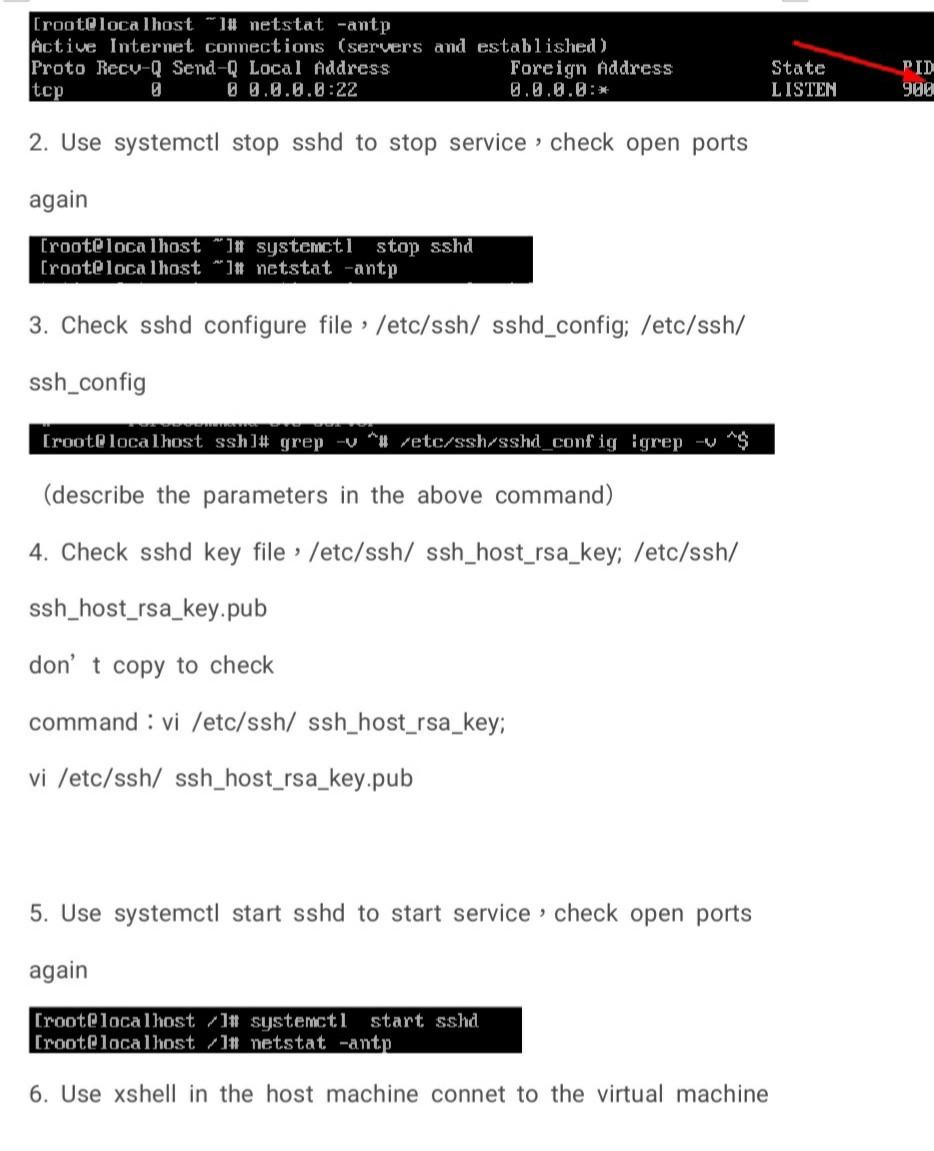
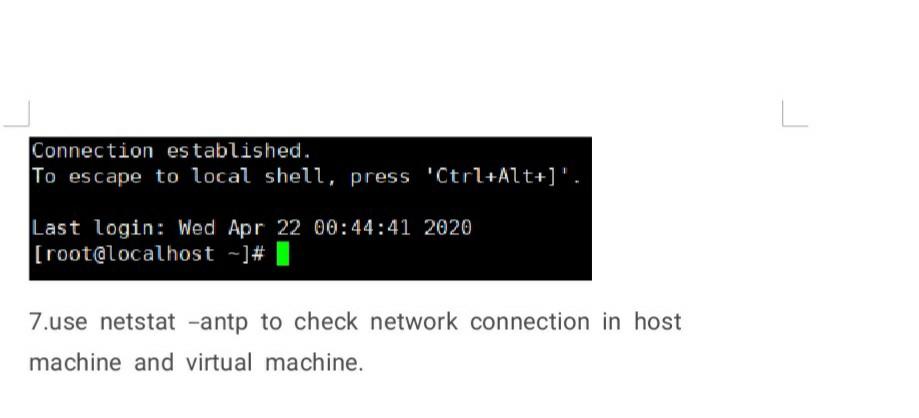
[root@localhost "]# netstat -antp Active Internet connections (servers and established ) Proto Recy-Q Send-Q Local Address Foreign Address tcp 09.0.0.0:22 0.0.0.0:* State LISTEN PID 900 2. Use systemctl stop sshd to stop service check open ports again [root@localhost *]# systemctl stop sshd [root@localhost **]# netstat -antp 3. Check sshd configure file : /etc/ssh/ sshd_config; /etc/ssh/ ssh_config [root@localhost ssh]# grep -v *# retc/ssh-sshd_config grep -$ (describe the parameters in the above command) 4. Check sshd key file /etc/ssh/ ssh_host_rsa_key; /etc/ssh/ ssh_host_rsa_key.pub don't copy to check command : vi /etc/ssh/ ssh_host_rsa_key; vi /etc/ssh/ ssh_host_rsa_key.pub 5. Use systemctl start sshd to start service check open ports again [root@localhost systemctl start sshd [root@localhost 11 netstat -antp 6. Use xshell in the host machine connet to the virtual machine Connection established. To escape to local shell, press "Ctrl+Alt+]'. Last login: Wed Apr 22 00:44:41 2020 [root@localhost -]# 1 7.use netstat -antp to check network connection in host machine and virtual machine
Step by Step Solution
There are 3 Steps involved in it

Get step-by-step solutions from verified subject matter experts
 Study Help