







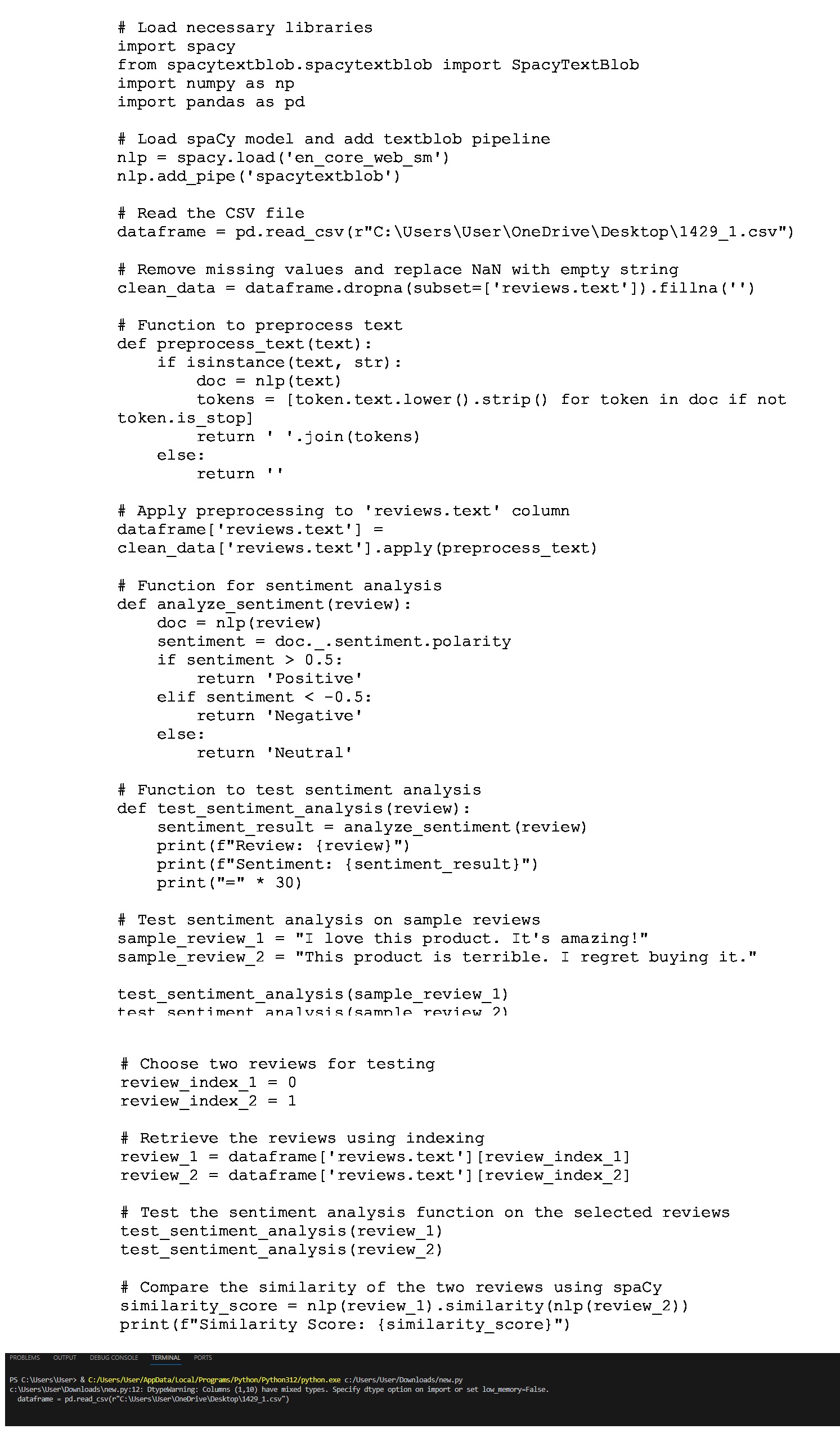
Question: # Load necessary libraries import spacy from spacytextblob.spacytextblob import SpacyTextBlob import numpy as np import pandas as pd # Load spaCy model and add textblob
# Load necessary libraries
import spacy
from spacytextblob.spacytextblob import SpacyTextBlob
import numpy as np
import pandas as pd
# Load spaCy model and add textblob pipeline
nlp spacy.load encorewebsm
nlpaddpipe spacytextblob
# Read the CSV file
dataframe pdreadcsvrC:UsersUserOneDriveDesktopcsv
# Remove missing values and replace NaN with empty string
cleandata dataframe.dropnasubsetreviewstext'fillna
# Function to preprocess text
def preprocesstexttext:
if isinstance text str:
doc text
tokens tokentext.lowerstrip for token in doc if not
token.isstop
return jointokens
else:
return
# Apply preprocessing to 'reviews.text' column
dataframe reviewstext'
cleandata reviewstext'apply preprocesstext
# Function for sentiment analysis
def analyze sentimentreview:
doc review
sentiment doc.sentimentpolarity
if sentiment :
return 'Positive'
elif sentiment :
return 'Negative'
else:
return 'Neutral'
# Function to test sentiment analysis
def testsentimentanalysis review:
sentimentresult analyzesentiment review
print fReview: review
printfSentiment: sentimentresult
print
Step by Step Solution
There are 3 Steps involved in it
1 Expert Approved Answer
Step: 1 Unlock

Question Has Been Solved by an Expert!
Get step-by-step solutions from verified subject matter experts
Step: 2 Unlock
Step: 3 Unlock
 Study Help