







Question: Make a flow chart for the following source codes CCS Debug - LED/main.c-Code Composes File Edit View Project Tools Run Scripts Window Help Debug LED
Make a flow chart for the following source codes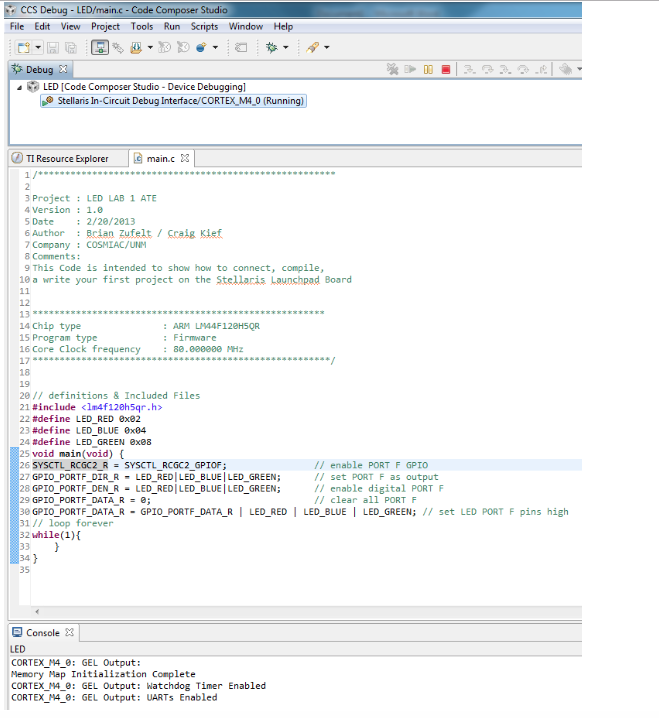
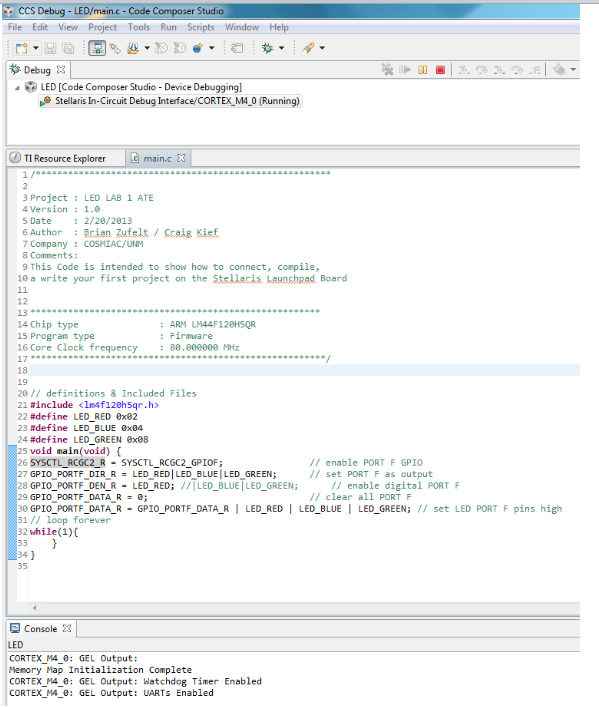
CCS Debug - LED/main.c-Code Composes File Edit View Project Tools Run Scripts Window Help Debug LED I Code Composer Studio-Device Debugging] Stellaris In-Circuit Debug Interface/CORTEX M4 0 (Running) TI Resource Explorer main.c 3 3 Project LED LAB 1 ATE 4 Version1.e Date : 2/20/2813 6 Author : clan Zufelt /Scala Klef 7 Company COSMIAC/UNM 8 Comments: 9 This Code is intended to show how to connect, compile, ea write your first project on the Stellar LaunshRad Board 12 14 Chip type 15 Program type 16 core clock frequency ARM LIN44F128HSQR : Firmware : 88. eeeeee 18 19 20// definitions& Included Files 21#include
Step by Step Solution
There are 3 Steps involved in it

Get step-by-step solutions from verified subject matter experts
 Study Help