







Question: Mass Introduction the spreadsheet below will be your working document. Go ahead and click en the link to navigate to the spreafibher. Oftentimes you will
Mass
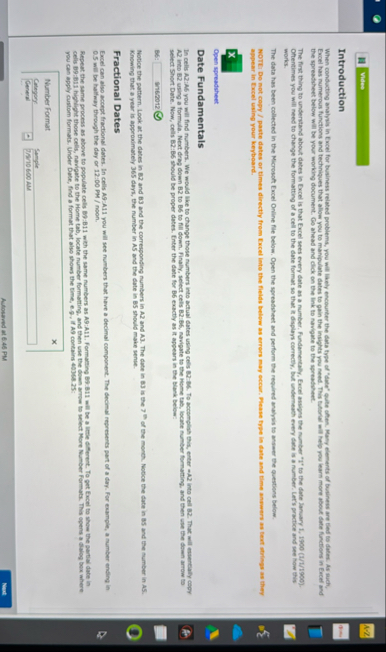
Introduction the spreadsheet below will be your working document. Go ahead and click en the link to navigate to the spreafibher. Oftentimes you will need to change the formatting of a cell to the date format so that it displays correctly, fut undermath every dati is a number. Latrs practice and see now this works.
The data has been collected in the Morosoft Excel Online file below. Open the spreadsheet and perform the required analysis to ansier the questions below. appear in Excel using your keyboard.
Open spreadsheet
Date Fundamentals A into B using a formula. Next drap down B to B to fill down. Finally, select cells BB navigate to the reome tab, locate number formatting, and then use the down arrow to select Short Date. Now, cells B:B should be proper dates. Enter the date for B exactly as it appears in the Blank Below:
: EnE Knowing that a year is approximately days, the number in A and the date in B should make senie
Fractional Dates mill be hallmay through the day or : PM noon.
Repeat the same process as above to populate cells B:B with the same numbers as A:A Formarring BB will be a lime cifferent. To get Excel to show the partial date in You can apply custom formats. Under Date, find a format that also shows the time, ee if A contains :
Astosered at PM
Nete
Step by Step Solution
There are 3 Steps involved in it
1 Expert Approved Answer
Step: 1 Unlock

Question Has Been Solved by an Expert!
Get step-by-step solutions from verified subject matter experts
Step: 2 Unlock
Step: 3 Unlock
 Study Help