







Question: MATLAB 1. Create variable NAME equal to your last name 2. Append to this variable the text test1.txt 3. Create variable n equal to length
MATLAB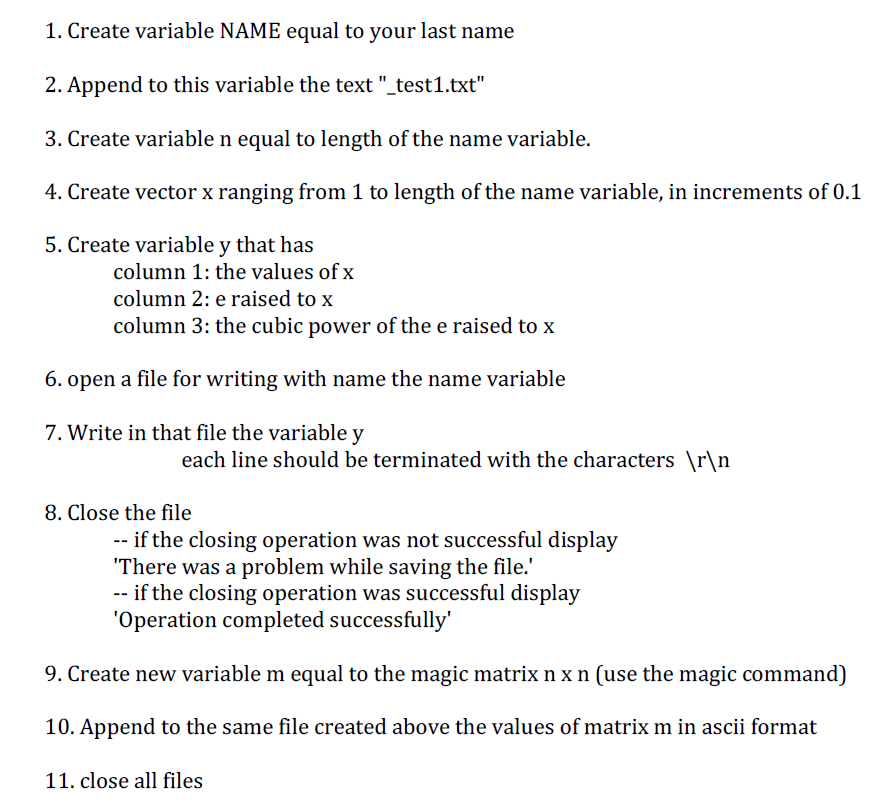
1. Create variable NAME equal to your last name 2. Append to this variable the text "test1.txt" 3. Create variable n equal to length of the name variable. 4. Create vector x ranging from 1 to length of the name variable, in increments of 0.1 5. Create variable v that has column 1: the values of x column 2: e raised to x column 3: the cubic power of the e raised to x 6. open a file for writing with name the name variable 7. Write in that file the variable y each line should be terminated with the characters r n 8. Close the file if the closing operation was not successful display There was a problem while saving the file. if the closing operation was successful display 'Operation completed successfully' 9. Create new variable m equal to the magic matrix n x n (use the magic command) 10. Append to the same file created above the values of matrix m in ascii format 11. close all files 1. Create variable NAME equal to your last name 2. Append to this variable the text "test1.txt" 3. Create variable n equal to length of the name variable. 4. Create vector x ranging from 1 to length of the name variable, in increments of 0.1 5. Create variable v that has column 1: the values of x column 2: e raised to x column 3: the cubic power of the e raised to x 6. open a file for writing with name the name variable 7. Write in that file the variable y each line should be terminated with the characters r n 8. Close the file if the closing operation was not successful display There was a problem while saving the file. if the closing operation was successful display 'Operation completed successfully' 9. Create new variable m equal to the magic matrix n x n (use the magic command) 10. Append to the same file created above the values of matrix m in ascii format 11. close all files
Step by Step Solution
There are 3 Steps involved in it

Get step-by-step solutions from verified subject matter experts
 Study Help