







Question: matlab Function Name: cmyk2rgb Inputs: 1. (double) NxMx4 array containing CMYK pixel data of an image Outputs: 1. (uint8) NxMx3 array containing the RGB data
 matlab
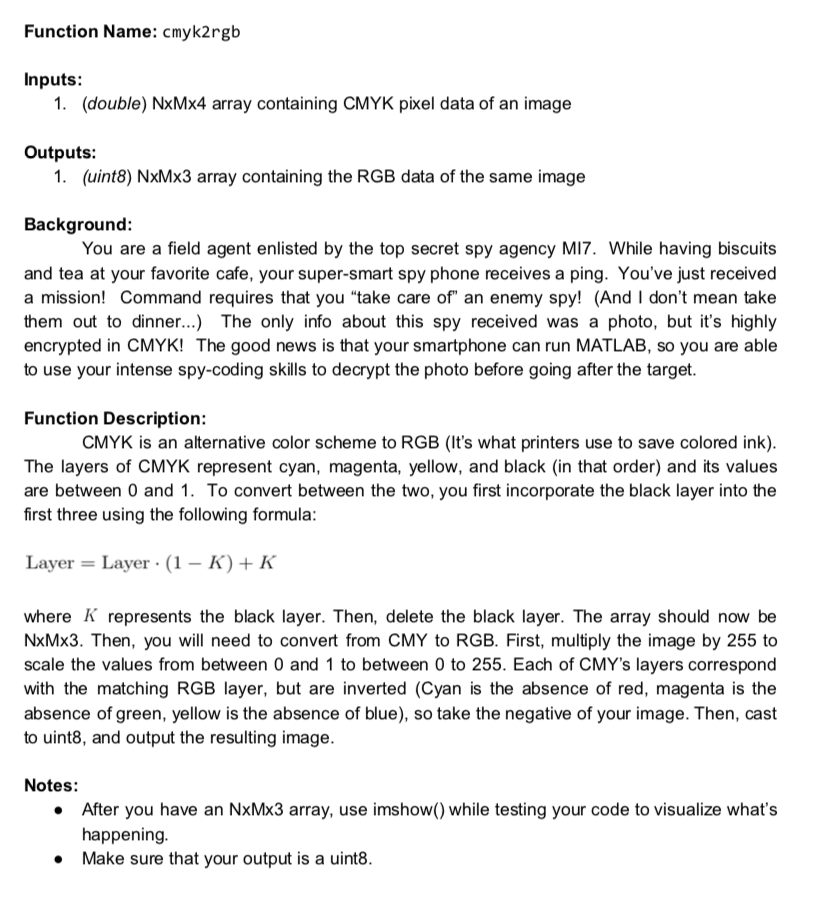
Function Name: cmyk2rgb Inputs: 1. (double) NxMx4 array containing CMYK pixel data of an image Outputs: 1. (uint8) NxMx3 array containing the RGB data of the same image Background: You are a field agent enlisted by the top secret spy agency MI7. While having biscuits and tea at your favorite cafe, your super-smart spy phone receives a ping. You've just received a mission! Command requires that you "take care of" an enemy spy! (And I don't mean take them out to dinner... The only info about this spy received was a photo, but it's highly encrypted in CMYK! The good news is that your smartphone can run MATLAB, so you are able to use your intense spy-coding skills to decrypt the photo before going after the target. Function Description: CMYK is an alternative color scheme to RGB (It's what printers use to save colored ink). The layers of CMYK represent cyan, magenta, yellow, and black (in that order) and its values are between 0 and 1. To convert between the two, you first incorporate the black layer into the first three using the following formula: Layer Layer (1- K)+K where K represents the black layer. Then, delete the black layer. The array should now be NxMx3. Then, you will need to convert from CMY to RGB. First, multiply the image by 255 to scale the values from between 0 and 1 to between 0 to 255. Each of CMY's layers correspond with the matching RGB layer, but are inverted (Cyan is the absence of red, magenta is the absence of green, yellow is the absence of blue), so take the negative of your image. Then, cast to uint8, and output the resulting image. Notes: After you have an NxMx3 array, use imshow() while testing your code to visualize what's happening Make sure that your output is a uint8. Function Name: cmyk2rgb Inputs: 1. (double) NxMx4 array containing CMYK pixel data of an image Outputs: 1. (uint8) NxMx3 array containing the RGB data of the same image Background: You are a field agent enlisted by the top secret spy agency MI7. While having biscuits and tea at your favorite cafe, your super-smart spy phone receives a ping. You've just received a mission! Command requires that you "take care of" an enemy spy! (And I don't mean take them out to dinner... The only info about this spy received was a photo, but it's highly encrypted in CMYK! The good news is that your smartphone can run MATLAB, so you are able to use your intense spy-coding skills to decrypt the photo before going after the target. Function Description: CMYK is an alternative color scheme to RGB (It's what printers use to save colored ink). The layers of CMYK represent cyan, magenta, yellow, and black (in that order) and its values are between 0 and 1. To convert between the two, you first incorporate the black layer into the first three using the following formula: Layer Layer (1- K)+K where K represents the black layer. Then, delete the black layer. The array should now be NxMx3. Then, you will need to convert from CMY to RGB. First, multiply the image by 255 to scale the values from between 0 and 1 to between 0 to 255. Each of CMY's layers correspond with the matching RGB layer, but are inverted (Cyan is the absence of red, magenta is the absence of green, yellow is the absence of blue), so take the negative of your image. Then, cast to uint8, and output the resulting image. Notes: After you have an NxMx3 array, use imshow() while testing your code to visualize what's happening Make sure that your output is a uint8
Step by Step Solution
There are 3 Steps involved in it

Get step-by-step solutions from verified subject matter experts
 Study Help