



Question: MATLAB Function Name: zombieSpeech Inputs 1. (char) The name of a text file, including the extension File Outputs: 1. A formatted text file containing information
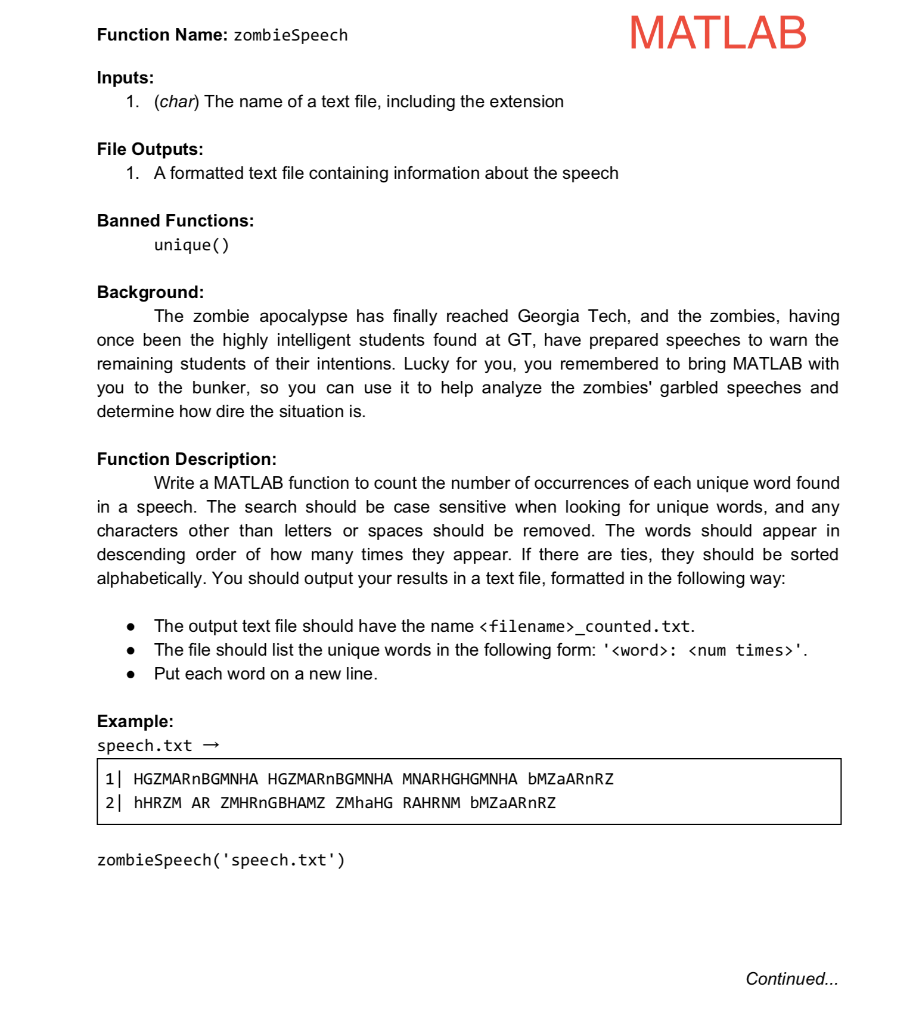
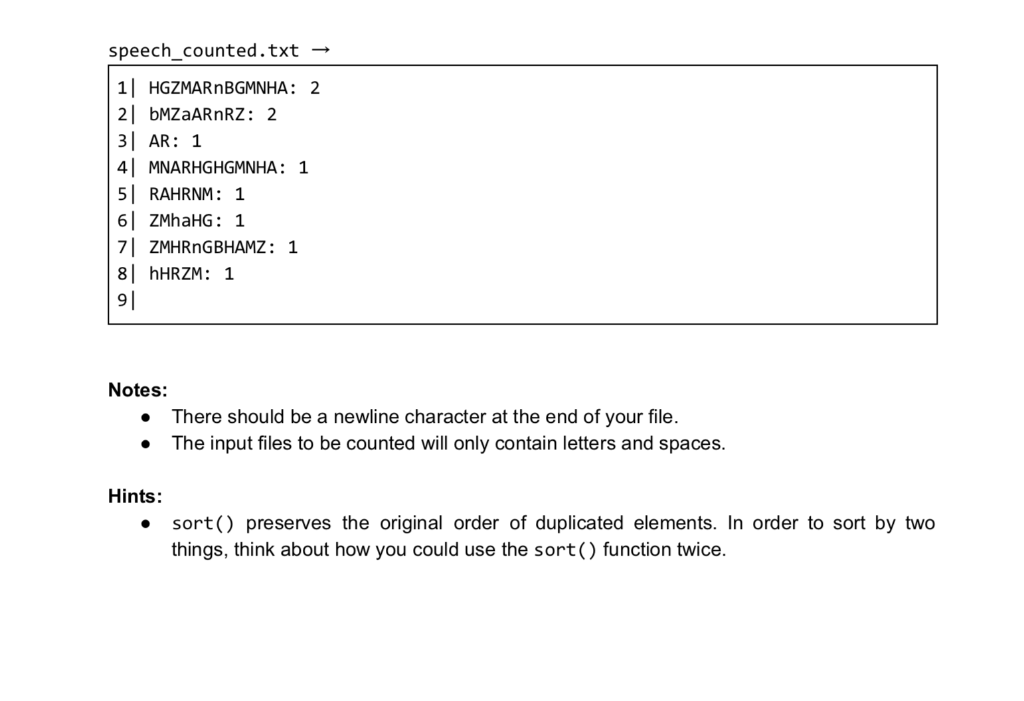
MATLAB Function Name: zombieSpeech Inputs 1. (char) The name of a text file, including the extension File Outputs: 1. A formatted text file containing information about the speech Banned Functions: unique( Background The zombie apocalypse has finally reached Georgia Tech, and the zombies, having once been the highly intelligent students found at GT, have prepared speeches to warn the remaining students of their intentions. Lucky for you, you remembered to bring MATLAB with you to the bunker, so you can use it to help analyze the zombies' garbled speeches and determine how dire the situation is Function Description Write a MATLAB function to count the number of occurrences of each unique word found in a speech. The search should be case sensitive when looking for unique words, and any characters other than letters or spaces should be removed. The words should appear in descending order of how many times they appear. If there are ties, they should be sorted alphabetically. You should output your results in a text file, formatted in the following way: . The output text file should have the name
Step by Step Solution
There are 3 Steps involved in it

Get step-by-step solutions from verified subject matter experts