







Question: matlab please !!!!!! thank you Function Name: rootChopper Inputs: 1. 2. 3. 4. (double) A set of x data (double) A corresponding set of y
 matlab please !!!!!! thank you
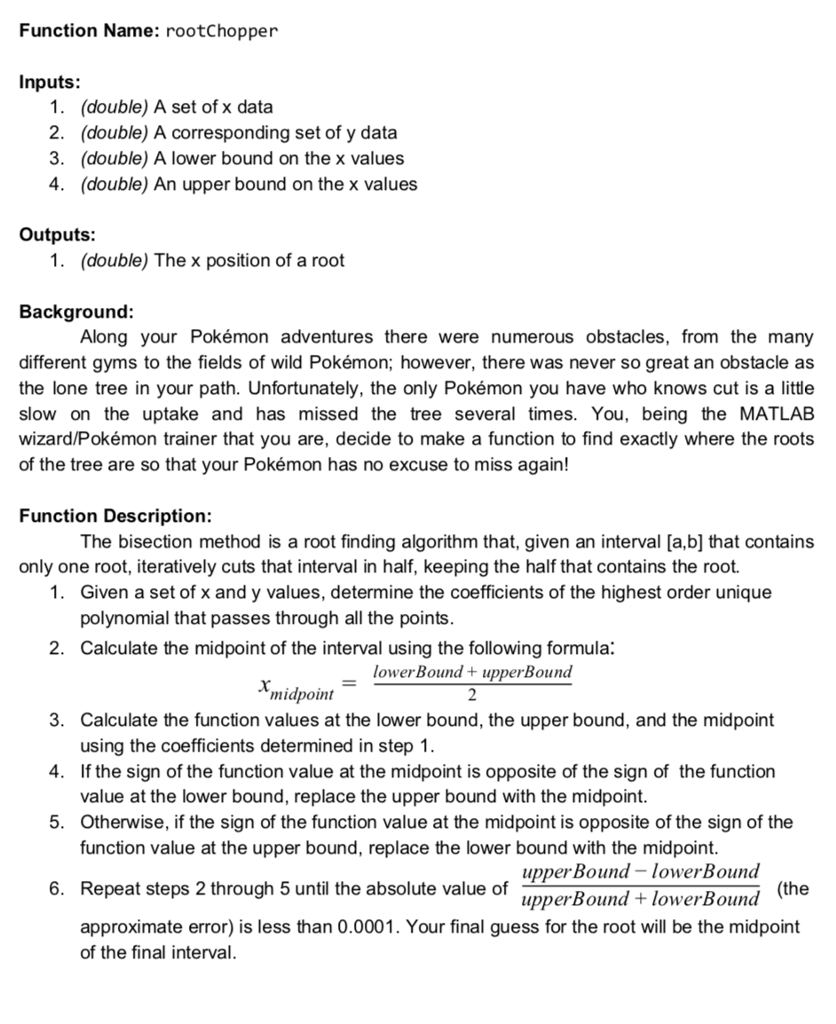
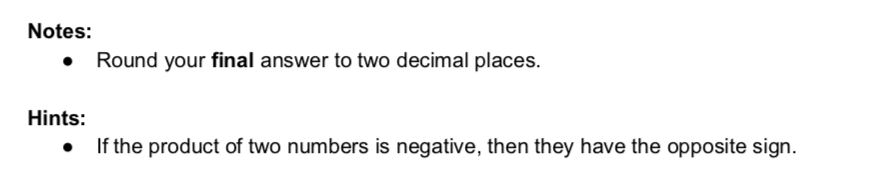
Function Name: rootChopper Inputs: 1. 2. 3. 4. (double) A set of x data (double) A corresponding set of y data (double) A lower bound on the x values (double) An upper bound on the x values Outputs: 1. (double) The x position of a root Background: Along your Pokmon adventures there were numerous obstacles, from the many different gyms to the fields of wild Pokmon; however, there was never so great an obstacle as the lone tree in your path. Unfortunately, the only Pokmon you have who knows cut is a little slow on the uptake and has missed the tree several times. You, being the MATLAB wizard/Pokmon trainer that you are, decide to make a function to find exactly where the roots of the tree are so that your Pokmon has no excuse to miss again! Function Description: The bisection method is a root finding algorithm that, given an interval [a,b] that contains only one root, iteratively cuts that interval in half, keeping the half that contains the root. 1. Given a set of x and y values, determine the coefficients of the highest order unique polynomial that passes through all the points 2. Calculate the midpoint of the interval using the following formula: lowerBound + upperBound midpoint 3. 4. 5. Calculate the function values at the lower bound, the upper bound, and the midpoint using the coefficients determined in step 1 If the sign of the function value at the midpoint is opposite of the sign of the function value at the lower bound, replace the upper bound with the midpoint Otherwise, if the sign of the function value at the midpoint is opposite of the sign of the function value at the upper bound, replace the lower bound with the midpoint upperBound -lowerBound upperBound + lowerBound 6. Repeat steps 2 through 5 until the absolute value of (the approximate error) is less than 0.0001. Your final guess for the root will be the midpoint of the final interval Function Name: rootChopper Inputs: 1. 2. 3. 4. (double) A set of x data (double) A corresponding set of y data (double) A lower bound on the x values (double) An upper bound on the x values Outputs: 1. (double) The x position of a root Background: Along your Pokmon adventures there were numerous obstacles, from the many different gyms to the fields of wild Pokmon; however, there was never so great an obstacle as the lone tree in your path. Unfortunately, the only Pokmon you have who knows cut is a little slow on the uptake and has missed the tree several times. You, being the MATLAB wizard/Pokmon trainer that you are, decide to make a function to find exactly where the roots of the tree are so that your Pokmon has no excuse to miss again! Function Description: The bisection method is a root finding algorithm that, given an interval [a,b] that contains only one root, iteratively cuts that interval in half, keeping the half that contains the root. 1. Given a set of x and y values, determine the coefficients of the highest order unique polynomial that passes through all the points 2. Calculate the midpoint of the interval using the following formula: lowerBound + upperBound midpoint 3. 4. 5. Calculate the function values at the lower bound, the upper bound, and the midpoint using the coefficients determined in step 1 If the sign of the function value at the midpoint is opposite of the sign of the function value at the lower bound, replace the upper bound with the midpoint Otherwise, if the sign of the function value at the midpoint is opposite of the sign of the function value at the upper bound, replace the lower bound with the midpoint upperBound -lowerBound upperBound + lowerBound 6. Repeat steps 2 through 5 until the absolute value of (the approximate error) is less than 0.0001. Your final guess for the root will be the midpoint of the final interval
Step by Step Solution
There are 3 Steps involved in it

Get step-by-step solutions from verified subject matter experts
 Study Help