







Question: MatLab Print a formatted Table Write a script file to calculate the temperature of an object at different time. T(t) = 5 sind(t) + tcost)
MatLab
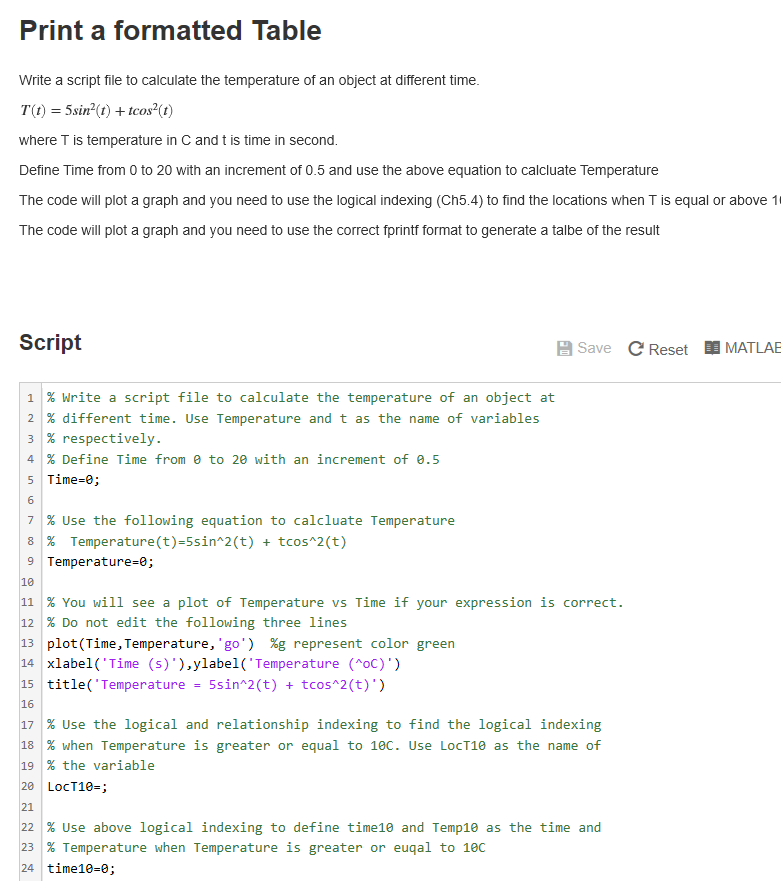
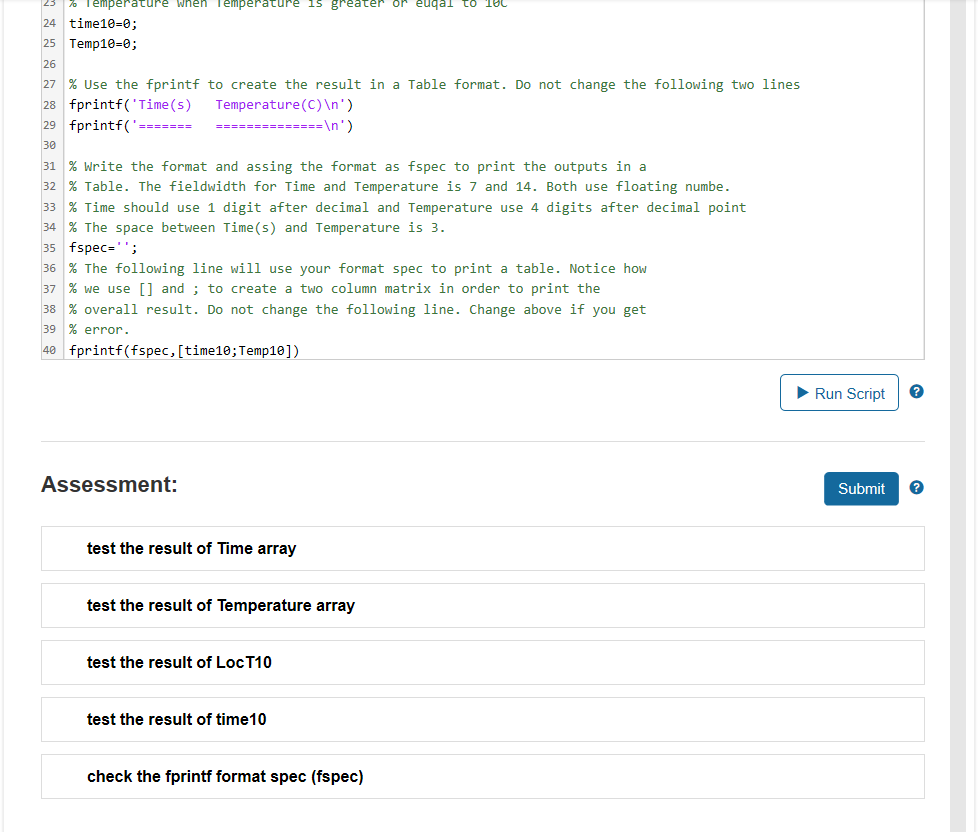
Print a formatted Table Write a script file to calculate the temperature of an object at different time. T(t) = 5 sind(t) + tcost) where T is temperature in C and t is time in second. Define Time from 0 to 20 with an increment of 0.5 and use the above equation to calcluate Temperature The code will plot a graph and you need to use the logical indexing (Ch5.4) to find the locations when T is equal or above 1 The code will plot a graph and you need to use the correct fprintf format to generate a talbe of the result Script Save C Reset MATLAE 1 % Write a script file to calculate the temperature of an object at 2 % different time. Use Temperature and t as the name of variables 3 % respectively. 4 % Define Time from to 20 with an increment of 0.5 5 Time=0; 7 % Use the following equation to calcluate Temperature 8 % Temperature(t)=5sin^2(t) + tcos^2(t) 9 Temperature=0; 11 % You will see a plot of Temperature vs Time if your expression is correct. 12 % Do not edit the following three lines 13 plot(Time, Temperature,'go') %g represent color green 14 xlabel('Time (5)'ylabel('Temperature (^OC)') 15 title('Temperature = 5sin^2(t) + tcos^2(t)') 17 % Use the logical and relationship indexing to find the logical indexing 18 % when Temperature is greater or equal to 10c. Use LocT10 as the name of 19 % the variable 20 LocT10=; 22 % Use above logical indexing to define time10 and Temp10 as the time and 23 % Temperature when Temperature is greater or euqal to 10C time 10=0; 23 % Temperature When Temperature 15 greater or eudal to 10 24 time10=0; 25 Temp10=0; 27 % Use the fprintf to create the result in a Table format. Do not change the following two lines fprintf('Time(s) Temperature (C) ') 29 fprintf('== === ') 31 % Write the format and assing the format as fspec to print the outputs in a 32 % Table. The fieldwidth for Time and Temperature is 7 and 14. Both use floating numbe. 33 % Time should use 1 digit after decimal and Temperature use 4 digits after decimal point 34 % The space between Time(s) and Temperature is 3. 35 fspec=''; 36 % The following line will use your format spec to print a table. Notice how 37 % we use [] and ; to create a two column matrix in order to print the 38 % overall result. Do not change the following line. Change above if you get 39 % error 40 fprintf(fspec, (time10; Temp10]) Run Script Assessment: Submit test the result of Time array test the result of Temperature array test the result of LocT10 test the result of time 10 check the fprintf format spec (fspec)
Step by Step Solution
There are 3 Steps involved in it

Get step-by-step solutions from verified subject matter experts
 Study Help