







Question: Mobile App Development In Android Studio, create a spinner that has drop down function on it (NOT tab view). Place a scroll bar inside the
Mobile App Development
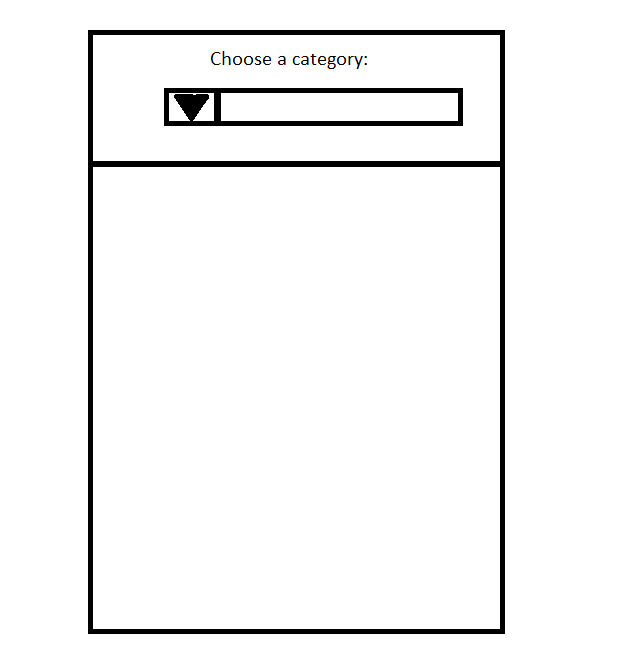
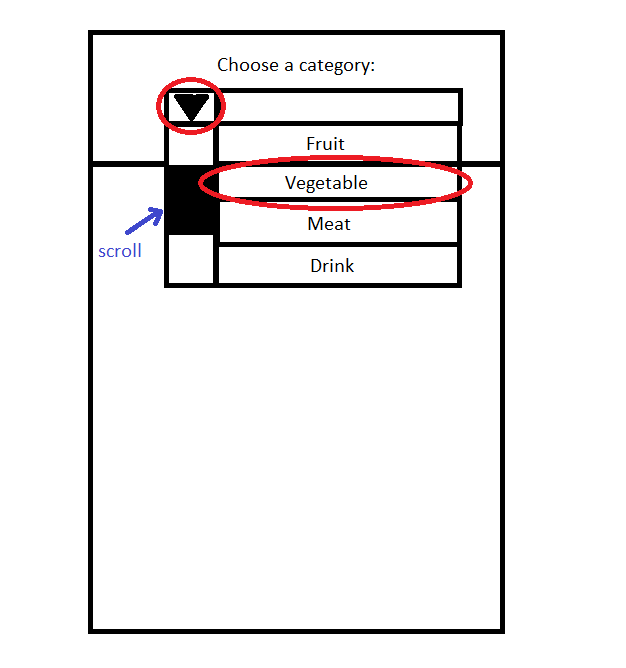
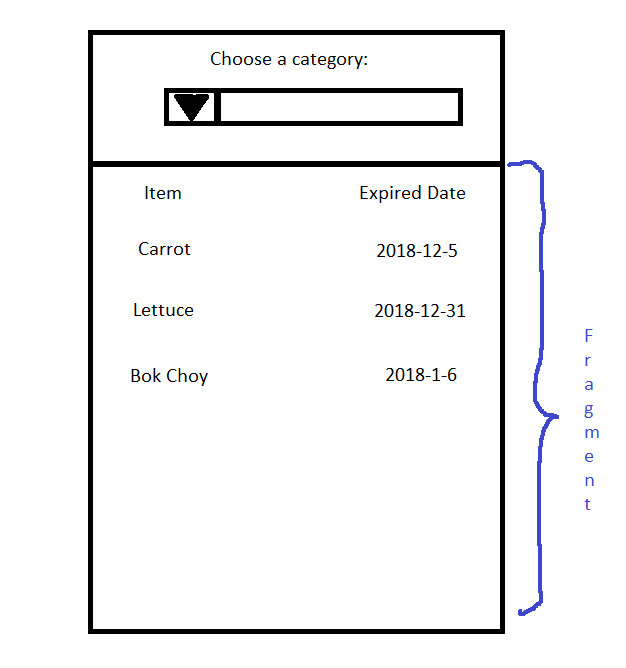
In Android Studio, create a spinner that has drop down function on it (NOT tab view). Place a scroll bar inside the dropdown of the spinner. The categories inside the spinner include: vegetable, fruit, meat, drink. Clicking on each section will pop up a fragment section below. Here, I clicked on the vegetable section, which leads me to a page displaying vegetables and their expiration dates.
Note: Post XML and Java codes for both the main activity and the fragments. You only need to create the vegetable fragment, I will code the rest based on the vegetable fragment. Do not screenshot the code, please write out the code. Please TEST the code out before posting the XML and Java Codes for both the main activity and the fragments.
Choose a category
Step by Step Solution
There are 3 Steps involved in it

Get step-by-step solutions from verified subject matter experts
 Study Help