







Question: (Android Studio) Create a spinner that has drop down function on it (NOT tab view). Place a scroll bar inside the dropdown of the spinner.
(Android Studio)
Create a spinner that has drop down function on it (NOT tab view). Place a scroll bar inside the dropdown of the spinner. The categories inside the spinner include: vegetable, fruit, meat, drink. Clicking on each section will pop up a fragment section below. Here, I clicked on the vegetable section, which leads me to a page displaying vegetables and their expiration dates.
Note: Post XML and Java codes for both the main activity and the fragments. You only need to create the vegetable fragment, I code the rest based the fragment.
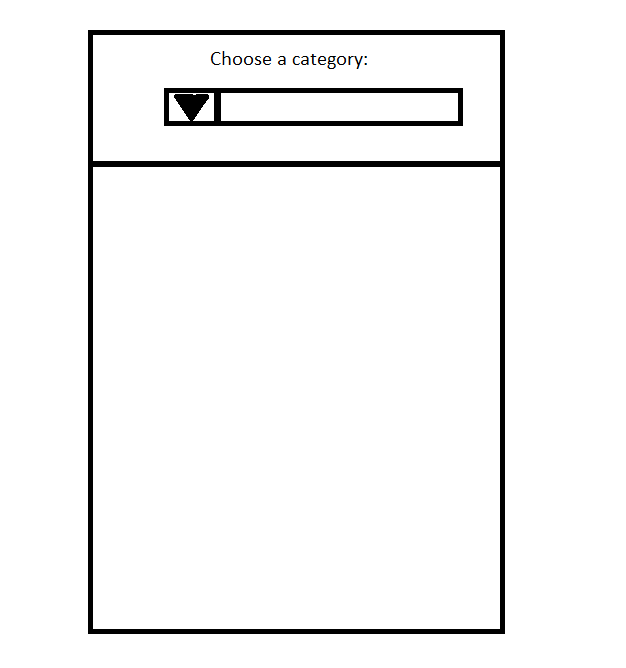
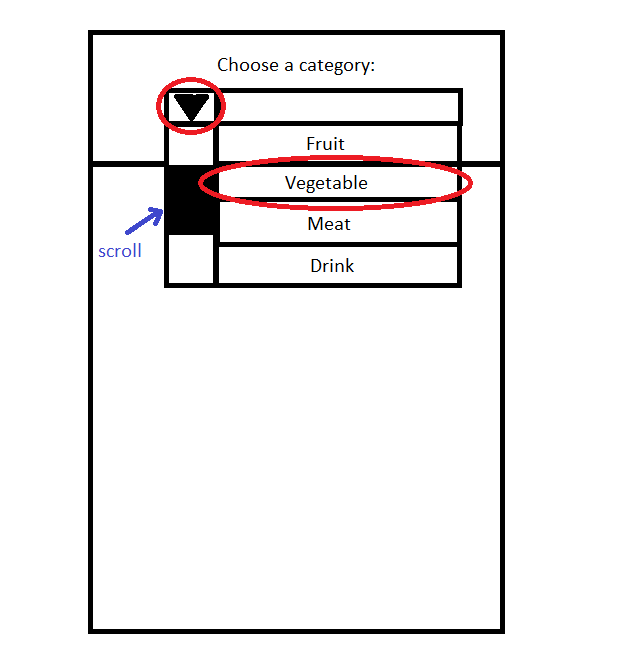
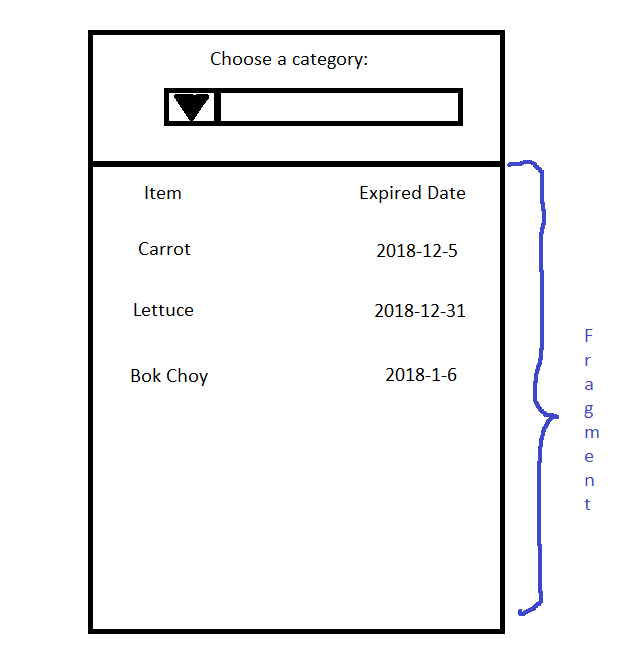
Choose a category
Step by Step Solution
There are 3 Steps involved in it
1 Expert Approved Answer
Step: 1 Unlock

Question Has Been Solved by an Expert!
Get step-by-step solutions from verified subject matter experts
Step: 2 Unlock
Step: 3 Unlock
 Study Help