Question: mod9Starter.html CSS code The picture below shows what it looks like when a required field is empty, and a user presses the submit button. Grading
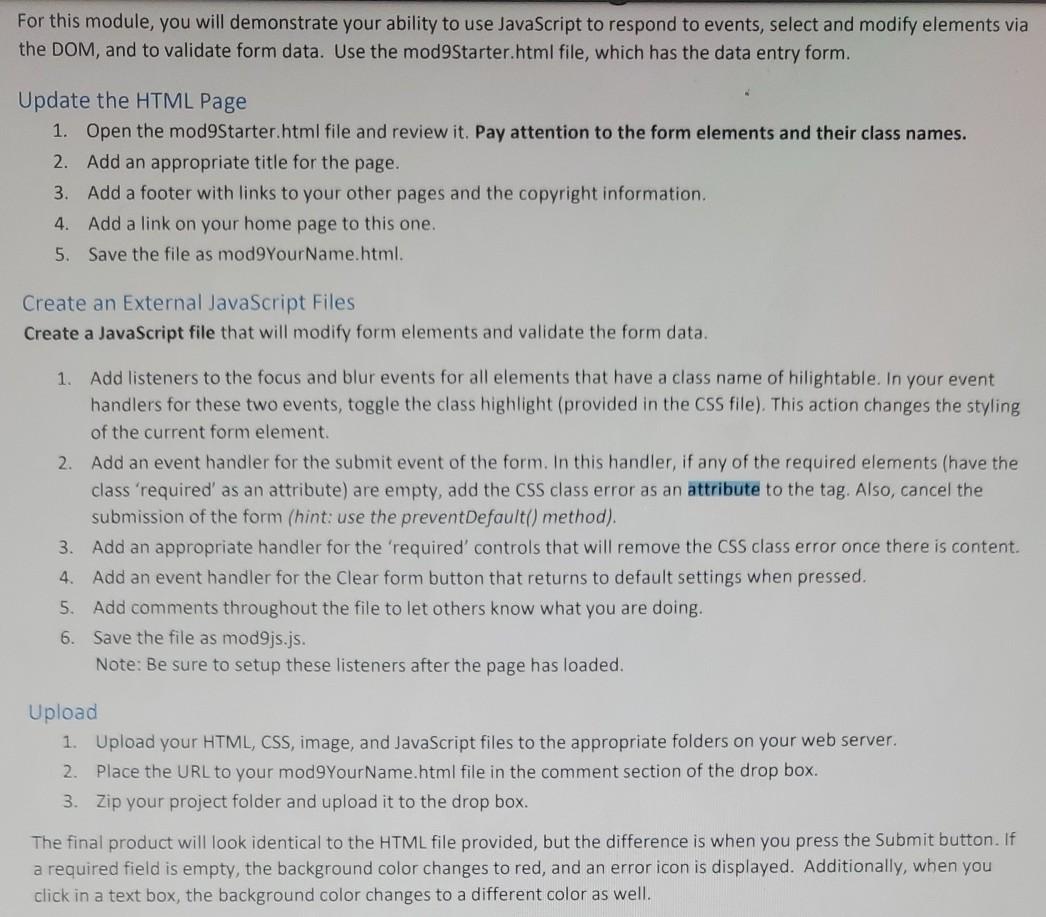
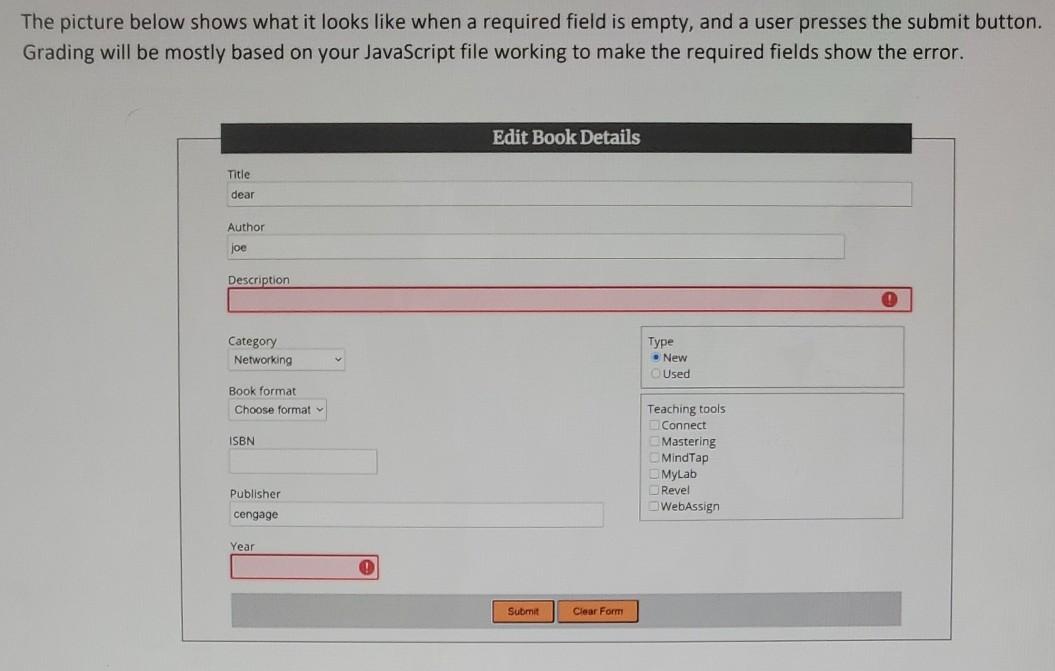
 mod9Starter.html CSS code The picture below shows what it looks like
when a required field is empty, and a user presses the submit

mod9Starter.html

button. Grading will be mostly based on your JavaScript file working to

make the required fields show the error. Edit Book Details Title dear

Author joe Description Category Networking Type New Used Book format Choose format

CSS code

ISBN Teaching tools Connect Mastering MindTap MyLab Revel WebAssign Publisher cengage Year

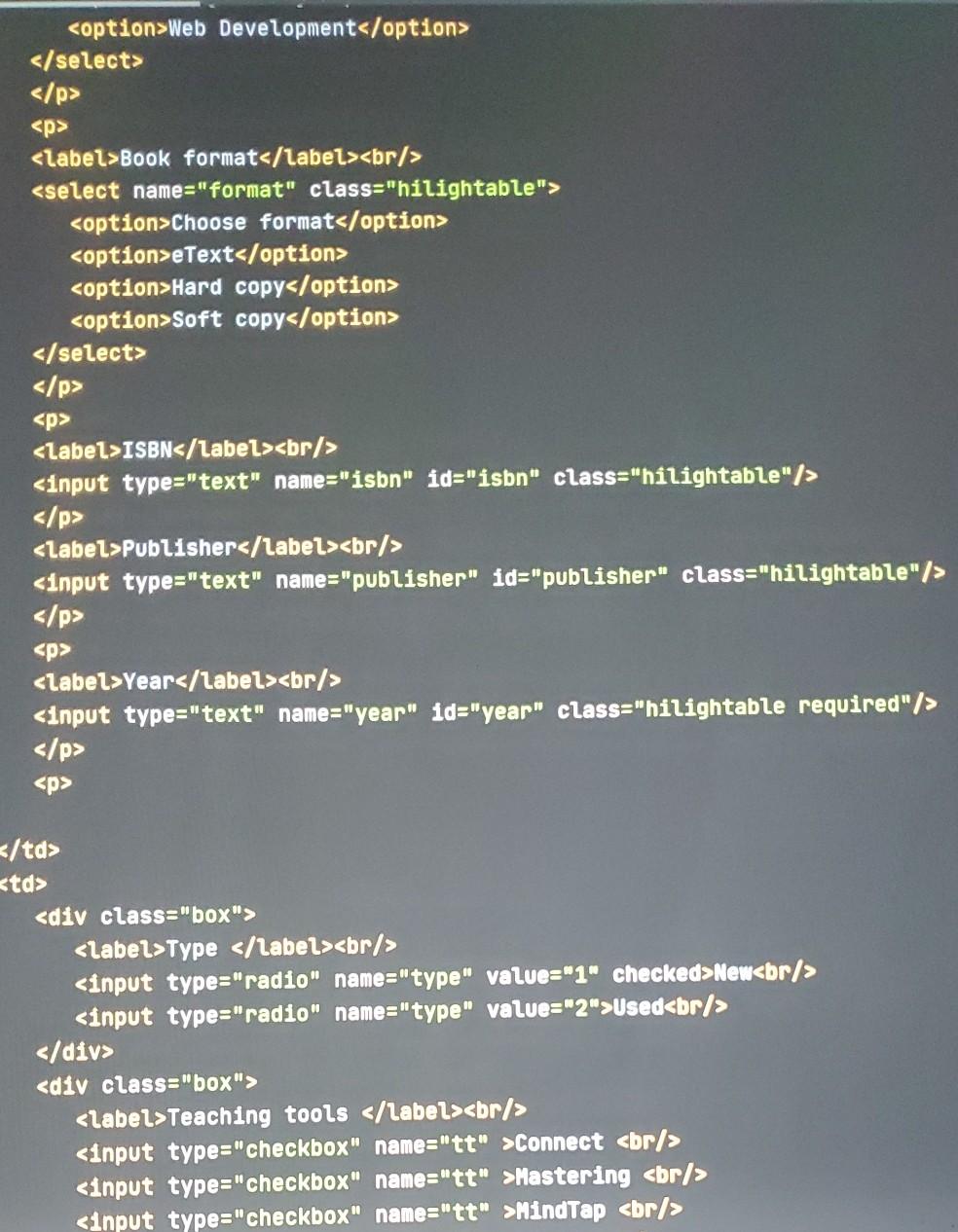
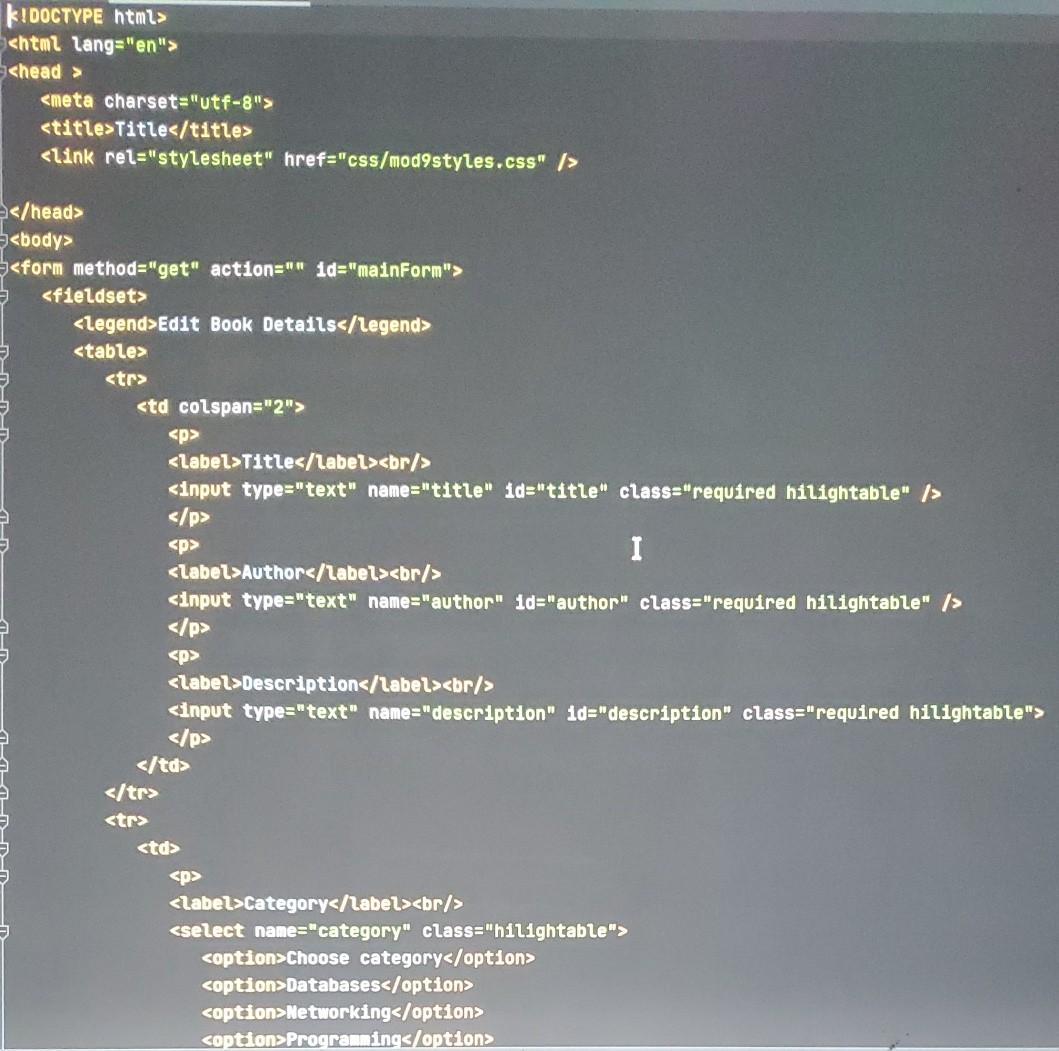
Submit Clear Form K!DOCTYPE html> Title Edit Book Details/legend> Title I Author

Description Category Choose category Databases Networking Programmings/option> Web Development Book format Choose

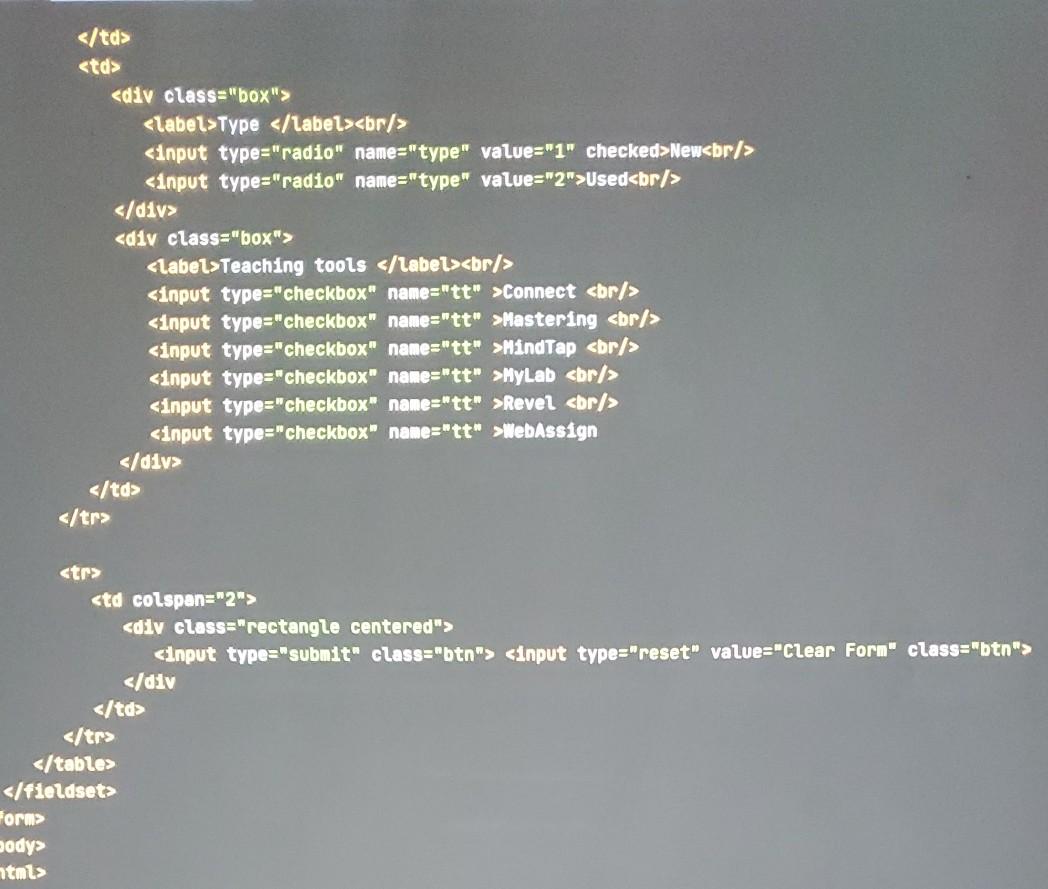
The picture below shows what it looks like when a required field is empty, and a user presses the submit button. Grading will be mostly based on your JavaScript file working to make the required fields show the error. Edit Book Details Title dear Author joe Description Category Networking Type New Used Book format Choose format ISBN Teaching tools Connect Mastering MindTap MyLab Revel WebAssign Publisher cengage Year Submit Clear Form K!DOCTYPE html>

Title
Edit Book Details/legend>


I


New
Used

Connect
Mastering
MindTap

New
Used

Connect
Mastering
MindTap
MyLab
Revel
WebAssign
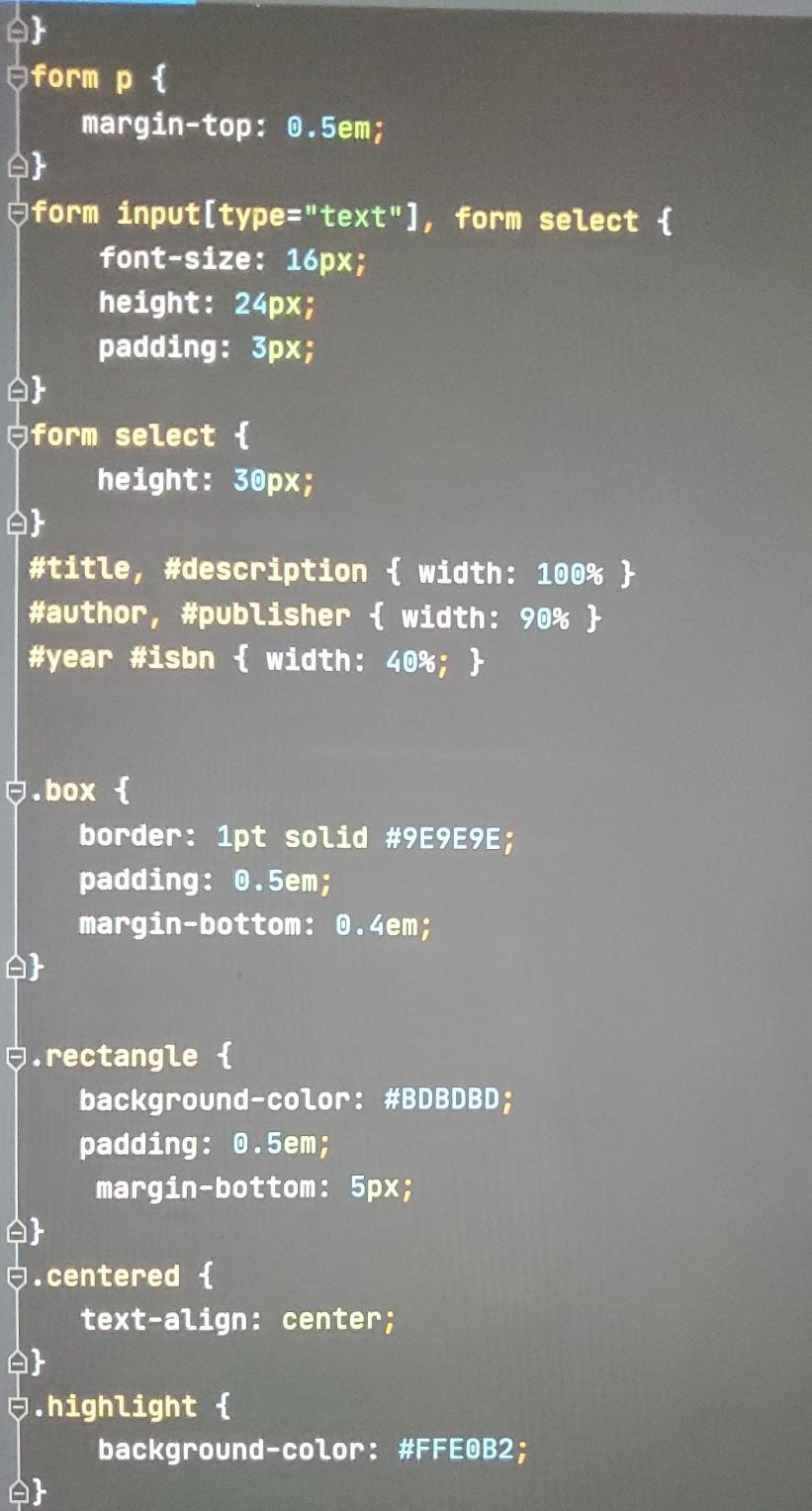
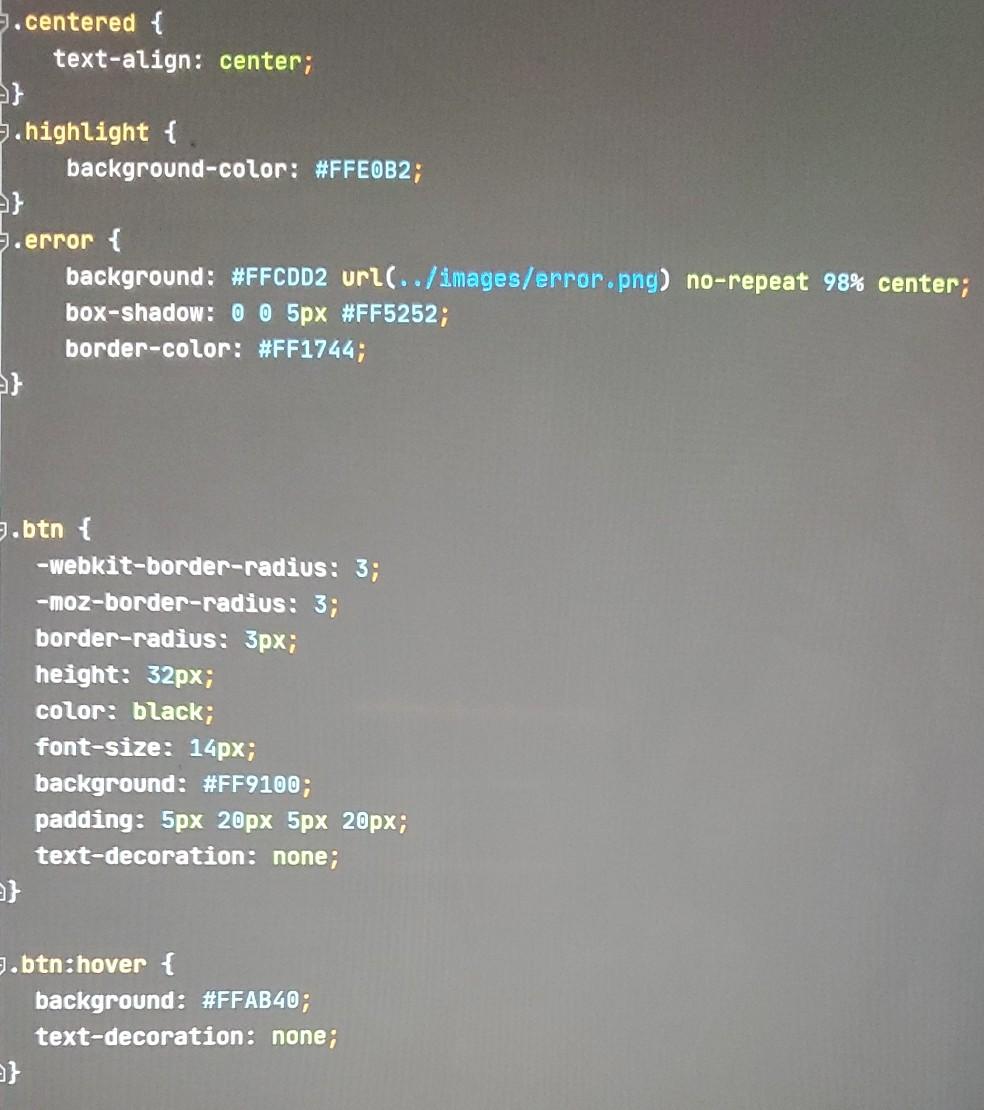
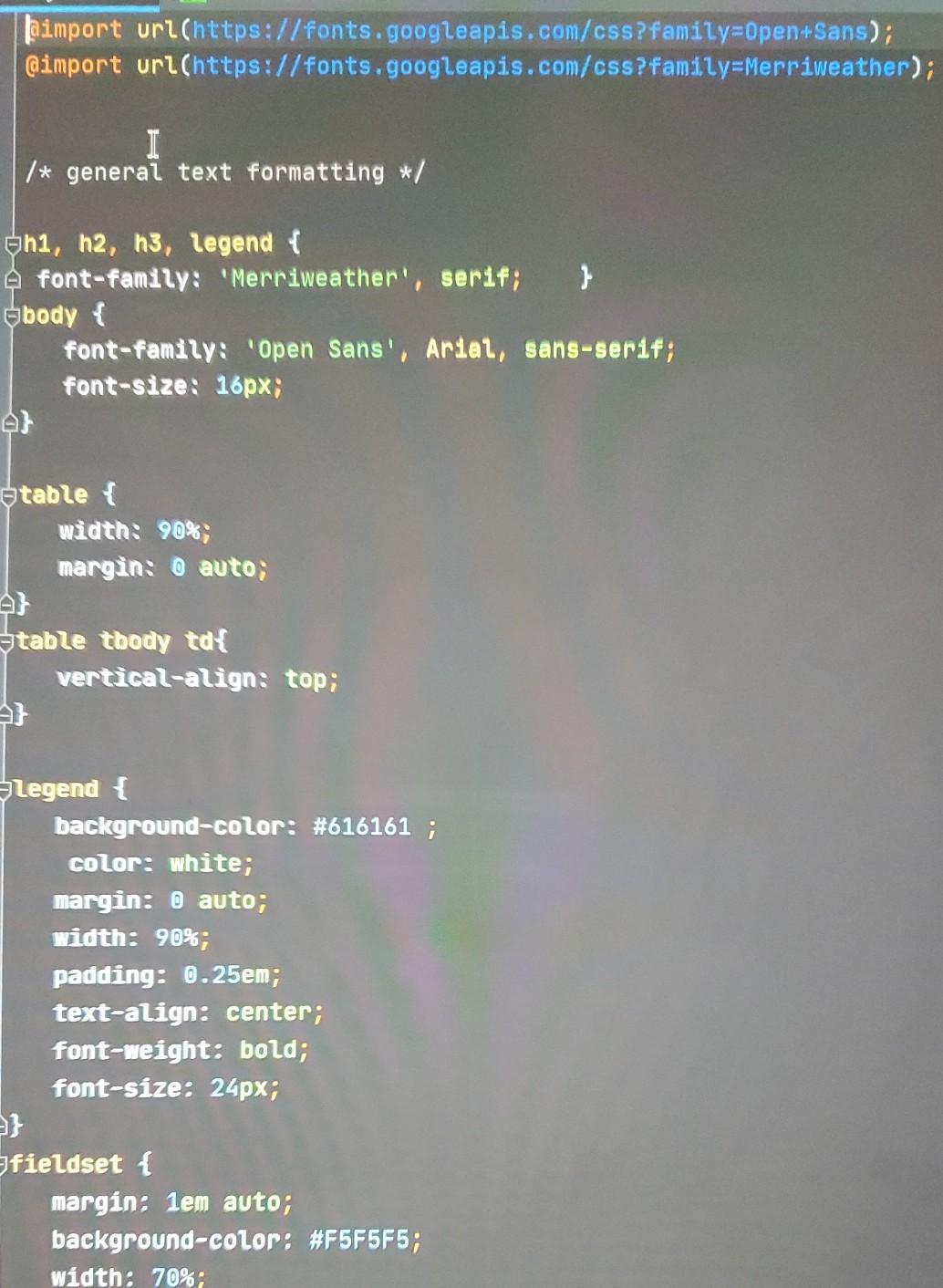
Form> body> ntmts Jaimport url(https://fonts.googleapis.com/css?family=Open+Sans); @import url(https://fonts.googleapis.com/css?family=Merriweather); I /* general text formatting */ h1, h2, h3, legend { font-family: 'Merriweather', serif; } body { font-family: "Open Sans", Arial, sans-serif; font-size: 16px; etable { width: 90%; margin: 0 auto; atable tbody tax vertical-align: top; legend { background-color: #616161 ; color: white; margin: 0 auto; width: 90%; padding: 0.25em; text-align: center; font-weight: bold; font-size: 24px; fieldset { margin: 1em auto; background-color: #F5F5F5; width: 70%; eform p { margin-top: 0.5em; form input[type="text"), form select { font-size: 16px; height: 24px; padding: 3px; form select { height: 30px; #title, #description { width: 100% } #author, #publisher { width: 90% } #year #isbn { width: 40%; } 6. box { border: 1pt solid #9E9E9E; padding: 0.5em; margin-bottom: 0.4em; .rectangle { background-color: #BDBDBD; padding: 0.5em; margin-bottom: 5px; er .centered { text-align: center; $.highlight { background-color: #FFEOB2; 5.centered { text-align: center; .highlight { background-color: #FFE0B2; 5.error { background: #FFCDD2 url(../images/error.png) no-repeat 98% center; box-shadow:0 0 5px #FF5252; border-color: #FF1744; } 9.btn { -webkit-border-radius: 3; -moz-border-radius: 3; border-radius: 3px; height: 32px; color: black; font-size: 14px; background: #FF9100; padding: 5px 20px 5px 20px; text-decoration: none; 9.btn:hover { background: #FFAB40; text-decoration: none; }

Step by Step Solution

There are 3 Steps involved in it

1 Expert Approved Answer
Step: 1 Unlock blur-text-image

Question Has Been Solved by an Expert!

Get step-by-step solutions from verified subject matter experts

Step: 2 Unlock
Step: 3 Unlock

Students Have Also Explored These Related Databases Questions!