





Question: Modify the existing code to output the above output, WRITE IN C PLEASE: #include #include #include #include #include #include #define LINESIZE 16 //use one command
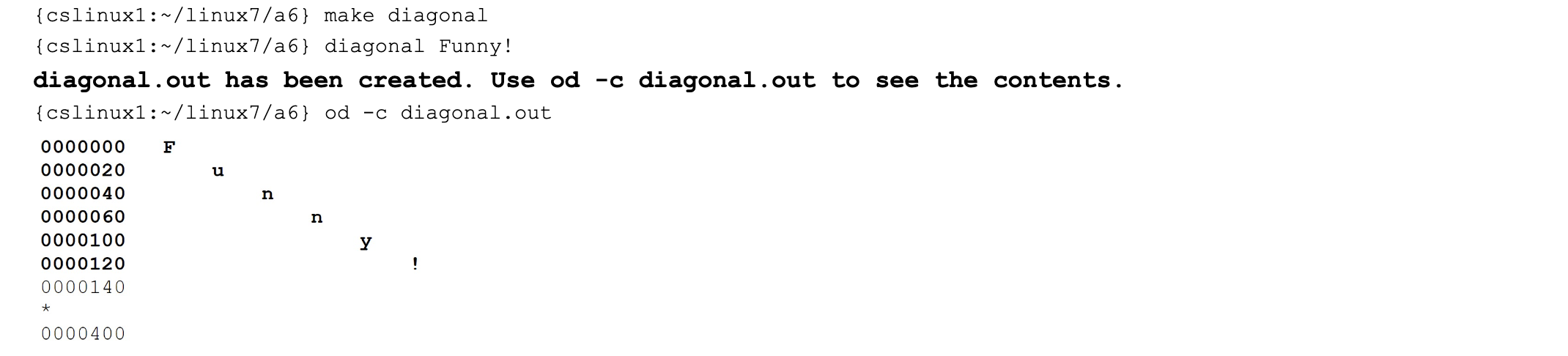
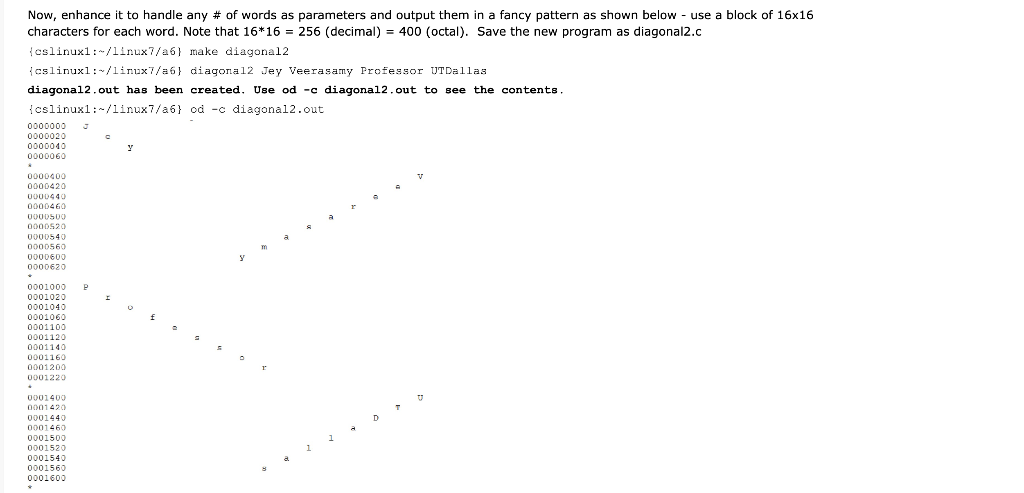
 Modify the existing code to output the above output, WRITE INC PLEASE: #include #include #include #include #include #include #define LINESIZE 16 //use

Modify the existing code to output the above output, WRITE IN C PLEASE:

#include #include #include #include #include #include

#define LINESIZE 16

//use one command line argument int main(int argc, char *argv[]) { if (argc != 2) { printf("Usage: diagonal "); return -1; }

//create a file so that 16 rows of empty will appear with od -c command int fd = open("diagonal.out", O_CREAT | O_WRONLY | O_TRUNC, S_IRUSR | S_IWUSR); char space = ' '; for(int line=0; line

//Each line of od outputs 16 characters //So, to make the output diagonal, we will use 0, 17, 34, .... int n = strlen(argv[1]); for(int i=0; i { cslinux1: /linux7/a6\} make diagonal { cslinux1: /linux7/a6\} diagonal Funny! diagonal.out has been created. Use od -c diagonal.out to see the contents. { cslinux1: /linux7/a6\} od -c diagonal.out Now, enhance it to handle any \# of words as parameters and output them in a fancy pattern as shown below - use a block of 1616 characters for each word. Note that 1616=256 (decimal) =400 (octal). Save the new program as diagonal2.c { cslinux1: /1lnux7/a6} make diagonal2 { cslinux1: /1inux 7/a6} diagona12 Jey Veerasamy Professor UTDa11as diagonal2, out has been created. Use od -c diagonal2, out to see the contents. { cslinux1: /1inux 7/a6} od c diagonal2.out

Step by Step Solution

There are 3 Steps involved in it

1 Expert Approved Answer
Step: 1 Unlock blur-text-image
Question Has Been Solved by an Expert!

Get step-by-step solutions from verified subject matter experts

Step: 2 Unlock
Step: 3 Unlock

Students Have Also Explored These Related Databases Questions!