







Question: Module 7: Validating Angular Forms Assignment - 1: Problem Statement Add different validation to template-driven form created in previous module (Module 6 assignment 1) Follow
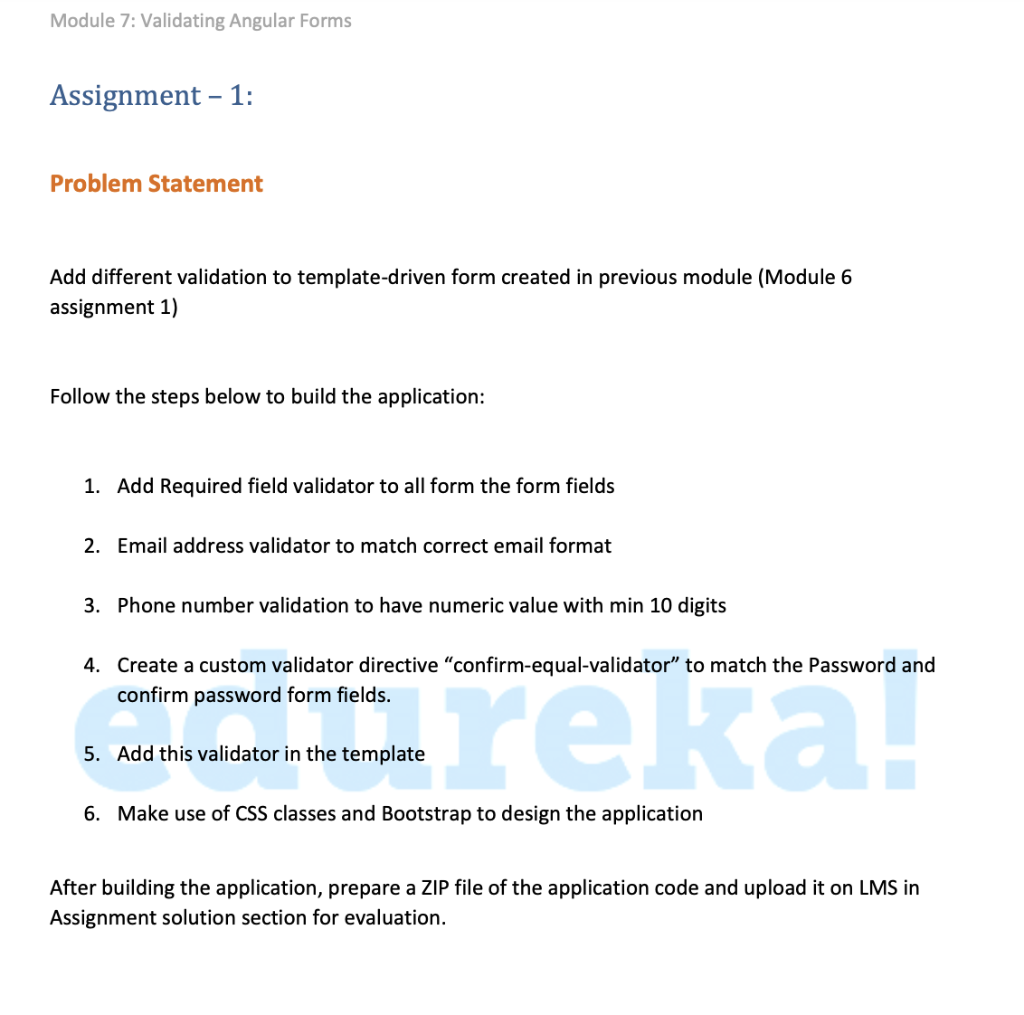
Module 7: Validating Angular Forms Assignment - 1: Problem Statement Add different validation to template-driven form created in previous module (Module 6 assignment 1) Follow the steps below to build the application: 1. Add Required field validator to all form the form fields 2. Email address validator to match correct email format 3. Phone number validation to have numeric value with min 10 digits 4. Create a custom validator directive "confirm-equal-validator to match the Password and confirm password form fields. reka 5. Add this validator in the template 6. Make use of CSS classes and Bootstrap to design the application After building the application, prepare a ZIP file of the application code and upload it on LMS in Assignment solution section for evaluation. Module 7: Validating Angular Forms Assignment - 1: Problem Statement Add different validation to template-driven form created in previous module (Module 6 assignment 1) Follow the steps below to build the application: 1. Add Required field validator to all form the form fields 2. Email address validator to match correct email format 3. Phone number validation to have numeric value with min 10 digits 4. Create a custom validator directive "confirm-equal-validator to match the Password and confirm password form fields. reka 5. Add this validator in the template 6. Make use of CSS classes and Bootstrap to design the application After building the application, prepare a ZIP file of the application code and upload it on LMS in Assignment solution section for evaluation
Step by Step Solution
There are 3 Steps involved in it

Get step-by-step solutions from verified subject matter experts
 Study Help