







Question: move index.html to the local root folder, upload index your was successful. html to your browser from the published location to verify that the upload
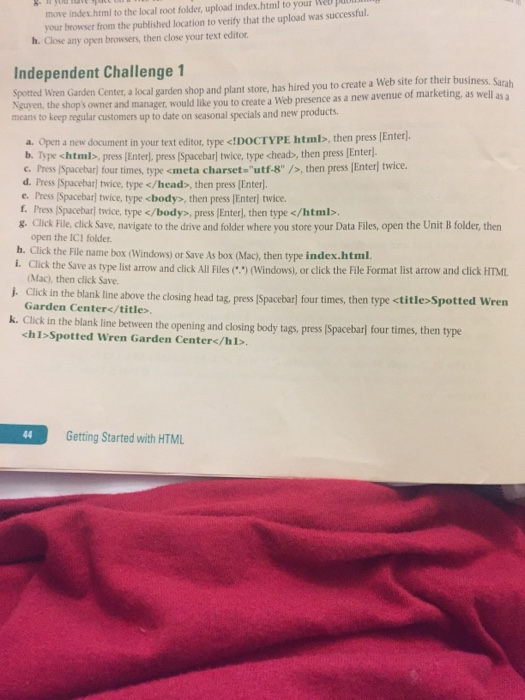
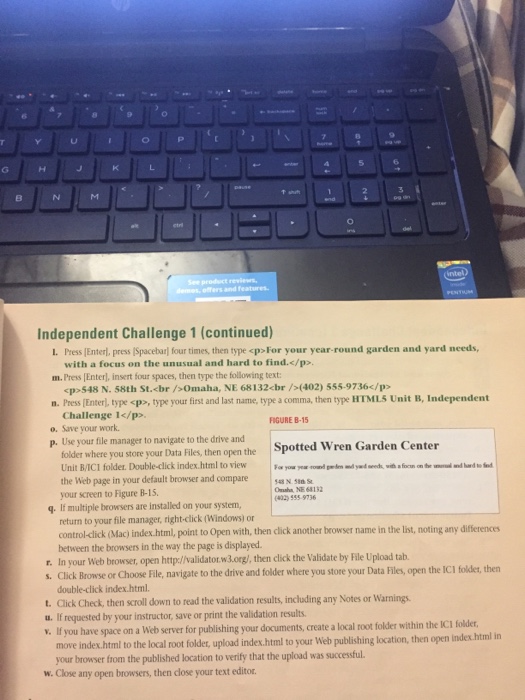
move index.html to the local root folder, upload index your was successful. html to your browser from the published location to verify that the upload h. Close any open browsers, then close your text editor Independent Challenge 1 a Web site for their business. Sarah spotted wren Center a garden shop and plant store, has hired you to create avenue of marketing, as well as a Nguyen, the Garden a Web presence as a new shop's owner and manager, would like you to create means to keep regular date on seasonal specials and new products a. open a new document in your text editor, type k!DOCTYPE html then press [Enter b. Type , press Enter, press ISpacebar twice, type chead>, then press Enterl. c. Press Ispacebarl four times, type meta charset-utf-8" then press lEnter twice d. Press Ispacebarl twice, type , then press Enterl. e. Press lSpacebarl twice, type 8. Click File, click Save, navigate to the drive and folder where you store your Data Files, open the Unit B folder, then open the ICI folder. b. Click the File name box (Windows) or save As box (Mac, then type index.html. i. Click the Save as type list arrow and click All Files (windows), or click the File Format list arrow and click HTML Mac), then click Save. Click in the blank line above the closing head tag, press ISpacebarl four times, then type
Step by Step Solution
There are 3 Steps involved in it

Get step-by-step solutions from verified subject matter experts
 Study Help