



Question: Must be done using microsoft project! please and thanks ! 1. Create a new blank project, name the project Recruitment exercise and set the project
 Must be done using microsoft project!
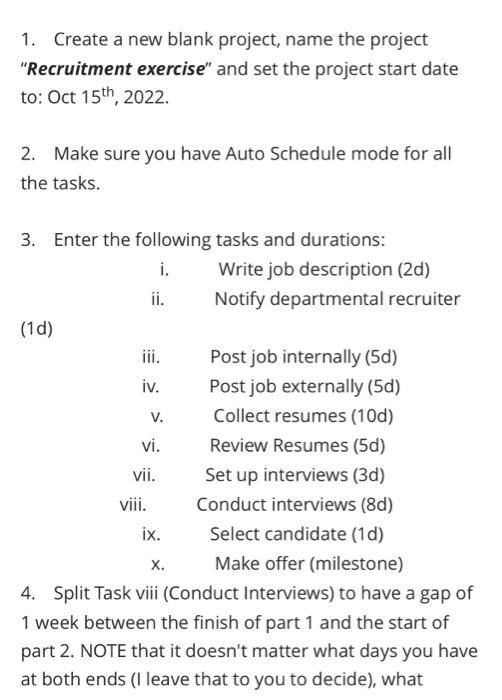
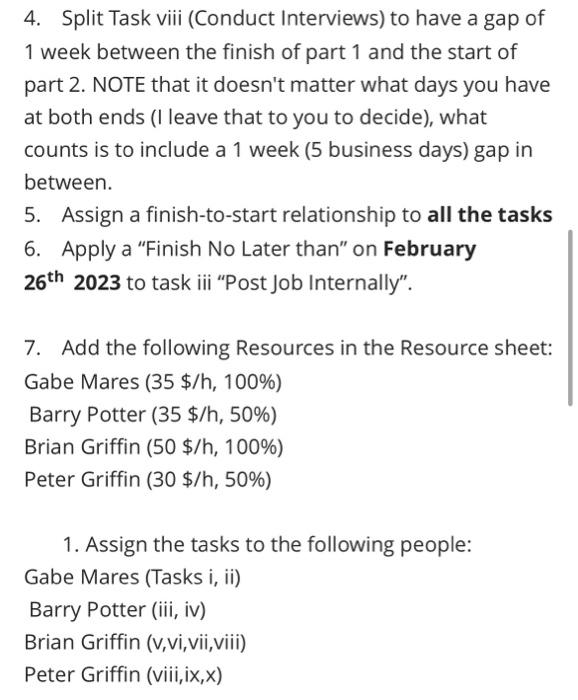
 1. Create a new blank project, name the project "Recruitment exercise" and set the project start date to: Oct 15th,2022. 2. Make sure you have Auto Schedule mode for all the tasks. 3. Enter the following tasks and durations: i. Write job description (2d) ii. Notify departmental recruiter (1d) iii. Post job internally (5d) iv. Post job externally (5d) v. Collect resumes (10d) vi. Review Resumes (5d) vii. Set up interviews (3d) viii. Conduct interviews (8d) ix. Select candidate (1d) x. Make offer (milestone) 4. Split Task viii (Conduct Interviews) to have a gap of 1 week between the finish of part 1 and the start of part 2. NOTE that it doesn't matter what days you have at both ends (I leave that to you to decide), what 4. Split Task viii (Conduct Interviews) to have a gap of 1 week between the finish of part 1 and the start of part 2. NOTE that it doesn't matter what days you have at both ends (I leave that to you to decide), what counts is to include a 1 week ( 5 business days) gap in between. 5. Assign a finish-to-start relationship to all the tasks 6. Apply a "Finish No Later than" on February 26th2023 to task iii "Post Job Internally". 7. Add the following Resources in the Resource sheet: Gabe Mares (35 \$/h, 100\%) Barry Potter ( 35$/h,50%) Brian Griffin (50 \$/h, 100\%) Peter Griffin (30 \$/h, 50\%) 1. Assign the tasks to the following people: Gabe Mares (Tasks i, ii) Barry Potter (iii, iv) Brian Griffin (v,vi,vii,viii) Peter Griffin (viii,ix, x)
Step by Step Solution
There are 3 Steps involved in it

Get step-by-step solutions from verified subject matter experts