







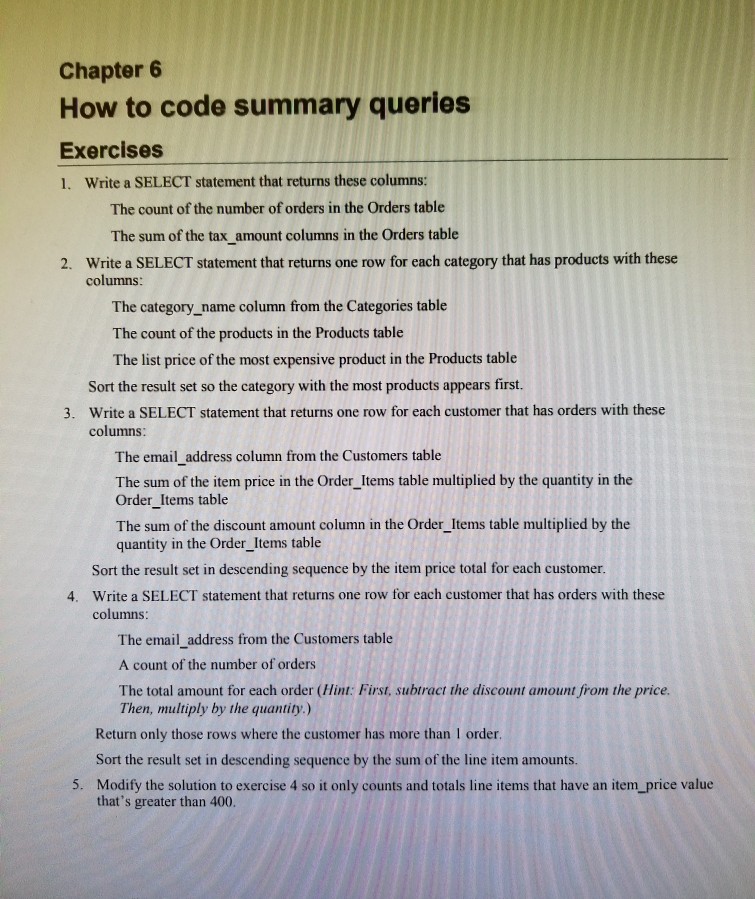
Question: MYSQL Chapter 6 How to code summary queries Exercises 1. Write a SELECT statement that returns these columns The count of the number of orders
MYSQL
Chapter 6 How to code summary queries Exercises 1. Write a SELECT statement that returns these columns The count of the number of orders in the Orders table The sum of the tax_ amount columns in the Orders table Write a SELECT statement that returns one row for each category that has products with these columns 2. The category_name column from the Categories table The count of the products in the Products table The list price of the most expensive product in the Products table Sort the result set so the category with the most products appears first. Write a SELECT statement that returns one row for each customer that has orders with these columns 3. The email_address column from the Customers table The sum of the item price in the Order Items table multiplied by the quantity in the Order_Items table The sum of the discount amount column in the Order _Items table multiplied by the quantity in the Order Items table Sort the result set in descending sequence by the item price total for each customer. Write a SELECT statement that returns one row for each customer that has orders with these columns 4. The email_ address from the Customers table A count of the number of orders The total amount for each order (Hint: First, subtract the discount amount from the price. Then, multiply by the quantity.) Return only those rows where the customer has more than 1 order Sort the result set in descending sequence by the sum of the line item amounts. Modify the solution to exercise 4 so it only counts and totals line items that have an item_price value 5. that's greater than 400
Step by Step Solution
There are 3 Steps involved in it

Get step-by-step solutions from verified subject matter experts
 Study Help