







Question: need help Create or edit the SQL statements required to accomplish the following tasks. All columns should have a column name, feel free to create
need help
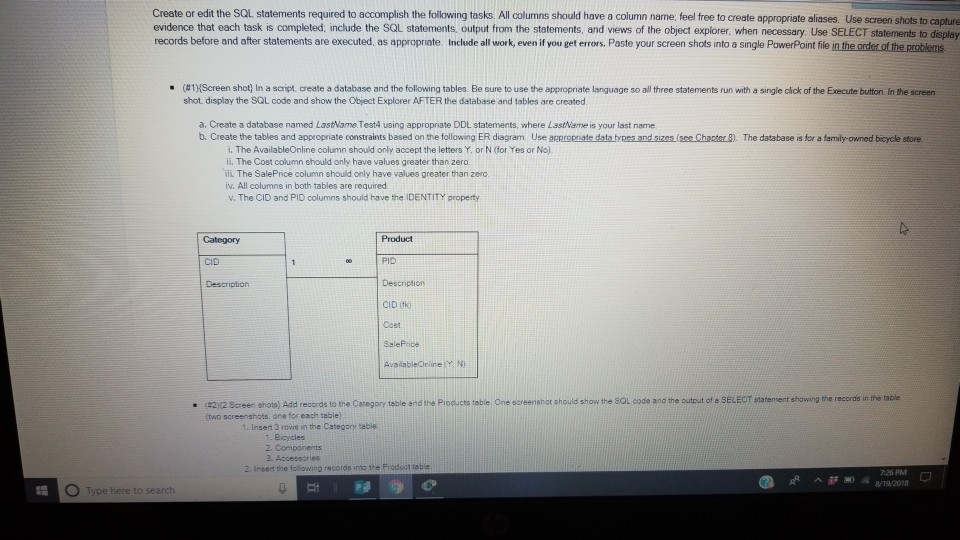
Create or edit the SQL statements required to accomplish the following tasks. All columns should have a column name, feel free to create appropriate aliases Use screen shots to ca evidence that each task is completed; include the SQL records before and after statements are executed, as appropriate. Include all work, even if you get errors. Paste your screen shots into a single PowerPoint file pture statements output from the statements, and views of the object explorer when necessary. Use SELECT statements to displey create a database and the following tab es Be sure to u se te a propna e lar guage Screen shot # 1 shot. display the SQL code and show the Object Explorer AFTER the database and tables are created . n a scrip three statements un ita sn le c ck of he r ec te bu on n he screen a. Create a database named LastName. Test4 using appropriate DDL statements, where LastName is your last name b. Create the tables and appropniate constraints based on the following ER diagram Use acpropriate data tyees and sizes (see Chanter B). The atabase is for a famity-owned bicycle store i. The AvailableOnline column should only accept the letters Y. or N (for Yes or No). ii. The Cost column should only have values greater than zero. L The SalePrice column should only have values greater than zero. iv. All columns in both tables are required v. The CID and PID columns should have the IDENTITY property Category Product CID PIO CID (fk) Ceet Screen shota) Add records to the Caregory teble and the Prosucta tabie. One screenshot should show the SQL code and the output of a SELECT statement showing the records in the taole (two screenshots. one for each table) Insert 3 rows in the Category table Bicycles 2. Accesoories 2. Inserd the iolowing records into the Product table 726 PM ^8/192018
Step by Step Solution
There are 3 Steps involved in it

Get step-by-step solutions from verified subject matter experts
 Study Help