





Question: need help figuring what formulas to add. Don't know the formula to Create formulas under the columns for FIND and SEARCH that will identify the
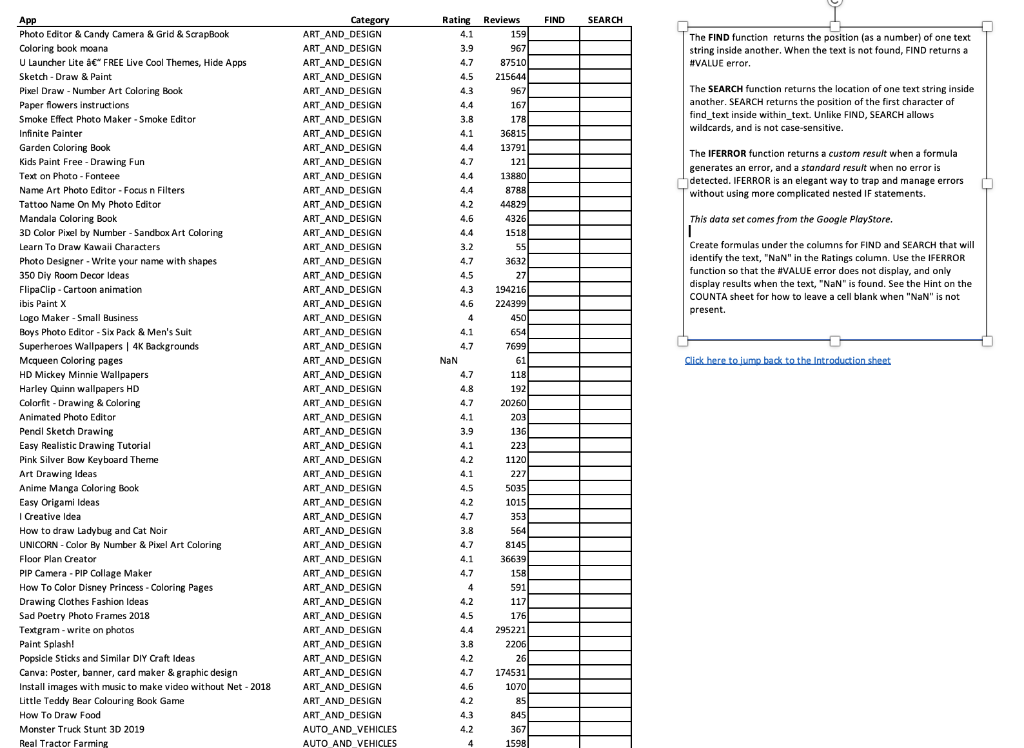
need help figuring what formulas to add. Don't know the formula to Create formulas under the columns for FIND and SEARCH that will identify the text, "NaN" in the Ratings column. Use the IFERROR function so that the #VALUE error does not display, and only display results when the text, "NaN" is found. See the Hint on the COUNTA sheet for how to leave a cell blank when "NaN" is not present.
The FIND function returns the position (as a number) of one text string inside another. When the text is not found, FIND returns a #NALUE error. The SEARCH function returns the location of one text string inside another. SEARCH returns the position of the first character of find_text inside within_text. Unlike FIND, SEARCH allows wildcards, and is not case-sensitive. The IFERROR function returns a custom resuit when a formula generates an error, and a stondard result when no error is detected. IFERROR is an elegant way to trap and manage errors without using more complicated nested IF statements. This data set comes from the Google Playstore. Create formulas under the columns for FIND and SEARCH that will identify the text, "NaN" in the Ratings column. Use the IfERROR function so that the #VALUE error does not display, and only display results when the text, "NaN" is found. See the Hint on the COUNTA sheet for how to leave a cell blank when "NaN" is not present. The FIND function returns the position (as a number) of one text string inside another. When the text is not found, FIND returns a #NALUE error. The SEARCH function returns the location of one text string inside another. SEARCH returns the position of the first character of find_text inside within_text. Unlike FIND, SEARCH allows wildcards, and is not case-sensitive. The IFERROR function returns a custom resuit when a formula generates an error, and a stondard result when no error is detected. IFERROR is an elegant way to trap and manage errors without using more complicated nested IF statements. This data set comes from the Google Playstore. Create formulas under the columns for FIND and SEARCH that will identify the text, "NaN" in the Ratings column. Use the IfERROR function so that the #VALUE error does not display, and only display results when the text, "NaN" is found. See the Hint on the COUNTA sheet for how to leave a cell blank when "NaN" is not present

