







Question: need help on these excel steps please. an exact matcn. Lopy ine tormula down tnrougn ceil E1Ur 8 On the Report worksheet, creale calculations that
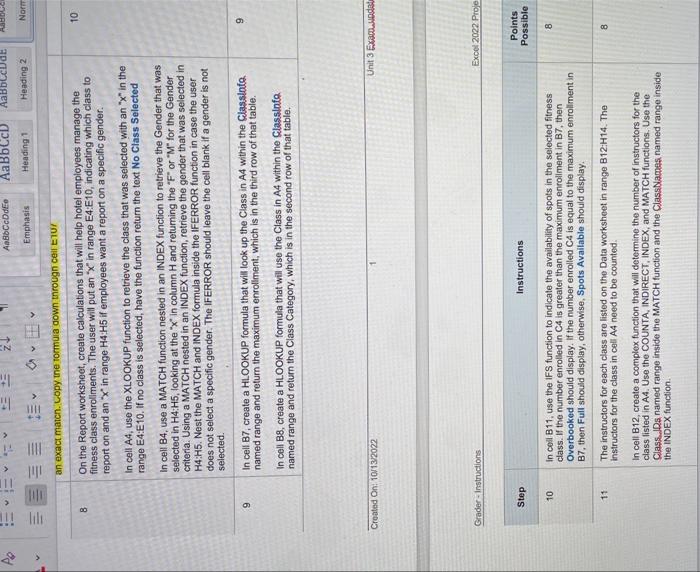
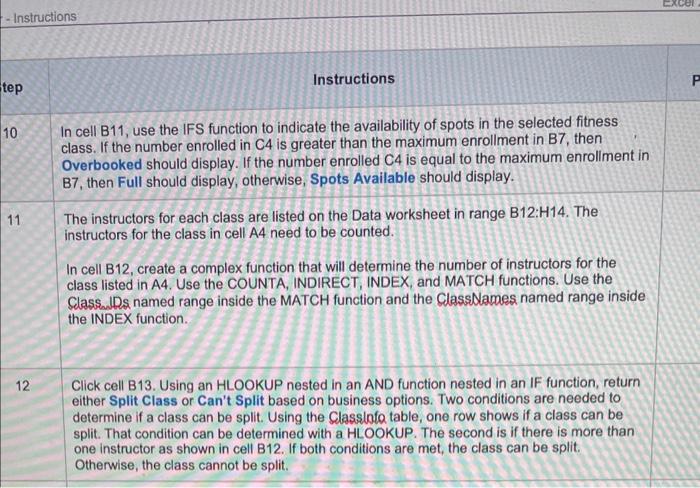
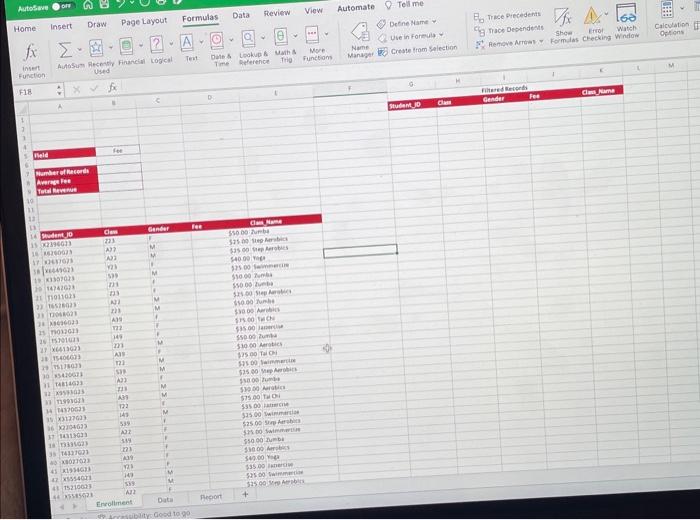
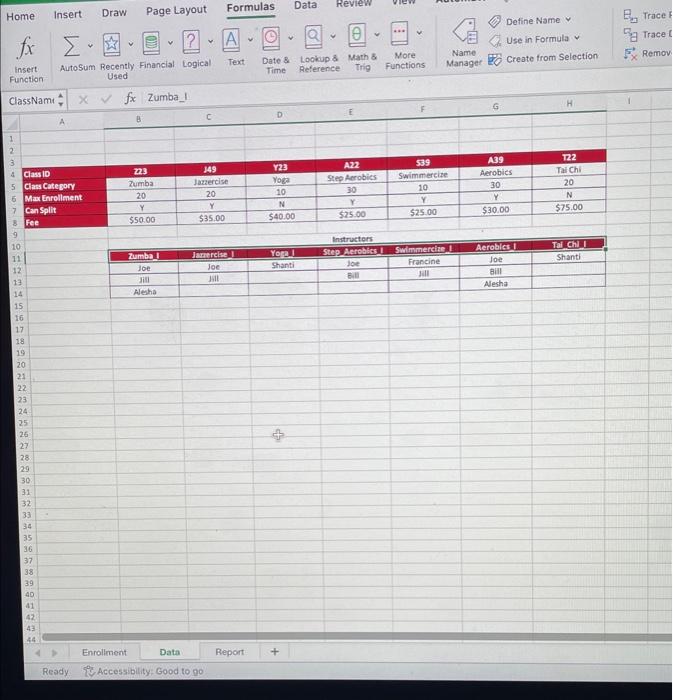
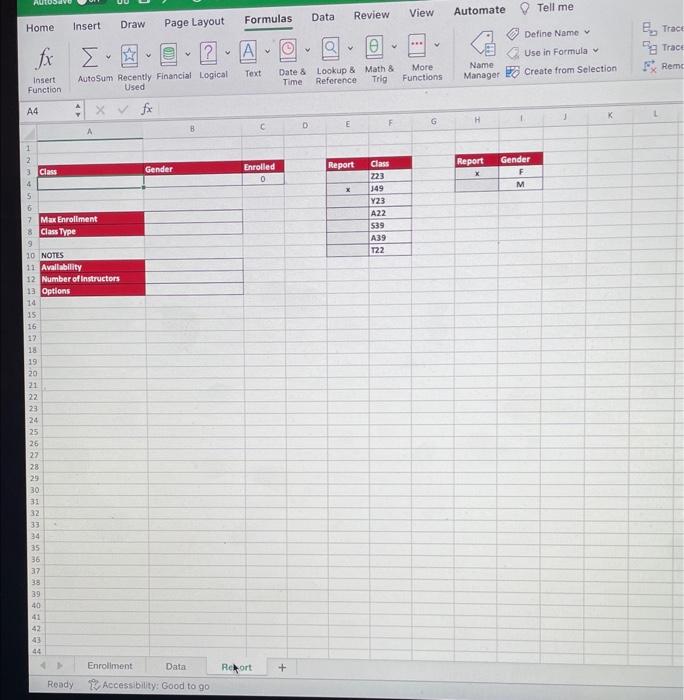
an exact matcn. Lopy ine tormula down tnrougn ceil E1Ur 8 On the Report worksheet, creale calculations that will help hotel employees manage the 10 fitness class enrollments. The user will put an x " in range E4:E10, indicating which class to report on and an ' x ' in range H4:H5 if employees want a report on a specific gender. In cell A4, use the XLOOKUP function to retrieve the class that was selected with an " X " in the range E4:E10. If no class is selected, have the function return the text No Class Selected In cell B4, use a MATCH function nested in an INDEX function to retrieve the Gender that was selected in H4:HS, looking at the " x " in column H and retuming the " F" or " M " for the Gender criteria. Using a MATCH nested in an INDEX function, retrieve the gender that was selected in H4:H5. Nest the MATCH and INDEX formula inside the IFERROR function in case the user does not select a specific gender. The IFERROR should leave the cell blank if a gender is not selected. In cell B7, create a HLOOKUP formula that will look up the Class in A4 within the Classlato. named range and retum the maximum enrollment, which is in the third row of that table. In cell B8, create a HLOOKUP formula that will use the Class in A4 within the Classlafo named range and return the Class Category, which is in the second row of that table. Croated On: 10ri3.2022 1 Unit 3 Examwewed Grader-Instructions Excol 2002 Proje - Instructions Instructions In cell B11, use the IFS function to indicate the availability of spots in the selected fitness class. If the number enrolled in C4 is greater than the maximum enrollment in B7, then Overbooked should display. If the number enrolled C4 is equal to the maximum enrollment in B7, then Full should display, otherwise, Spots Available should display. 11 The instructors for each class are listed on the Data worksheet in range B12:H14. The instructors for the class in cell A4 need to be counted. In cell B12, create a complex function that will determine the number of instructors for the class listed in A4. Use the COUNTA, INDIRECT, INDEX, and MATCH functions. Use the Class.uDs named range inside the MATCH function and the ClassNlames named range inside the INDEX function. 12 Click cell B13. Using an HLOOKUP nested in an AND function nested in an IF function, return either Split Class or Can't Split based on business options. Two conditions are needed to determine if a class can be split. Using the Classiofa table, one row shows if a class can be split. That condition can be determined with a HLOOKUP. The second is if there is more than one instructor as shown in cell B12. If both conditions are met, the class can be split. Otherwise, the class cannot be split. \begin{tabular}{|c|l|} \hline Report & Class \\ \hline & 223 \\ \hline & 149 \\ \hline & 123 \\ \hline & A22 \\ \hline & 539 \\ \hline & A39 \\ \hline & 722 \\ \hline \end{tabular} \begin{tabular}{|c|c|} \hline Repert & Gender \\ \hline & F \\ \hline & M \\ \hline \end{tabular}
Step by Step Solution
There are 3 Steps involved in it

Get step-by-step solutions from verified subject matter experts
 Study Help