







Question: need help with part 2 To start, Open Eclipse and create a new project and name it 'HomePetsApplication' then follow the following steps: a. 1.
 need help with part 2
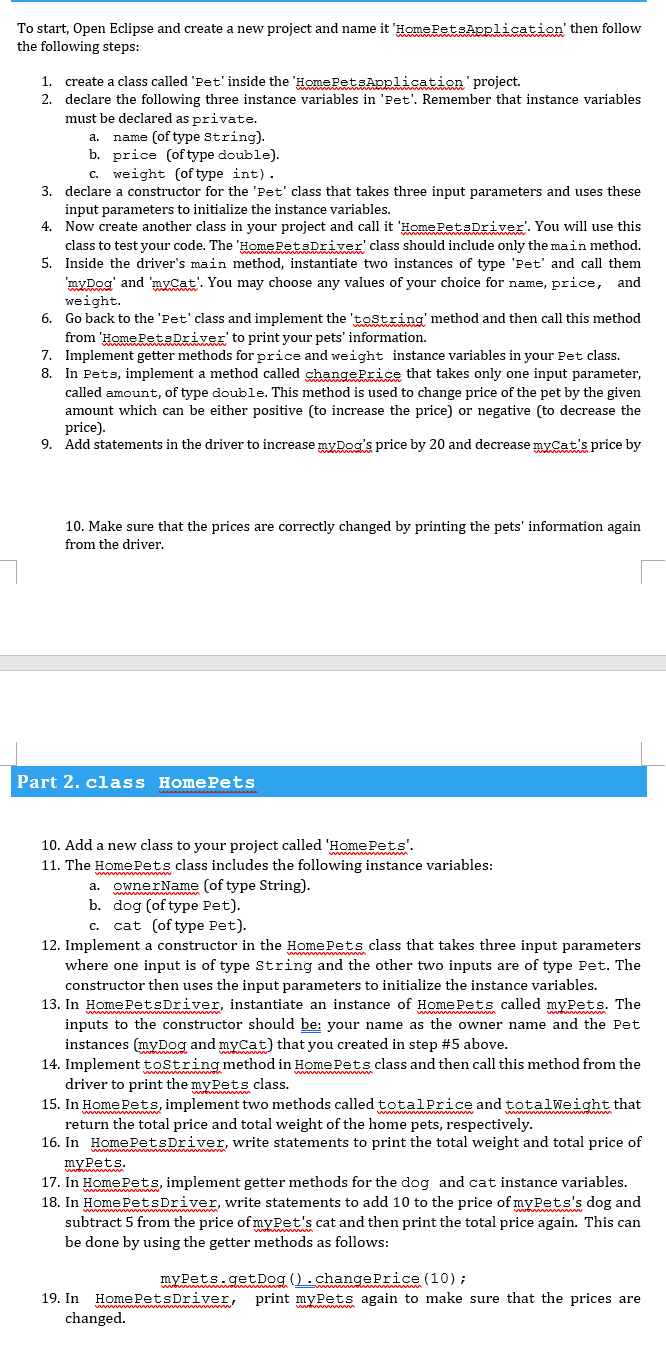
To start, Open Eclipse and create a new project and name it 'HomePetsApplication' then follow the following steps: a. 1. create a class called 'Pet' inside the 'HomePetsApplication project. 2. declare the following three instance variables in 'Pet'. Remember that instance variables must be declared as private. name (of type String). b. price (of type double). C. weight of type int). 3. declare a constructor for the 'Pet' class that takes three input parameters and uses these input parameters to initialize the instance variables. 4. Now create another class in your project and call it 'HomePetsDriver'. You will use this class to test your code. The 'HomePetsDriver' class should include only the main method. 5. Inside the driver's main method, instantiate two instances of type 'pet' and call them 'myDog' and 'myCat'. You may choose any values of your choice for name, price, and weight. 6. Go back to the 'Pet' class and implement the 'toString' method and then call this method from 'HomePetsDriver' to print your pets' information. 7. Implement getter methods for price and weight instance variables in your Pet class. 8. In Pets, implement a method called change Price that takes only one input parameter, called amount of type double. This method is used to change price of the pet by the given amount which can be either positive (to increase the price) or negative (to decrease the price). 9. Add statements in the driver to increase myDog's price by 20 and decrease myCat's price by 10. Make sure that the prices are correctly changed by printing the pets' information again from the driver. Part 2. class HomePets 10. Add a new class to your project called 'HomePets'. 11. The Home Pets class includes the following instance variables: a. ownerName (of type String). b. dog (of type Pet). c. cat of type Pet). 12. Implement a constructor in the Home Pets class that takes three input parameters where one input is of type String and the other two inputs are of type Pet. The constructor then uses the input parameters to initialize the instance variables. 13. In Home BetsDriver, instantiate an instance of Home Pets called myBets. The inputs to the constructor should be: your name as the owner name and the Pet instances (myDog and myCat) that you created in step #5 above. 14. Implement toString method in Home Pets class and then call this method from the driver to print the myrets class. 15. In Home Rets, implement two methods called totalPrice and totalWeight that return the total price and total weight of the home pets, respectively. 16. In HomePetsDriver, write statements to print the total weight and total price of myPets. 17. In Home Lets, implement getter methods for the dog and cat instance variables. 18. In HomeletsDriver, write statements to add 10 to the price of mykets's dog and subtract 5 from the price of myBet's cat and then print the total price again. This can be done by using the getter methods as follows: mypets.getDog().change Price (10); 19. In HomePetsDriver, print myPets again to make sure that the prices are changed
Step by Step Solution
There are 3 Steps involved in it

Get step-by-step solutions from verified subject matter experts
 Study Help