







Question: Need within next two hours for App Development class. uestion 1: valid user input and display validation result 50 points: for UI and styling (Figure
Need within next two hours for App Development class. 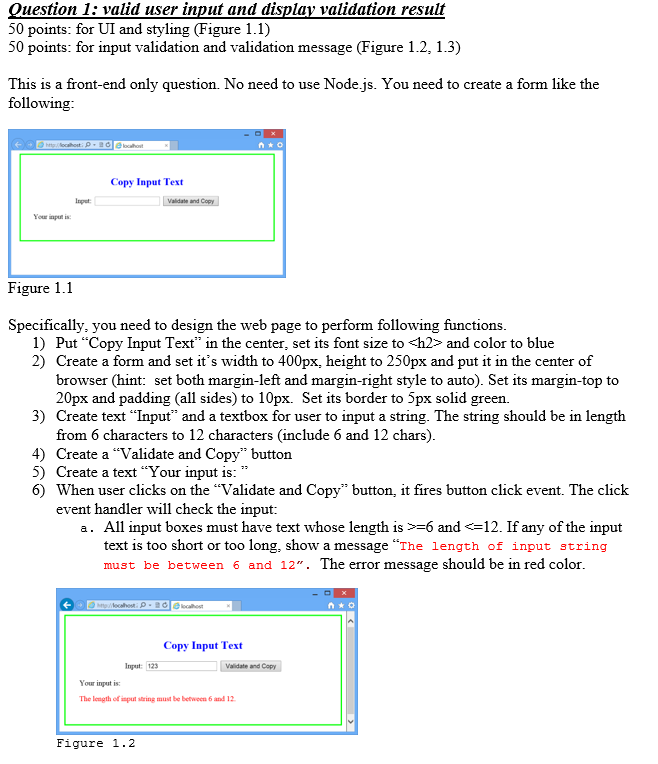
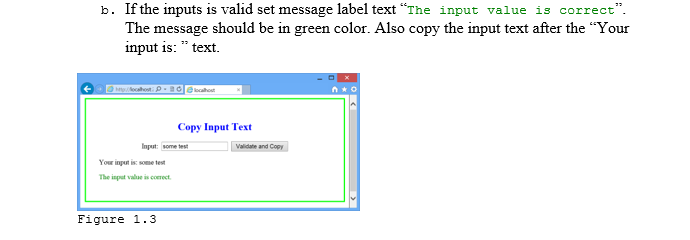
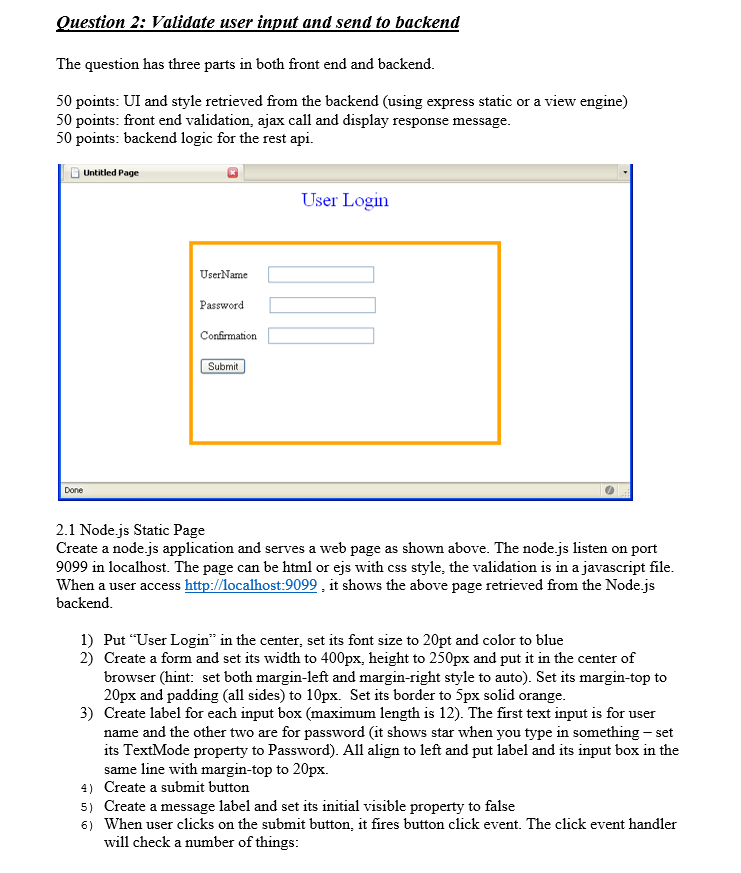
uestion 1: valid user input and display validation result 50 points: for UI and styling (Figure 1.1) 50 points: for input validation and validation message (Figure 1.2, 1.3) This is a front-end only question. No need to use Node.js. You need to create a form like the following localhost Copy Input Text Inpet Validate and Youw input is Figure 1.1 Specifically, you need to design the web page to perform following functions 1) Put "Copy Input Text" in the center, set its font size to
and color to blue 2) Create a form and set it's width to 400px, height to 250px and put it in the center of browser (hint: set both margin-left and margin-right style to auto). Set its margin-top to 20px and padding (all sides) to 10px. Set its border to 5px solid green. 3) Create text "Input" and a textbox for user to input a string. The string should be in length from 6 characters to 12 characters (include 6 and 12 chars) 4) Create a "Validate and Copy" buttor 5) Create a text "Your input is:" 6) When user clicks on the "Validate and Copy" button, it fires button click event. The click event handler will check the input: a. All input boxes must have text whose length is >=6 and
Step by Step Solution
There are 3 Steps involved in it
1 Expert Approved Answer
Step: 1 Unlock

Question Has Been Solved by an Expert!
Get step-by-step solutions from verified subject matter experts
Step: 2 Unlock
Step: 3 Unlock
 Study Help