







Question: Network Socket programming using Python programming language. see the two codes then answer the next questions: SimpleTCPServer.py : import socket s=socket.socket() # Create a new
Network Socket programming using Python programming language.
see the two codes then answer the next questions:
SimpleTCPServer.py :
import socket s=socket.socket() # Create a new socket object host="0.0.0.0" # IP Address used by server for receiving requests port=50000 # Port number used by the server for listening to requests s.bind((host, port)) # Bind the socket to address s.listen() # Enable a server to accept connections while True: conn, address=s.accept() ''' The socket must be bound to an address and listening for connections. The return value is a pair (conn, address) where conn is a new socket object usable to send and receive data on the connection, and address is the address bound to the socket on the other end of the connection. ''' print('Got connection from', address) conn.send(bytes('Thank you for connecting','UTF-8')) conn.close()
SimpleTCPClient.py:
import socket s=socket.socket() # Create a new socket object host="172.16.71.x" # IP address of the server host port=50000 # Port number used by the server process s.connect((host, port)) # Connect to a remote socket at address print (s.recv(1024)) # Receive data from the socket s.close() # Mark the socket closed
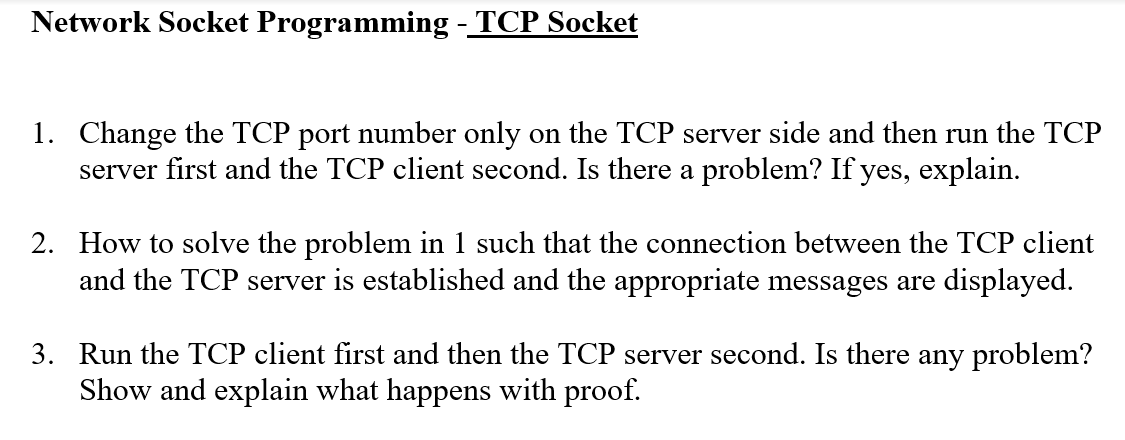
Network Socket Programming -TCP Socket Change the TCP port number only on the TCP server side and then run the TCP server first and the TCP client second. Is there a problem? If yes, explain 1. 2. How to solve the problem in 1 such that the connection between the TCP client and the TCP server is established and the appropriate messages are displayed. Run the TCP client first and then the TCP server second. Is there any problem? Show and explain what happens with proof. 3
Step by Step Solution
There are 3 Steps involved in it
1 Expert Approved Answer
Step: 1 Unlock

Question Has Been Solved by an Expert!
Get step-by-step solutions from verified subject matter experts
Step: 2 Unlock
Step: 3 Unlock
 Study Help