







Question: Network Socket programming using Python programming language. see the two codes then answer the next questions: UDPServer.py from socket import * serverPort = 50000 serverSocket=socket(AF_INET,
Network Socket programming using Python programming language.
see the two codes then answer the next questions:
UDPServer.py
from socket import * serverPort = 50000 serverSocket=socket(AF_INET, SOCK_DGRAM) serverSocket.bind(('', serverPort)) print('The server is ready to receive') while 1: message, clientAddress=serverSocket.recvfrom(2048) modifiedMessage=message.upper() serverSocket.sendto(modifiedMessage, clientAddress) UDPClient.py
import socket serverName = "172.16.71.x" serverPort = 50000 clientSocket=socket.socket(socket.AF_INET, socket.SOCK_DGRAM) message=input('Input lowercase sentence:') clientSocket.sendto(bytes(message, 'UTF-8'),(serverName,serverPort)) modifiedMessage, serverAddress=clientSocket.recvfrom(2048) print (modifiedMessage, end="") clientSocket.close()
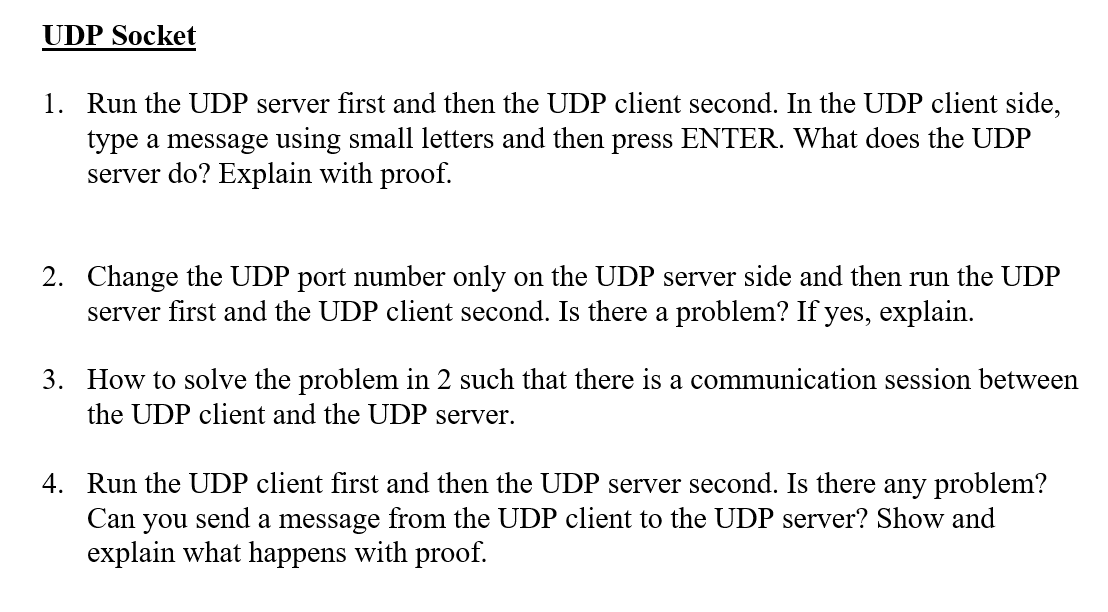
UDP Socket Run the UDP server first and then the UDP client second. In the UDP client side, type a message using small letters and then press ENTER. What does the UDP server do? Explain with proof. 1. Change the UDP port number only on the UDP server side and then run the UDP server first and the UDP client second. Is there a problem? If yes, explain. 2. 3, How to solve the problem in 2 such that there is a communication session between the UDP client and the UDP server Run the UDP client first and then the UDP server second. Is there any problem? Can you send a message from the UDP client to the UDP server? Show and explain what happens with proof. 4
Step by Step Solution
There are 3 Steps involved in it

Get step-by-step solutions from verified subject matter experts
 Study Help