







Question: Next, create a new class called HistogramApp which will utilize Scanner to collect input from the iser and run a more thorough test of Histogram.
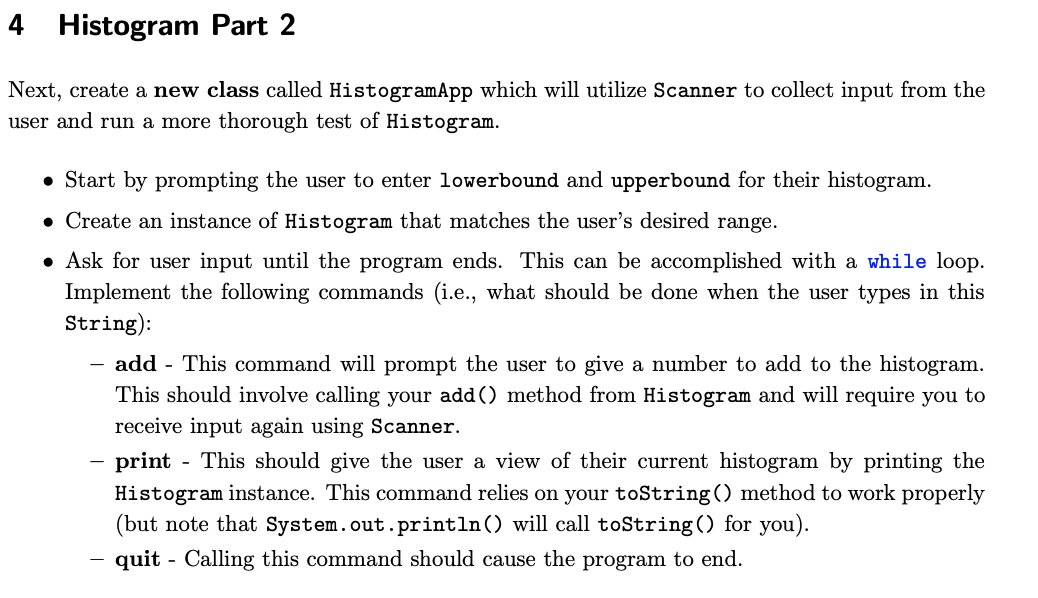
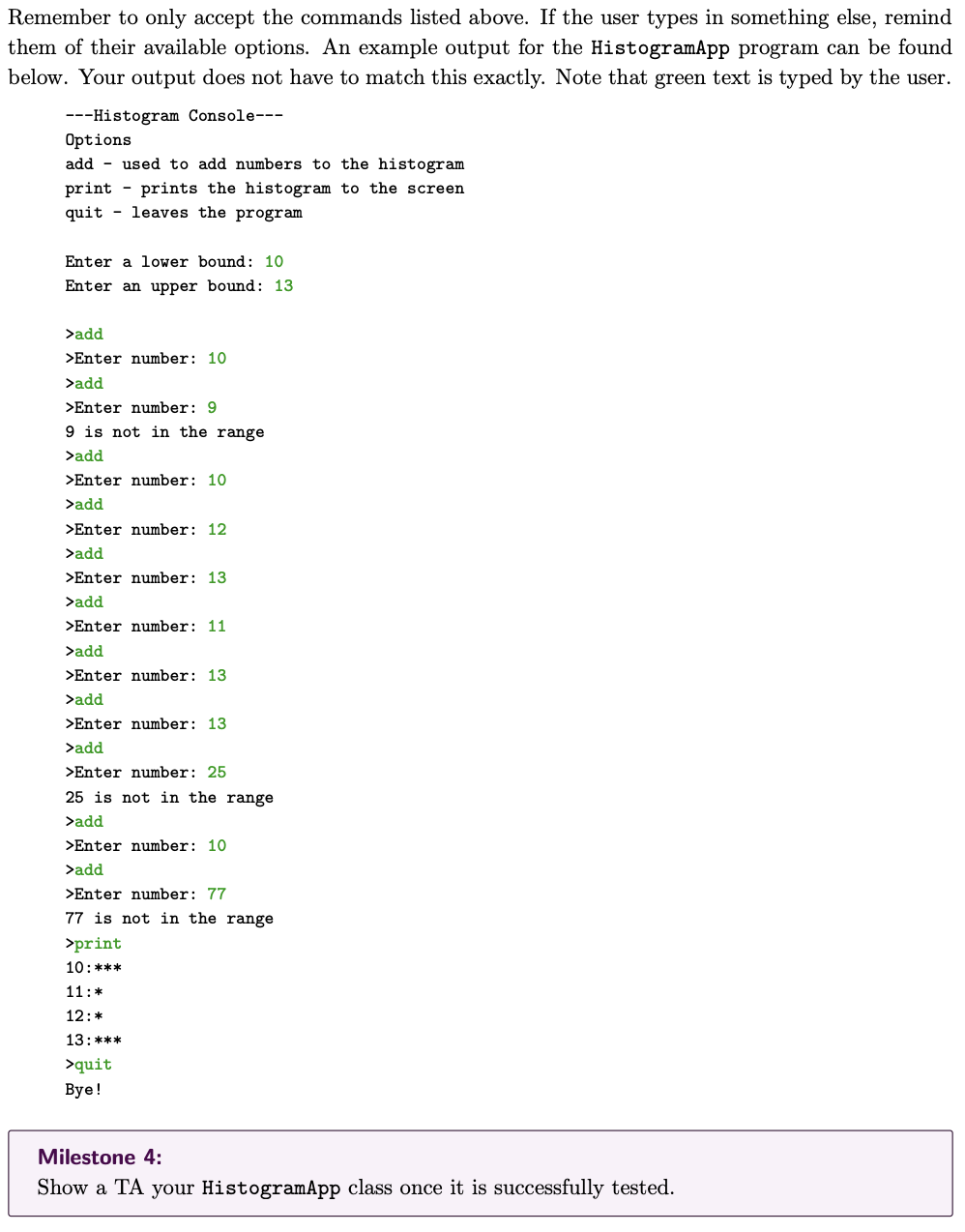
Next, create a new class called HistogramApp which will utilize Scanner to collect input from the iser and run a more thorough test of Histogram. - Start by prompting the user to enter lowerbound and upperbound for their histogram. - Create an instance of Histogram that matches the user's desired range. - Ask for user input until the program ends. This can be accomplished with a while loop. Implement the following commands (i.e., what should be done when the user types in this String): - add - This command will prompt the user to give a number to add to the histogram. This should involve calling your add() method from Histogram and will require you to receive input again using Scanner. - print - This should give the user a view of their current histogram by printing the Histogram instance. This command relies on your toString () method to work properly (but note that System.out.println() will call toString() for you). - quit - Calling this command should cause the program to end. emember to only accept the commands listed above. If the user types in something else, remir em of their available options. An example output for the HistogramApp program can be four elow. Your output does not have to match this exactly. Note that green text is typed by the use Milestone 4: Show a TA your HistogramApp class once it is successfully tested. Next, create a new class called HistogramApp which will utilize Scanner to collect input from the iser and run a more thorough test of Histogram. - Start by prompting the user to enter lowerbound and upperbound for their histogram. - Create an instance of Histogram that matches the user's desired range. - Ask for user input until the program ends. This can be accomplished with a while loop. Implement the following commands (i.e., what should be done when the user types in this String): - add - This command will prompt the user to give a number to add to the histogram. This should involve calling your add() method from Histogram and will require you to receive input again using Scanner. - print - This should give the user a view of their current histogram by printing the Histogram instance. This command relies on your toString () method to work properly (but note that System.out.println() will call toString() for you). - quit - Calling this command should cause the program to end. emember to only accept the commands listed above. If the user types in something else, remir em of their available options. An example output for the HistogramApp program can be four elow. Your output does not have to match this exactly. Note that green text is typed by the use Milestone 4: Show a TA your HistogramApp class once it is successfully tested
Step by Step Solution
There are 3 Steps involved in it

Get step-by-step solutions from verified subject matter experts
 Study Help