



Question: Note, the result cannot be this..... Newton's estimate of the square root of 3.0 : 1.7320508075688772 Python's estimate of the square root of 3.0 :
Note, the result cannot be this.....
Newton's estimate of the square root of 3.0 : 1.7320508075688772 Python's estimate of the square root of 3.0 : 1.7320508075688772 The difference between the two methods is: 0.0
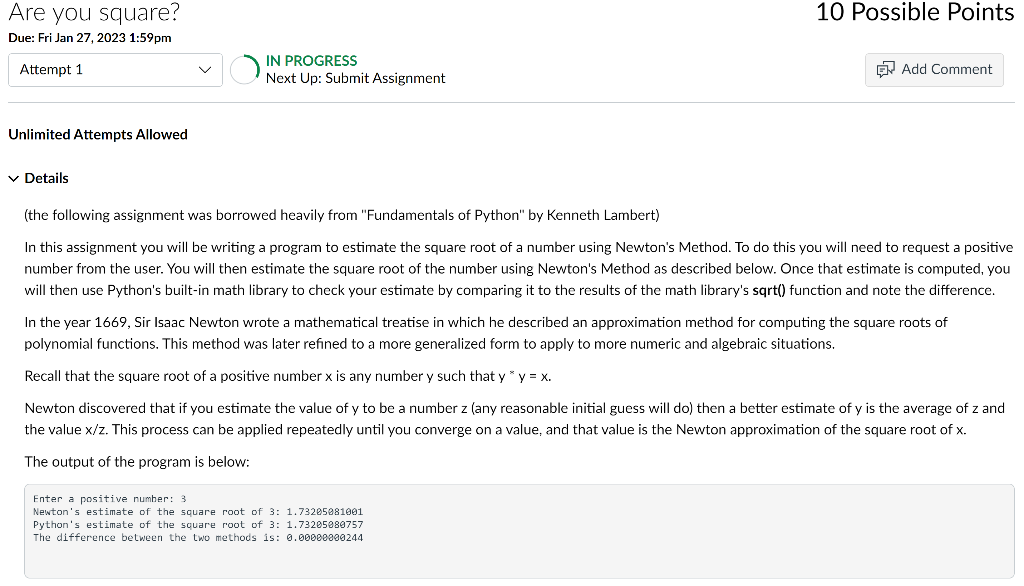
It has to be this....
Newton's estimate of the square root of 3: 1.73205081001 Python's estimate of the square root of 3: 1.73205080757 The difference between the two methods is: 0.00000000244
(the following assignment was borrowed heavily from "Fundamentals of Python" by Kenneth Lambert) In this assignment you will be writing a program to estimate the square root of a number using Newton's Method. To do this you will need to request a positive number from the user. You will then estimate the square root of the number using Newton's Method as described below. will then use Python's built-in math library to check your estimate by comparing it to the results of the math library's sqrt() function and note the difference. In the year 1669, Sir Isaac Newton wrote a mathematical treatise in which he described an approximation method for computing the square roots of polynomial functions. This method was later refined to a more generalized form to apply to more numeric and algebraic situations. Recall that the square root of a positive number x is any number y such that yxy=x. Newton discovered that if you estimate the value of y to be a number z (any reasonable initial guess will do) then a better estimate of y is the average of z and the value x/z. This process can be applied repeatedly until you converge on a value, and that is The output of the program is below: Enter a positive number: 3 Newton's estimate of the square root of 3:1.73205081001 Python's estimate of the square root of 3:1.73205089757 The difference between the two methods is: 0.00000000244
Step by Step Solution
There are 3 Steps involved in it

Get step-by-step solutions from verified subject matter experts