







Question: Objective: Upon completion this activity, you will be able to create a sort and data filtering from the provided data. Students Instructions: 1. Create a
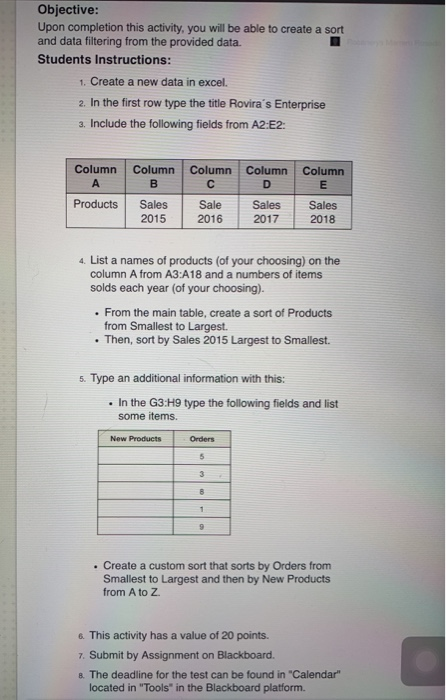
Objective: Upon completion this activity, you will be able to create a sort and data filtering from the provided data. Students Instructions: 1. Create a new data in excel. 2. In the first row type the title Rovira's Enterprise 3. Include the following fields from A2:E2: Column Column Column Column Column B Products Sales Sale Sales Sales 2015 2016 2017 | 2018 4. List a names of products (of your choosing) on the column A from A3:A18 and a numbers of items solds each year (of your choosing). . From the main table, create a sort of Products from Smallest to Largest. . Then, sort by Sales 2015 Largest to Smallest. 5. Type an additional information with this: . In the G3.H9 type the following fields and list some items. New Products Orders . Create a custom sort that sorts by Orders from Smallest to Largest and then by New Products from A to Z 6. This activity has a value of 20 points. 7. Submit by Assignment on Blackboard. 8. The deadline for the test can be found in "Calendar" located in "Tools" in the Blackboard platform
Step by Step Solution
There are 3 Steps involved in it

Get step-by-step solutions from verified subject matter experts
 Study Help