







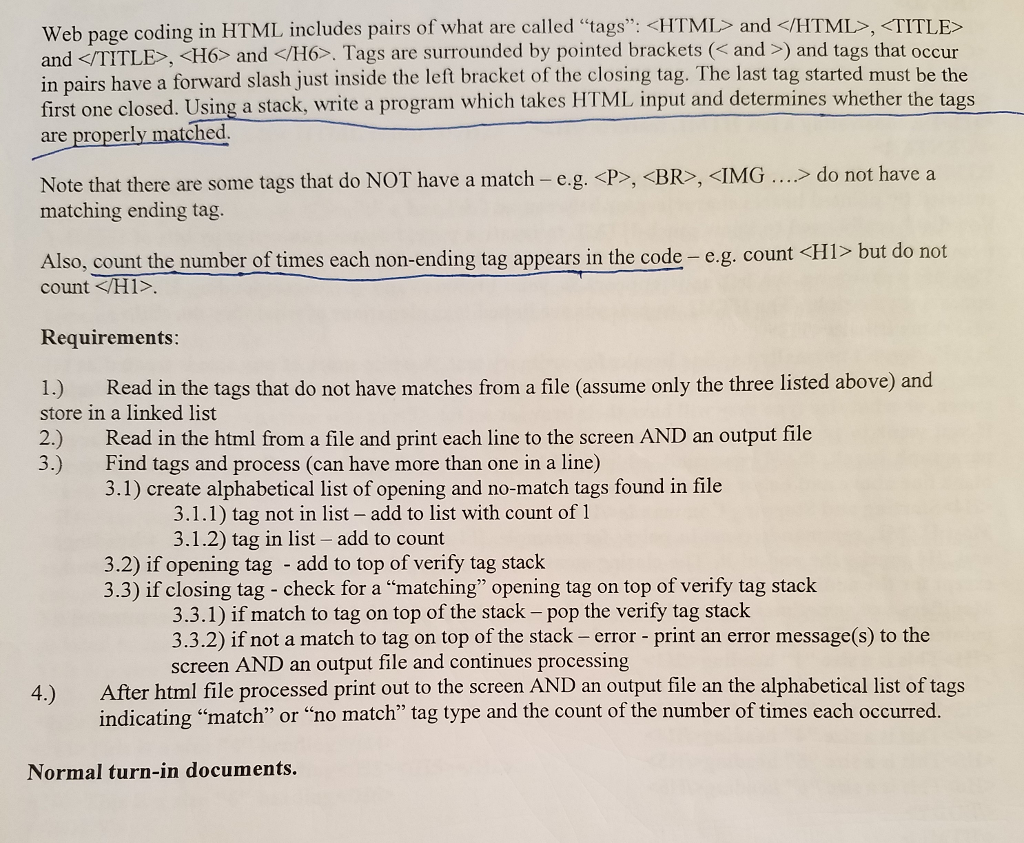
Question: P Please write a program in C++, and follow all directions in the first picture, including the alphabetical lists, the counters, matching and non matching
 P
P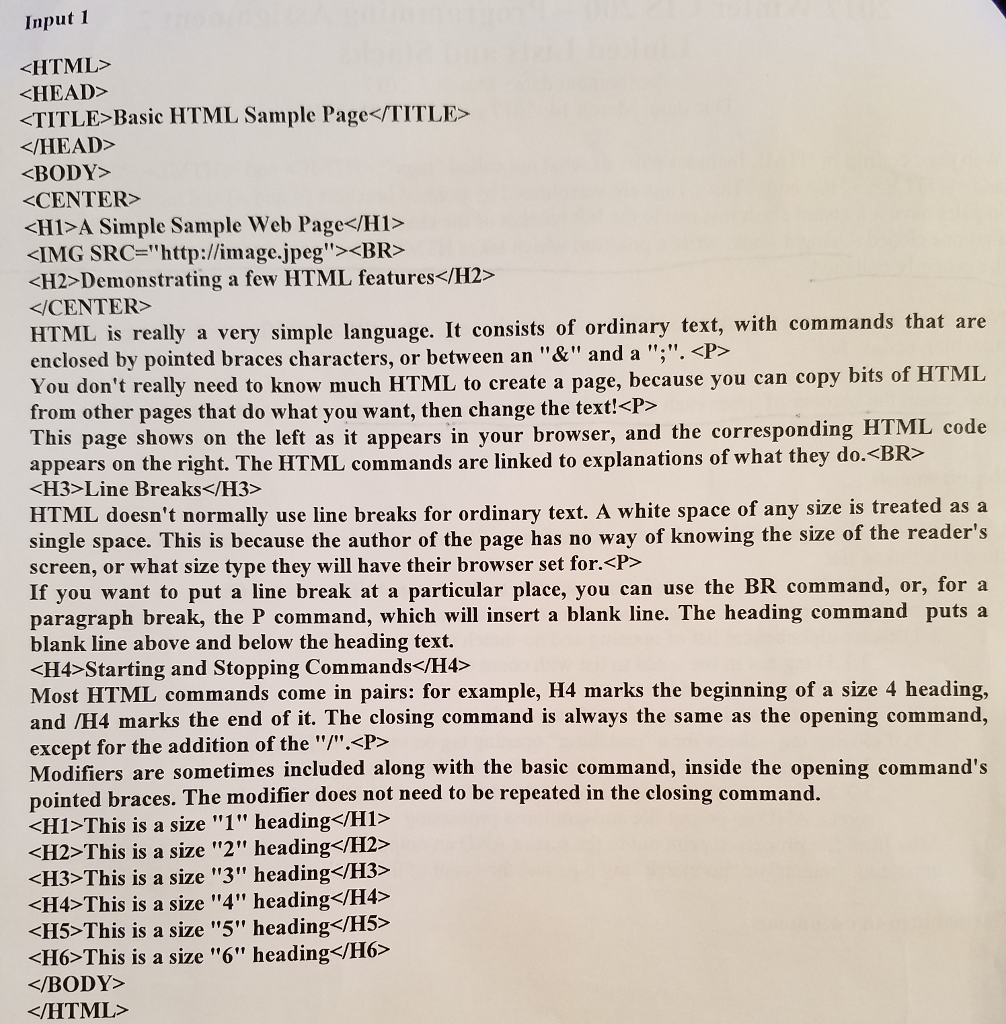
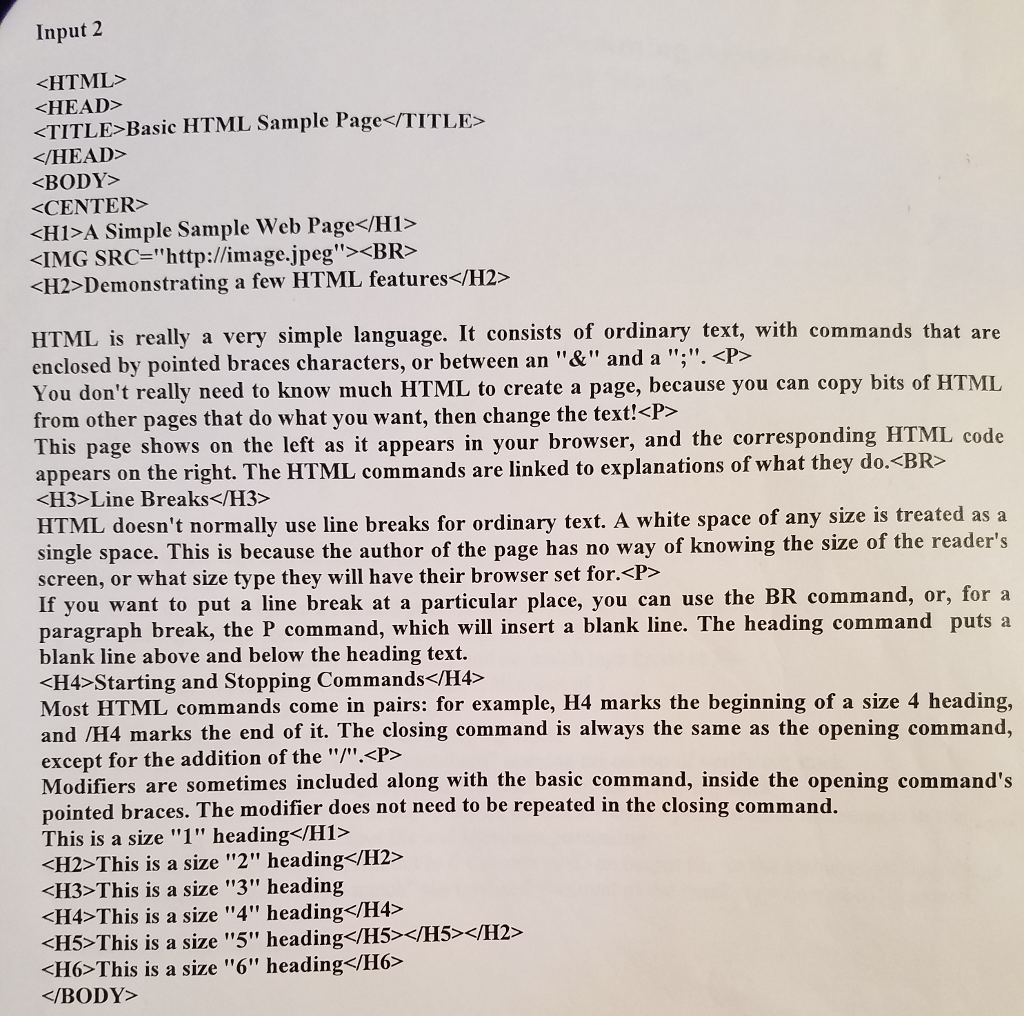
Please write a program in C++, and follow all directions in the first picture, including the alphabetical lists, the counters, matching and non matching indicator for the tags, and the appropriate infile and outfile, as well as the console output and proper error messages. Please use the included inputs to test the code and provide screenshots of the working code. Thank you.
Web page coding in HTML includes pairs of what are called "tags and KWTITLE>,
and
Tags are surrounded by pointed brackets and and tags that occur in pairs have a forward slash just inside the left bracket of the closing tag. The last tag started must be the first one closed. Using write a program which takes HTML input and determines whether the tags a stack, are properly matched Note that there are some tags that do NOT have a match e.g. P BR IMG do not have a matching ending tag Also, count the number of times each non-ending tag appears in the code e.g. count
Requirements: l.) Read in the tags that do not have matches from a file (assume only the three listed above) and store in a linked list 2.) Read in the html from a file and print each line to the screen AND an output file 3.) Find tags and process (can have more than one in a line) 3.1) create alphabetical list of opening and no-match tags found in file 3.1.1) tag not in list add to list with count of l 3.1.2) tag in list add to count 3.2) if opening tag add to top of verify tag stack 3.3) if closing tag check for a "matching" opening tag on top of verify tag stack 3.3.1) if match to tag on top of the stack pop the verify tag stack 3.3.2) if not a match to tag on top of the stack -error print an error message(s) to the screen AND an output file and continues processing 4.) After html file processed print out to the screen AND an output file an the alphabetical list of tags indicating "match" or "no match" tag type and the count of the number of times each occurred. Normal turn-in documents
Step by Step Solution
There are 3 Steps involved in it

Get step-by-step solutions from verified subject matter experts
 Study Help