







Question: PA 6 File IO , Functions - File Statistics Analyzer ( 1 0 0 points ) Individual, non - collaborative assignment Learner Objectives By completing
PA File IO Functions File Statistics Analyzer points
Individual, noncollaborative assignment
Learner Objectives
By completing this assignment, students will:
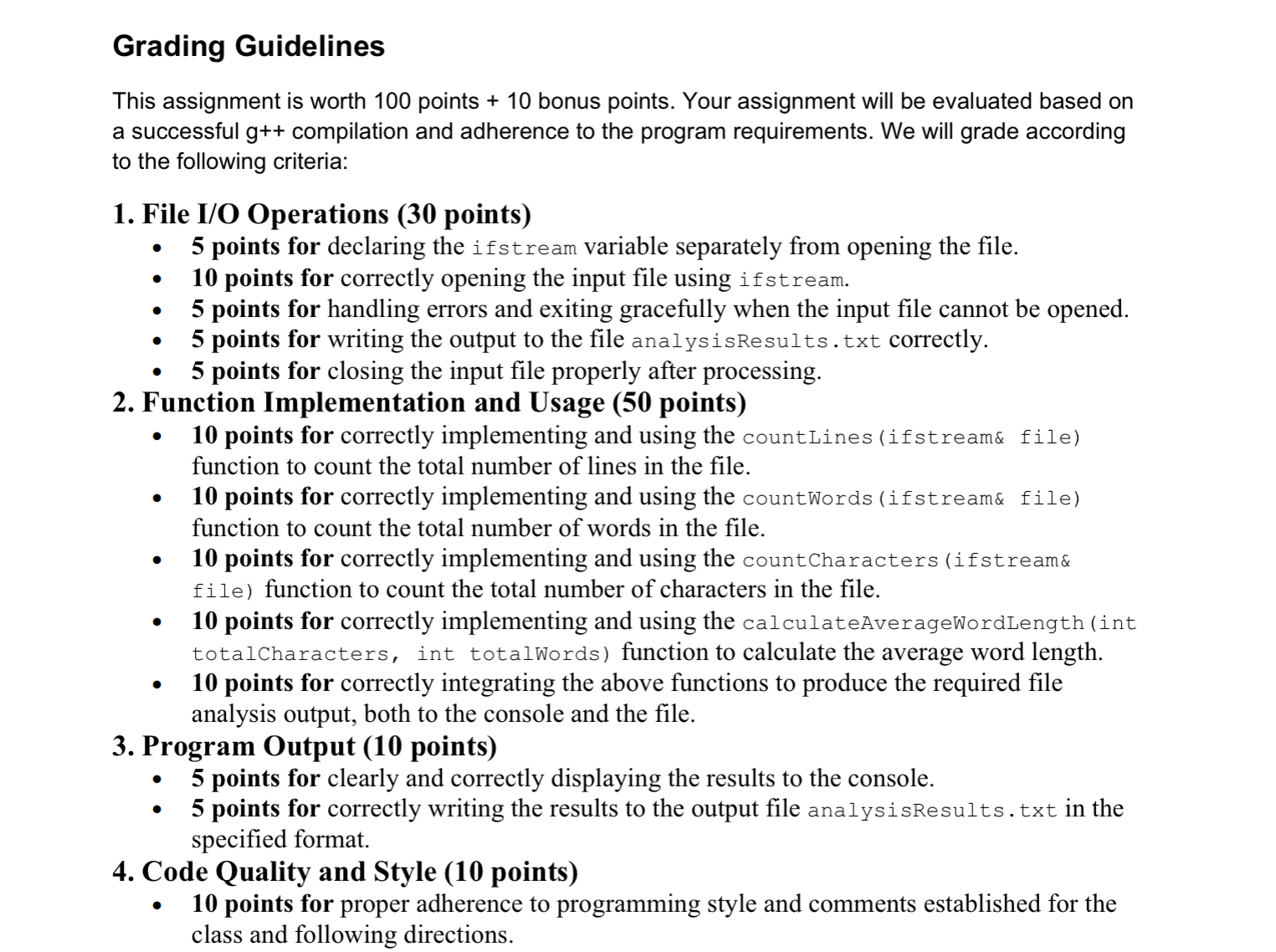
Understand how to read text data from files in
Learn to calculate basic file statistics, such as the number of lines, words, and characters.
Use functions to break down a program into smaller, modular tasks.
Practice writing output to both the console and an external file.
Use functions to calculate the average word length.
Properly handle file inputoutput operations with error checking.
Prerequisites
Before starting this assignment, students should have:
A basic understanding of C syntax and program structure.
Familiarity with control structures eg loops, conditionals
An introduction to file IO in C using ifstream and ofstream.
Introductory knowledge of functions, including prototypes, definitions, and passing arguments by value and reference.
Overview and Requirements
In this assignment, you are tasked with creating a program that reads a text file and outputs several statistics about the file. The program should calculate the total number of lines, words, characters, and the average word length in the file.
The program should start by prompting the user to enter the name of the file to analyze. After opening the file for reading, it should calculate the following statistics:The total number of lines.
The total number of words.
The total number of characters including spaces and punctuation
The average word length total characters in words divided by total words
Note that you cannot have a fractional word length! You should only output whole numbers as your average word length.
You are required to write these statistics to both the console and an output file named analysisResults.txt The output file should contain the same information displayed on the console.
Use functions to perform the calculations for each statistic lines words, characters, average word length and ensure that your program handles errors such as a file not opening properly. If the file cannot be opened, display an appropriate error message and exit the program gracefully.
Required Functions
You are required to use the following functions as part of your solution.
Note that you'll need to start at the beginning of the input file for each of these function tasks using the required prototypes. One method is to close and reopen the file before calling each function. Another is to use the clear function to reset any error flags and then the see function to reset the filestream to the beginning of the file.
Tip: you may also find the "line by line, word by word, character by character" example fromclass as a useful starting point to solve this assignment problem and each of the function requirements.
See the following function prototypes:
int countLinesifstream& file;
reads a file and returns the total number of lines in it
file is used to read data from files.
returns the total number of lines in the file passed to it through the reference parameter.
int countWordsifstream& file;
reads a file and returns the total number of words in it
file is used to read data from files.
returns the total number of words in the file that is passed to it through the reference parameter.
int countCharactersifstream& file;
reads a file character by character and returns the total count of characters in the file.
file is used to read data from files.returns the total number of characters in the file that is passed to it through the reference parameter.
double calculateAverageWordLengthint totalCharacters, int totalWords;
calculates the average word length based on the total number of characters and words.
Returns the average word length, which is calculated by dividing the total number of characters by the total number of words. If the total number of words is the function returns
Bonus Task points
For additional credit, allow the user to analyze multiple files in one session. Implement a loop that repeatedly prompts the user for file names and analyzes them until the user chooses to exit. Note that we have not covered arrays or vectors. I am prohibiting their use as part of the bonus task solution.
You are required to add a Canvas comment that you have attempted the bonus to receive credit for this task.
Example Run of the Program
Note: indicates input typed by the user.
Sample Input File:Successful File AnalysisContents of analysisResults.txt:File Does Not ExistNotes:
The expected number of characters is including punctuation and spaces for the example input file. This count does not include newlines at the end of each line.
ThisisasimpletesttabletableThisis Solve this for me
Step by Step Solution
There are 3 Steps involved in it
1 Expert Approved Answer
Step: 1 Unlock

Question Has Been Solved by an Expert!
Get step-by-step solutions from verified subject matter experts
Step: 2 Unlock
Step: 3 Unlock
 Study Help