







Question: page 120-121 in web development & design foundations HTML5 a. Create an external style sheet and name it format1. css and format it as follows
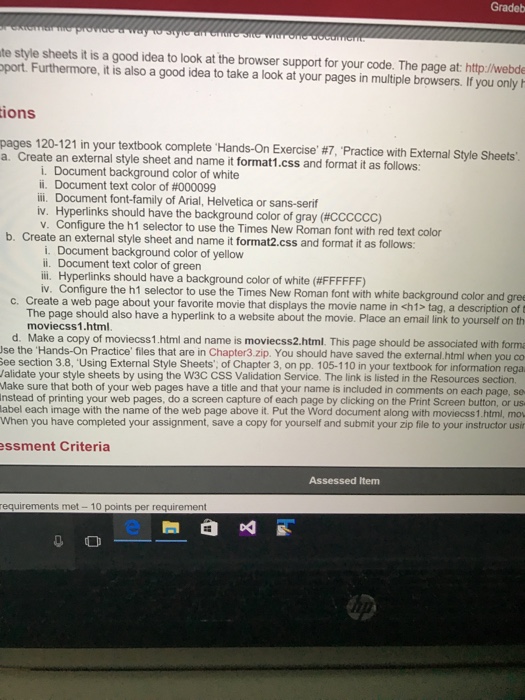
a. Create an external style sheet and name it format1. css and format it as follows i. Document background color of white ii. Document text color of #000099 iii. Document font-family of Arial. Helvetica or sans-serif iv. Hyperlinks should have the background color of gray (#CCCCCC) v. Configure the h1 selector to use the Times New Roman font with red text color b. Create an external style sheet and name it format2.css and format it as follows. i. Document background color of yellow ii. Document text color of green iii Hyperlinks should have a background color of white (#FFFFFF) iv. Configure the hi selector to use the Times New Roman font with white background color and c. Create a web page about your favorite movie that displays the movie name in tag, a description of The page should also have a hyperlink to a website about the movie. Place an email link to yourself on moviecss1.html. d Make a copy of moviecss1.html and name is moviecss2.html. This page should be associated with the 'Hands-On Practice' files that are in Chapter3 zip. You should have saved the external.html when you See section 3.8, Using External Style Sheets', of Chapter 3, on pp. 105-110 in your textbook for information Validate your style sheets by using the W3C CSS Validation Service. The link is listed in the Resources section, Make sure that both of your web pages have a title and that your name is included in comments on each page, so Instead of printing your web pages, do a screen capture of each page by clicking on the Print Screen button, or label each image with the name of the web page above it. Put the Word document along with moviecss1.html. When you have completed your assignment, save a copy for yourself and submit your zip file to your instructor
Step by Step Solution
There are 3 Steps involved in it

Get step-by-step solutions from verified subject matter experts
 Study Help