







Question: Paragraph Styles LKE Distribution 1. On the Documentation worksheet enter your name in the Author cell and current date in the Date cell. 2. In
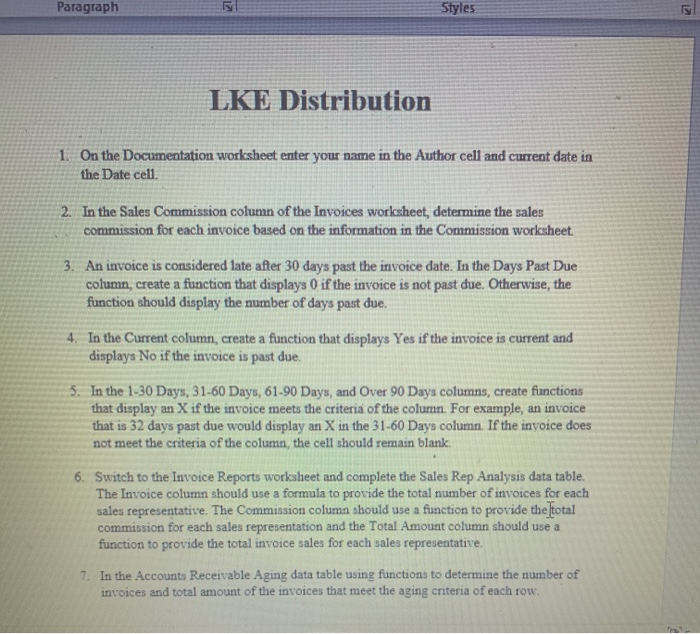
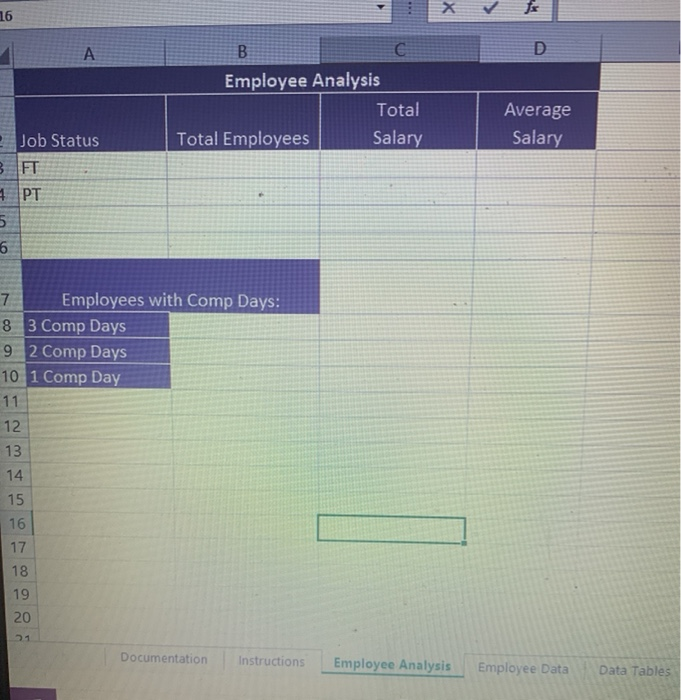
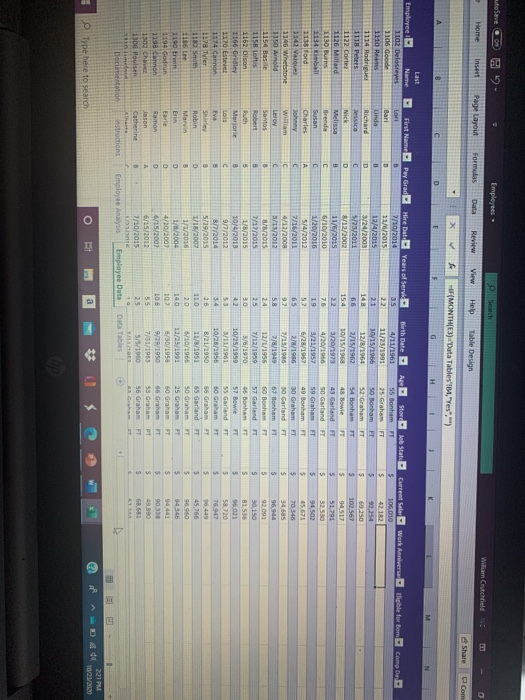
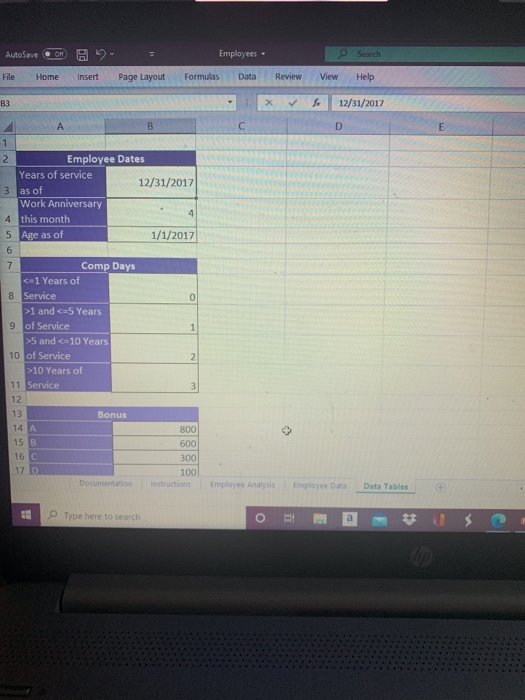
Paragraph Styles LKE Distribution 1. On the Documentation worksheet enter your name in the Author cell and current date in the Date cell. 2. In the Sales Commission column of the Invoices worksheet, determine the sales commission for each invoice based on the information in the Commission worksheet. 3. An invoice is considered late after 30 days past the invoice date. In the Days Past Due column, create a function that displays 0 if the invoice is not past due. Otherwise, the function should display the number of days past due. 4. In the Current column, create a function that displays Yes if the invoice is current and displays No if the invoice is past due. 5. In the 1-30 Days, 31-60 Days, 61-90 Days, and Over 90 Days columns, create functions that display an X if the invoice meets the criteria of the column. For example, an invoice that is 32 days past due would display an X in the 31-60 Days column. If the invoice does not meet the criteria of the column, the cell should remain blank. 6. Switch to the Invoice Reports worksheet and complete the Sales Rep Analysis data table. The Invoice column should use a formula to provide the total number of invoices for each sales representative. The Commission column should use a function to provide the total commission for each sales representation and the Total Amount column should use a function to provide the total invoice sales for each sales representative. 7. In the Accounts Receivable Aging data table using functions to determine the number of invoices and total amount of the invoices that meet the aging criteria of each row. 16 A D B G Employee Analysis Total Total Employees Salary Average Salary Job Status FT 5 6 7 Employees with Comp Days: 8 3 Comp Days 9 2 Comp Days 10 1 Comp Day 11 12 13 14 15 16 17 18 19 20 21 Documentation Instructions Employee Analysis Employee Data Data Tables autolave Employees - se Search William Chechield Home Insert Page Layout Formulas Data Review View Help Table Design Share C Com X IF(MONTH(E3) Data Tables',"Yes","") G H B c D F Digible for Boncom Employee Name 1102 Delosreyes 1106 Goode 1110 Heans 1114 Rodrigues 1118 Peters 1122 Cortez 1126 Millard 1130 Burns 1134 ball 113 ford 1142 V 1146 Whetstone 1150 Amold 1154 Bar 1158 Lofts 1162 Olson 1166 Gridley 1170 Esteve 1174 Canna 1178 Tyler 1182 Smith 1186 1190 Erwin 1194 and 1198 Canon 1302 Chaves 1306 Poulsen in me Documentatie First Name Pay Grad Hire Date Years of Service- Lori 7/10/2014 35 Bari 11/6/2015 22 Linda 12/4/2015 21 Richard D 3/24/2003 148 Jessica C 5/25/2011 66 Nick D 8/12/2002 15.4 Melissa B 11/5/2015 22 Brenda 6/10/2010 76 Susan C 1/20/2016 19 Charles A 5/4/2012 57 Johnny C 7/16/2011 65 William c 4/12/2008 Leroy C 5/15/2012 58 Santos 8 8/8/2015 24 Robert 2/17/2015 25 1/8/2015 30 Marjorie 10/4/2013 42 Lois c 9/7/2012 5.3 Eva 8/7/2014 3.4 Shirley 8 5/29/2015 2.6 Robin D 1/11/2007 11.0 Marvin 1/2/2016 20 1/8/2004 Earlie 4/20/300 102 Ramon D 6/15/2007 106 Jason 6/15/2012 55 Catherine B 7/10/2015 25 72 10 Instructions Employee Analyse Employee Data Birth Date - 4/11/1961 11/25/1991 10/15/1966 12/8/1964 2/15/1962 10/15/1968 3/20/1973 4/20/1966 3/21/1957 6/28/1957 2/8/1996 7/13/1980 7/9/1949 12/1/1956 7/12/1959 3/6/1990 10/25/1959 5/11/1961 10/28/1955 B/21/1950 11/6/1951 6/10/1966 12/23/1991 6/50/1956 9/29/1950 Apstore Rob Stats Current Sales Work Anniversar 55 Bonham FT $ 106,010 25 Graham FT $ 42,182 SO Bonham FT $ 52 Graham FT 5 60,250 54 Bonham IT 5 102,567 48 Bowie FT 5 94,517 43 Garland FT $ 51791 50 Garland FT $ 32.530 59 Graham FT $ 94.502 49 Bonham FT 5 45.671 30 Graham FT $ 70.540 30 Garland FT $ 34.685 67 Bonham FT 5 96.944 60 Bonham FT $ 92 091 57 Garland FT $ 30 150 46 Bonham FT S 81.536 57 Bowie FT $ 95,021 55 Garland FT $ 58,720 60 Graham IT 5 76.947 66 Graham FT $ 96.449 65 Garland FT 5 45,766 50 Graham HT 5 95 950 25 Graham FT 3 94346 60 Graham 944 56 Graham FT 3 53 Graham S 49.890 56 Graham $ 68,683 EESEE 5/5/1960 Data Tables + 221 PM 10/23/2012 Type here to search O AutoSave 11 - Employees e Search File Home Insert Page Layout Formulas Data Review View Help B3 X 12/31/2017 B C D E 1 2 Employee Dates Years of service 12/31/2017 3 as of Work Anniversary 4 4 this month 5 Age as of 1/1/2017 6 7 Comp Days 1 and and 10 Years of 11 Service 12 13 Bonus 14 A 800 15 B 600 16 C 300 17 D 100 Documentation Instructions 3 Employee Analysis Employee Data Data Tables Type here to search O a Paragraph Styles LKE Distribution 1. On the Documentation worksheet enter your name in the Author cell and current date in the Date cell. 2. In the Sales Commission column of the Invoices worksheet, determine the sales commission for each invoice based on the information in the Commission worksheet. 3. An invoice is considered late after 30 days past the invoice date. In the Days Past Due column, create a function that displays 0 if the invoice is not past due. Otherwise, the function should display the number of days past due. 4. In the Current column, create a function that displays Yes if the invoice is current and displays No if the invoice is past due. 5. In the 1-30 Days, 31-60 Days, 61-90 Days, and Over 90 Days columns, create functions that display an X if the invoice meets the criteria of the column. For example, an invoice that is 32 days past due would display an X in the 31-60 Days column. If the invoice does not meet the criteria of the column, the cell should remain blank. 6. Switch to the Invoice Reports worksheet and complete the Sales Rep Analysis data table. The Invoice column should use a formula to provide the total number of invoices for each sales representative. The Commission column should use a function to provide the total commission for each sales representation and the Total Amount column should use a function to provide the total invoice sales for each sales representative. 7. In the Accounts Receivable Aging data table using functions to determine the number of invoices and total amount of the invoices that meet the aging criteria of each row. 16 A D B G Employee Analysis Total Total Employees Salary Average Salary Job Status FT 5 6 7 Employees with Comp Days: 8 3 Comp Days 9 2 Comp Days 10 1 Comp Day 11 12 13 14 15 16 17 18 19 20 21 Documentation Instructions Employee Analysis Employee Data Data Tables autolave Employees - se Search William Chechield Home Insert Page Layout Formulas Data Review View Help Table Design Share C Com X IF(MONTH(E3) Data Tables',"Yes","") G H B c D F Digible for Boncom Employee Name 1102 Delosreyes 1106 Goode 1110 Heans 1114 Rodrigues 1118 Peters 1122 Cortez 1126 Millard 1130 Burns 1134 ball 113 ford 1142 V 1146 Whetstone 1150 Amold 1154 Bar 1158 Lofts 1162 Olson 1166 Gridley 1170 Esteve 1174 Canna 1178 Tyler 1182 Smith 1186 1190 Erwin 1194 and 1198 Canon 1302 Chaves 1306 Poulsen in me Documentatie First Name Pay Grad Hire Date Years of Service- Lori 7/10/2014 35 Bari 11/6/2015 22 Linda 12/4/2015 21 Richard D 3/24/2003 148 Jessica C 5/25/2011 66 Nick D 8/12/2002 15.4 Melissa B 11/5/2015 22 Brenda 6/10/2010 76 Susan C 1/20/2016 19 Charles A 5/4/2012 57 Johnny C 7/16/2011 65 William c 4/12/2008 Leroy C 5/15/2012 58 Santos 8 8/8/2015 24 Robert 2/17/2015 25 1/8/2015 30 Marjorie 10/4/2013 42 Lois c 9/7/2012 5.3 Eva 8/7/2014 3.4 Shirley 8 5/29/2015 2.6 Robin D 1/11/2007 11.0 Marvin 1/2/2016 20 1/8/2004 Earlie 4/20/300 102 Ramon D 6/15/2007 106 Jason 6/15/2012 55 Catherine B 7/10/2015 25 72 10 Instructions Employee Analyse Employee Data Birth Date - 4/11/1961 11/25/1991 10/15/1966 12/8/1964 2/15/1962 10/15/1968 3/20/1973 4/20/1966 3/21/1957 6/28/1957 2/8/1996 7/13/1980 7/9/1949 12/1/1956 7/12/1959 3/6/1990 10/25/1959 5/11/1961 10/28/1955 B/21/1950 11/6/1951 6/10/1966 12/23/1991 6/50/1956 9/29/1950 Apstore Rob Stats Current Sales Work Anniversar 55 Bonham FT $ 106,010 25 Graham FT $ 42,182 SO Bonham FT $ 52 Graham FT 5 60,250 54 Bonham IT 5 102,567 48 Bowie FT 5 94,517 43 Garland FT $ 51791 50 Garland FT $ 32.530 59 Graham FT $ 94.502 49 Bonham FT 5 45.671 30 Graham FT $ 70.540 30 Garland FT $ 34.685 67 Bonham FT 5 96.944 60 Bonham FT $ 92 091 57 Garland FT $ 30 150 46 Bonham FT S 81.536 57 Bowie FT $ 95,021 55 Garland FT $ 58,720 60 Graham IT 5 76.947 66 Graham FT $ 96.449 65 Garland FT 5 45,766 50 Graham HT 5 95 950 25 Graham FT 3 94346 60 Graham 944 56 Graham FT 3 53 Graham S 49.890 56 Graham $ 68,683 EESEE 5/5/1960 Data Tables + 221 PM 10/23/2012 Type here to search O AutoSave 11 - Employees e Search File Home Insert Page Layout Formulas Data Review View Help B3 X 12/31/2017 B C D E 1 2 Employee Dates Years of service 12/31/2017 3 as of Work Anniversary 4 4 this month 5 Age as of 1/1/2017 6 7 Comp Days 1 and and 10 Years of 11 Service 12 13 Bonus 14 A 800 15 B 600 16 C 300 17 D 100 Documentation Instructions 3 Employee Analysis Employee Data Data Tables Type here to search O a
Step by Step Solution
There are 3 Steps involved in it

Get step-by-step solutions from verified subject matter experts
 Study Help