







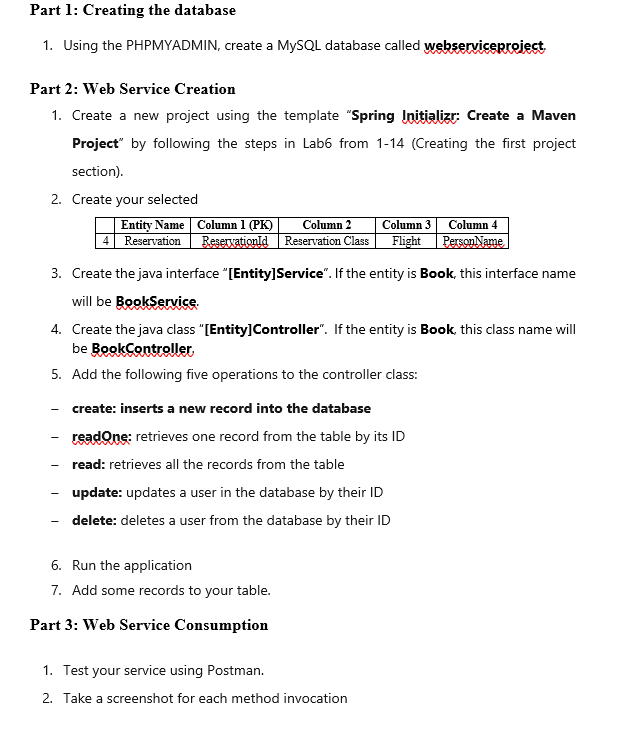
Question: Part 1 : Creating the database 1 . Using the PHPMYADMIN, create a MySQL database called webserviceproject, Part 2 : Web Service Creation 1 .
Part : Creating the database
Using the PHPMYADMIN, create a MySQL database called webserviceproject,
Part : Web Service Creation
Create a new project using the template "Spring Initializr: Create a Maven Project" by following the steps in Lab from Creating the first project section
Create your selected
Create the java interface EntityService If the entity is Book, this interface name will be BookService.
Create the java class EntityController If the entity is Book, this class name will be BookController
Add the following five operations to the controller class:
create: inserts a new record into the database
readQne: retrieves one record from the table by its ID
read: retrieves all the records from the table
update: updates a user in the database by their ID
delete: deletes a user from the database by their ID
Run the application
Add some records to your table.
Part : Web Service Consumption
Test your service using Postman.
Take a screenshot for each method invocation
Step by Step Solution
There are 3 Steps involved in it
1 Expert Approved Answer
Step: 1 Unlock

Question Has Been Solved by an Expert!
Get step-by-step solutions from verified subject matter experts
Step: 2 Unlock
Step: 3 Unlock
 Study Help