







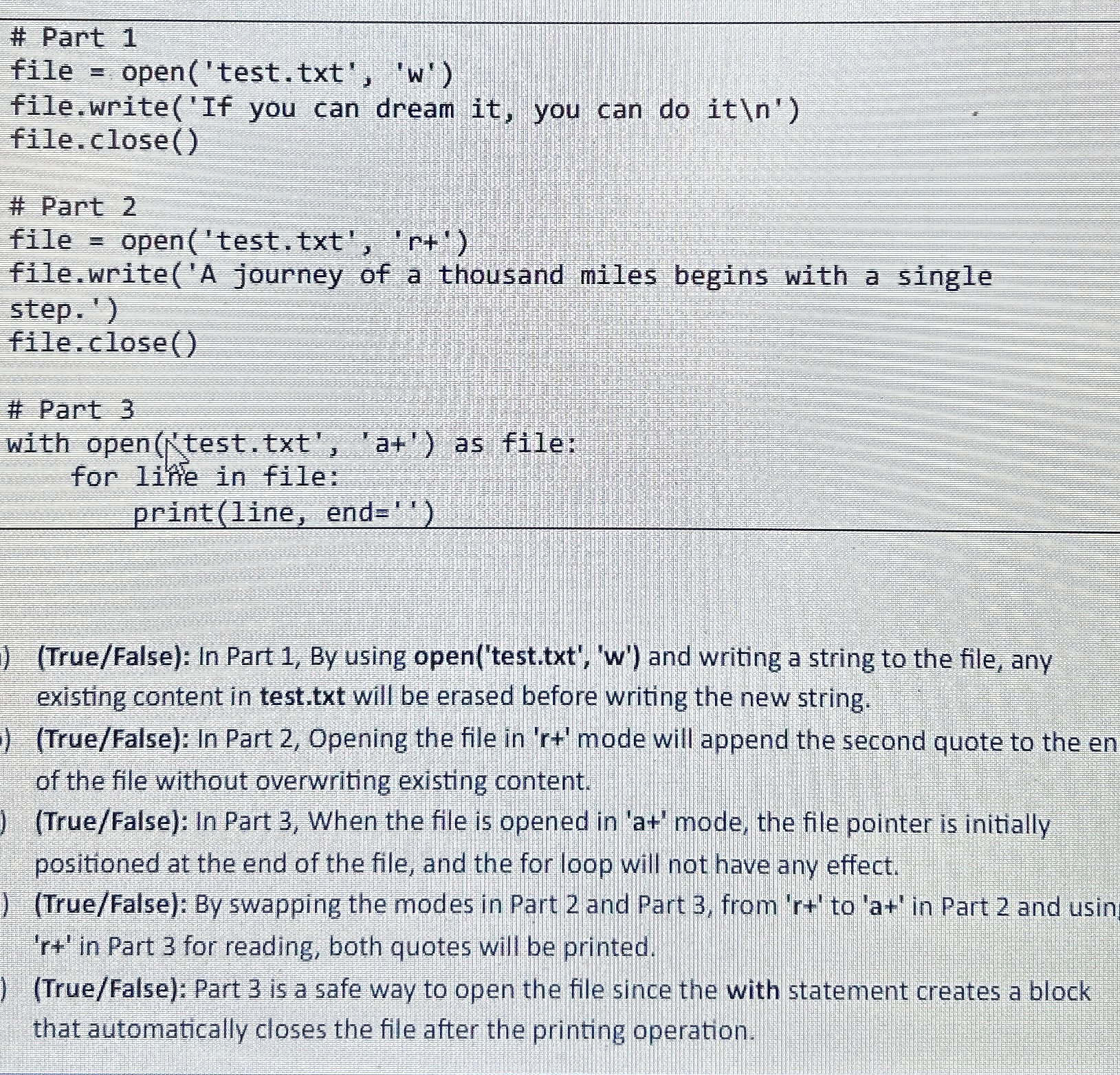
Question: # Part 1 file = open ( ' test . txt ' , ' w ' ) file.write ( ' If you can dream it
# Part
file open testtxtw
file.writeIf you can dream it you can do it
file. close
# Part
file open testtxtrt
file.writeA journey of a thousand miles begins with a single
step.
file.close
# Part
with opentesttxtat as file:
for lithe in file:
printline end
TrueFalse: In Part By using opentesttxtw and writing a string to the file, any existing content in test.txt will be erased before writing the new string.
TrueFalse: In Part Opening the file in mode will append the second quote to the en of the file without overwriting existing content.
TrueFalse: In Part When the file is opened in mode, the file pointer is initially positioned at the end of the file, and the for loop will not have any effect.
TrueFalse: By swapping the modes in Part and Part from to in Part and usin in Part for reading, both quotes will be printed.
TrueFalse: Part is a safe way to open the file since the with statement creates a block that automatically closes the file after the printing operation.
Step by Step Solution
There are 3 Steps involved in it
1 Expert Approved Answer
Step: 1 Unlock

Question Has Been Solved by an Expert!
Get step-by-step solutions from verified subject matter experts
Step: 2 Unlock
Step: 3 Unlock
 Study Help