







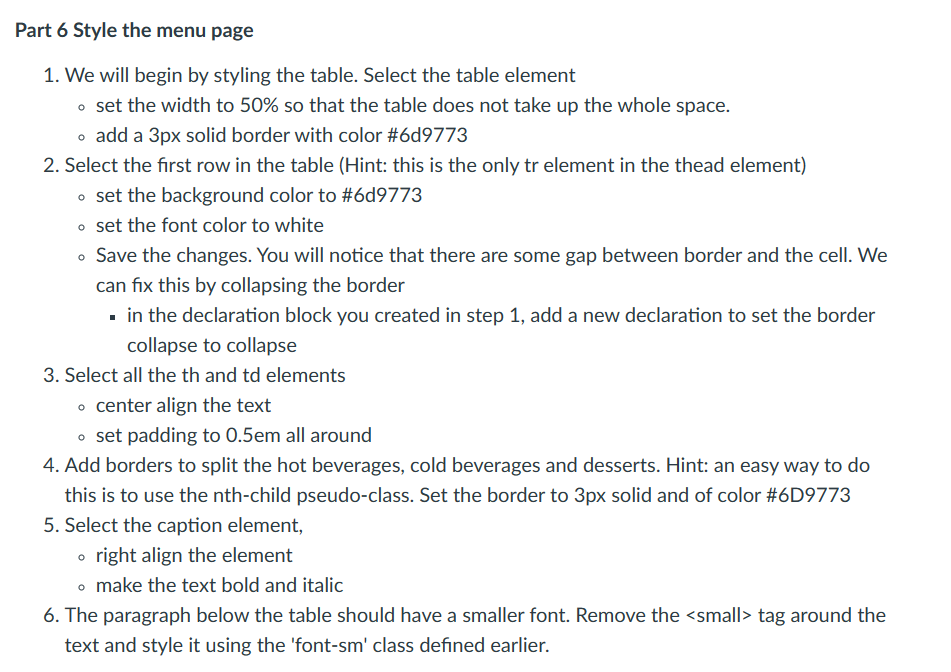
Question: Part 6 Style the menu page We will begin by styling the table. Select the table element set the width to 5 0 % so
Part Style the menu page
We will begin by styling the table. Select the table element
set the width to so that the table does not take up the whole space.
add a px solid border with color #d
Select the first row in the table Hint: this is the only tr element in the thead element
set the background color to #d
set the font color to white
Save the changes. You will notice that there are some gap between border and the cell. We
can fix this by collapsing the border
in the declaration block you created in step add a new declaration to set the border
collapse to collapse
Select all the th and td elements
center align the text
set padding to all around
Add borders to split the hot beverages, cold beverages and desserts. Hint: an easy way to do
this is to use the nthchild pseudoclass. Set the border to px solid and of color #D
Select the caption element,
right align the element
make the text bold and italic
The paragraph below the table should have a smaller font. Remove the
Step by Step Solution
There are 3 Steps involved in it
1 Expert Approved Answer
Step: 1 Unlock

Question Has Been Solved by an Expert!
Get step-by-step solutions from verified subject matter experts
Step: 2 Unlock
Step: 3 Unlock
 Study Help