



Question: Perform the following tasks: 1. Enter a formula in cell G5 that divides the sum of cells C5 through F5 by cell B5. Write
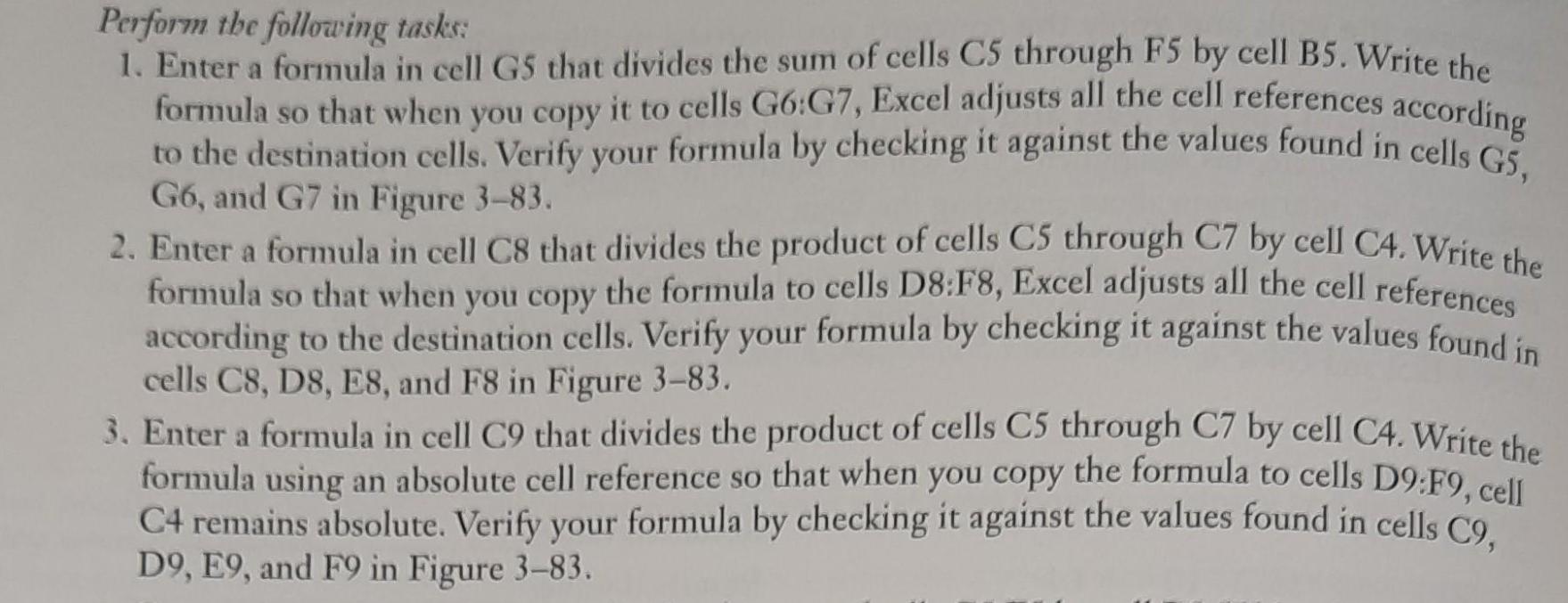
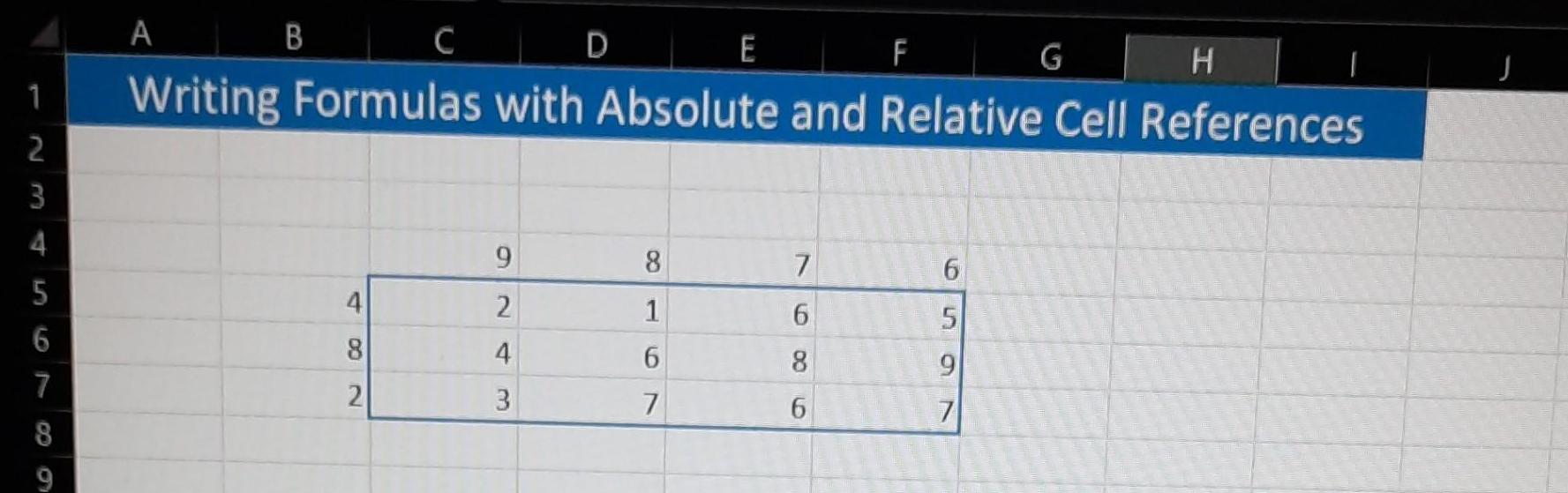
Perform the following tasks: 1. Enter a formula in cell G5 that divides the sum of cells C5 through F5 by cell B5. Write the formula so that when you copy it to cells G6:G7, Excel adjusts all the cell references according to the destination cells. Verify your formula by checking it against the values found in cells GS. G6, and G7 in Figure 3-83. 2. Enter a formula in cell C8 that divides the product of cells C5 through C7 by cell C4. Write the that when you copy the formula to cells D8:F8, Excel adjusts all the cell references according to the destination cells. Verify your formula by checking it against the values found in cells C8, D8, E8, and F8 in Figure 3-83. formula SO 3. Enter a formula in cell C9 that divides the product of cells C5 through C7 by cell C4. Write the formula using an absolute cell reference so that when you copy the formula to cells D9:F9, cell C4 remains absolute. Verify your formula by checking it against the values found in cells C9, D9, E9, and F9 in Figure 3-83. Figure:3-83 1 2 3 4 5 6 7 8 9 A C D E G H Writing Formulas with Absolute and Relative Cell References B 4 8 2 9 2 4 3 1 6 7 7 6 8 F 6 5 9 7 J
Step by Step Solution
3.34 Rating (154 Votes )
There are 3 Steps involved in it

Get step-by-step solutions from verified subject matter experts