







Question: Pixel Class Java 1. Pixel Class Name: Pixel.java A color can be represented numerically by its color components: red, blue, and green (RGB). A common
Pixel Class Java
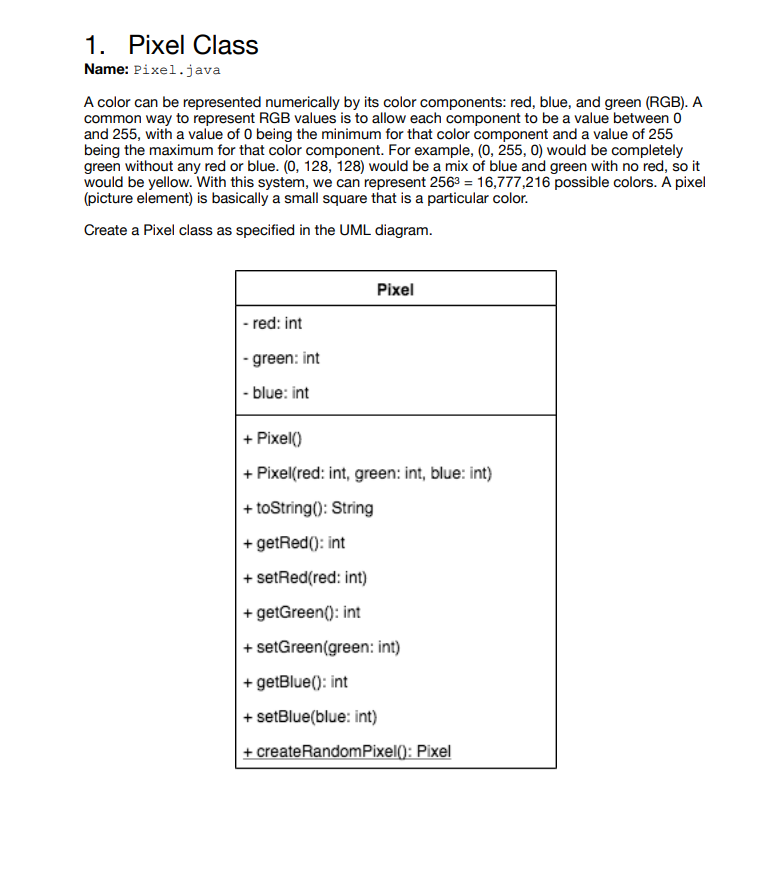
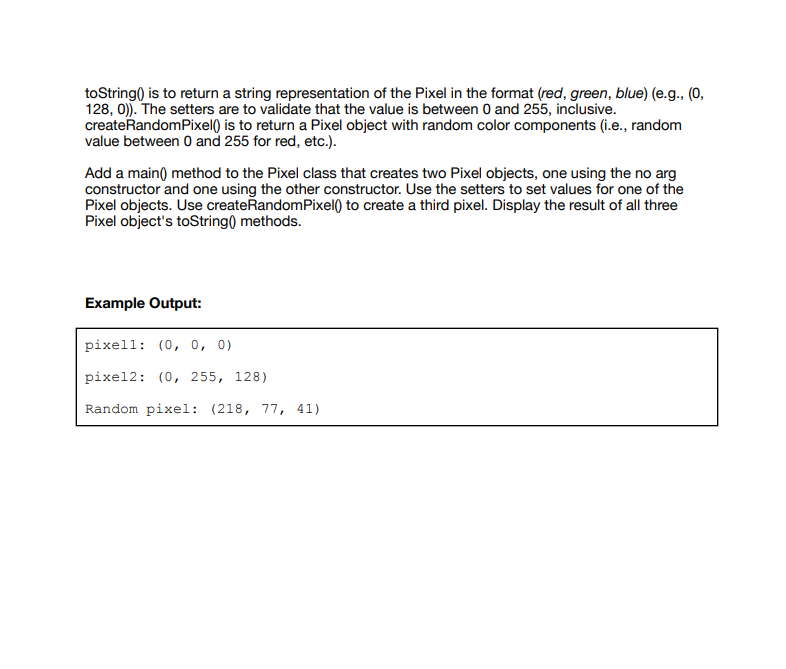
1. Pixel Class Name: Pixel.java A color can be represented numerically by its color components: red, blue, and green (RGB). A common way to represent RGB values is to allow each component to be a value between 0 and 255, with a value of 0 being the minimum for that color component and a value of 255 being the maximum for that color component. For example, (0, 255, 0) would be completely green without any red or blue. (0, 128, 128) would be a mix of blue and green with no red, so it would be yellow. With this system, we can represent 2563 16,777,216 possible colors. A pixel (picture element) is basically a small square that is a particular color Create a Pixel class as specified in the UML diagram Pixel - red: int green: int blue: int + PixelO) + Pixel(red: int, green: int, blue: int) +toString0: String +getRed0: int +setRed(red: int) +getGreen0: int setGreen(green: int) +getBlue): int +setBlue(blue: int) +createRandomPixel0: Pixel
Step by Step Solution
There are 3 Steps involved in it

Get step-by-step solutions from verified subject matter experts
 Study Help